Retainer by Roy Orbitson
Provides a keyboard shortcut (Shift + Alt + C by default) to create a new tab that retains the current/last-used container.
33 Users33 Users
Extension Metadata
Screenshots
About this extension
This is an updated and improved version of https://addons.mozilla.org/en-US/firefox/addon/new-container-tab/
It provides a keyboard shortcut (Shift + Alt + C by default) to create a new tab that retains the current/last-used container.
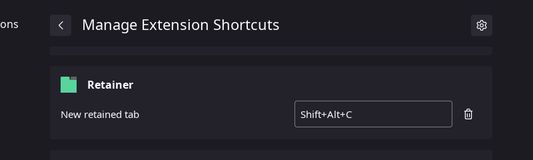
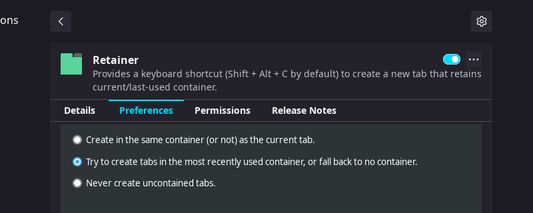
You can edit the default shortcut under Add-ons and Themes > Extensions > ⚙️ > Manage Extension Shortcuts > Retainer. New tabs can be restricted to the last-used container in the extension's preferences panel under Add-ons and Themes > Extensions > Retainer > ⋯ > Preferences.
It provides a keyboard shortcut (Shift + Alt + C by default) to create a new tab that retains the current/last-used container.
You can edit the default shortcut under Add-ons and Themes > Extensions > ⚙️ > Manage Extension Shortcuts > Retainer. New tabs can be restricted to the last-used container in the extension's preferences panel under Add-ons and Themes > Extensions > Retainer > ⋯ > Preferences.
Rated 5 by 5 reviewers
Permissions and data
More information
- Add-on Links
- Version
- 0.2.1
- Size
- 17.12 kB
- Last updated
- 4 years ago (17 Jan 2022)
- Related Categories
- Licence
- Mozilla Public Licence 2.0
- Privacy Policy
- Read the privacy policy for this add-on
- Version History
- Add to collection