
Aggregate Tabs to Main Window par Piro (piro_or)
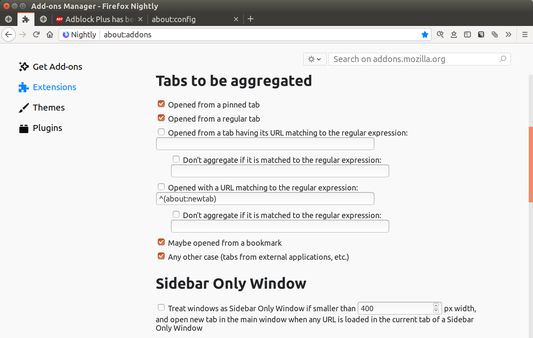
Aggregate new tabs to a window which has most many tabs and largest size.
33 utilisateurs·trices33 utilisateurs·trices
Métadonnées de l’extension
Captures d’écran
À propos de cette extension
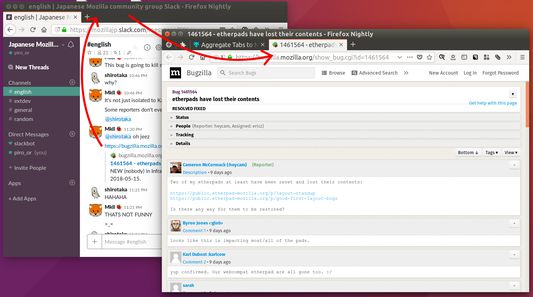
This addon will help you to use multiple windows with specific usages parallelly like: window 1 is for Twitter, window 2 is for main browsing. In such case, new tabs opened from Twitter will be moved to the main window automatically.
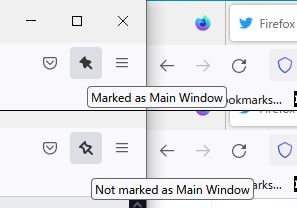
What is the "main browsing window"? This addon regards most largest window as that. If there are multiple largest windows, the tab which has most largest number of tabs is detected as the main. Moreover you can mark a specific window as the main window via the toolbar button.
# Useful example 1: parallel use of multiple sidebars, Tree Style Tab and Bookmarks
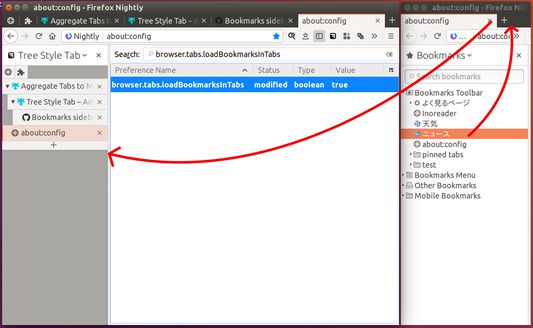
1. Go to `about:config` and set `browser.tabs.loadBookmarksInTabs` to `true`.
2. Show "Tree Style Sidebar" sidebar in the main window.
https://addons.mozilla.org/firefox/addon/tree-style-tab/
3. Open a new window, and show "Bookmarks" sidebar in the window.
4. Reduce width of the window for Bookmarks sidebar to enough width for the sidebar area.
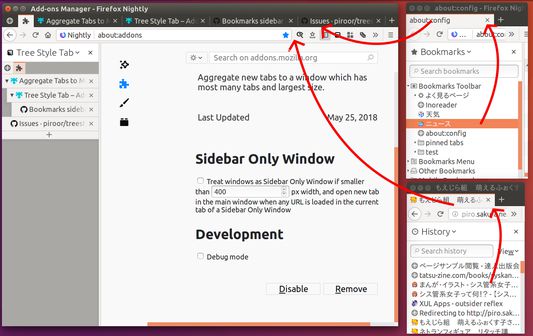
Then, new tabs opened from the Bookmarks sidebar by clicking are automatically moved to the main window, thus it will work like multiple sidebar panels.
If you cannot shrink the width of a browser window small, you need to use "userChrome.css" to reduce minimum size of browser windows, for example:
------
:root, #urlbar-container { min-width: 0 !important; }
------
What is the "main browsing window"? This addon regards most largest window as that. If there are multiple largest windows, the tab which has most largest number of tabs is detected as the main. Moreover you can mark a specific window as the main window via the toolbar button.
# Useful example 1: parallel use of multiple sidebars, Tree Style Tab and Bookmarks
1. Go to `about:config` and set `browser.tabs.loadBookmarksInTabs` to `true`.
2. Show "Tree Style Sidebar" sidebar in the main window.
https://addons.mozilla.org/firefox/addon/tree-style-tab/
3. Open a new window, and show "Bookmarks" sidebar in the window.
4. Reduce width of the window for Bookmarks sidebar to enough width for the sidebar area.
Then, new tabs opened from the Bookmarks sidebar by clicking are automatically moved to the main window, thus it will work like multiple sidebar panels.
If you cannot shrink the width of a browser window small, you need to use "userChrome.css" to reduce minimum size of browser windows, for example:
------
:root, #urlbar-container { min-width: 0 !important; }
------
Noté 4,5 par 12 personnes
Autorisations et données
Autorisations nécessaires :
- Consulter et modifier les marque-pages
- Accéder aux onglets récemment fermés
- Accéder aux onglets du navigateur
Plus d’informations
- Liens du module
- Version
- 1.7.3
- Taille
- 38,25 Ko
- Dernière mise à jour
- il y a 23 jours (2 juil. 2026)
- Licence
- Mozilla Public License 2.0
- Politique de confidentialité
- Lire la politique de confidentialité de ce module
- Historique des versions
- Ajouter à la collection