
Conex par kesselborn
TabGroups married with Tab Containers and bookmark & history search
583 utilisateurs·trices583 utilisateurs·trices
Métadonnées de l’extension
Captures d’écran
À propos de cette extension
conex
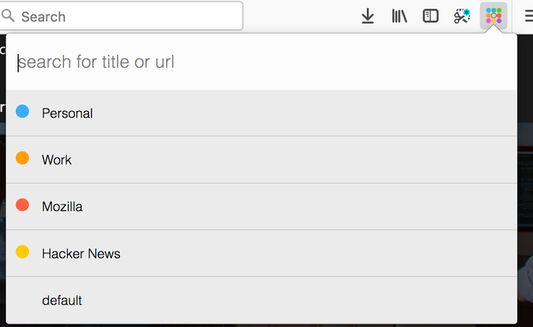
This addon tries to replace some functionality from the discontinued *TabGroups* with some differences:
Differences to tabgroups
Global keyboard shortcuts
Conex popup keyboard shortcuts
Enable tab hiding
Necessary addon permissions
This addon tries to replace some functionality from the discontinued *TabGroups* with some differences:
Differences to tabgroups
- it lacks the big "Manage my TabGroups" overview window
- tab groups are implemented via containers
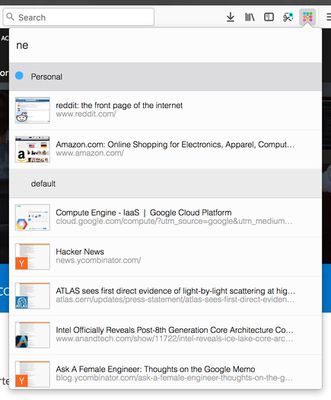
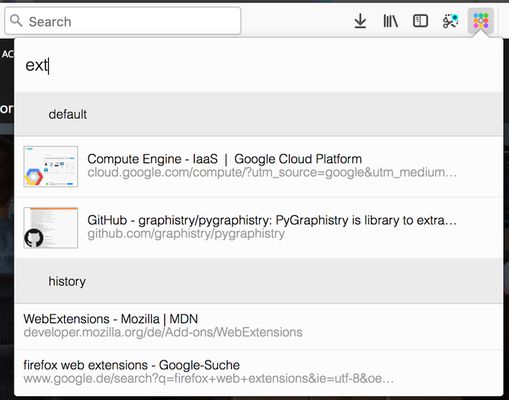
- the quick search contains thumbnail of the results
- the quick search includes bookmarks and history
Global keyboard shortcuts
Ctrl+Space (adjustable): open conex popupCtrl+Shift+E / Cmd+Shift+E (adjustable): move tab to another containerCtrl+T / Cmd+T: open tab in current container
Conex popup keyboard shortcuts
↓/Tabjump to next container or tab in the popup list↑/Shift+Tabjump to previous container or tab in the popup listEnteron a tab: switch to tab / on a container: activate the last accessed tab of the selected containerBackspaceon a tab: close the selected tab / on a container: delete selected container→/←/Ctrl+Enteron a container: expand / unexpand tab list of the selected containerCtrl+Shift+Enter/Ctrl+ +on a container: open a new tab in the selected container and activate this tab / in the search box: open new container dialog
Enable tab hiding
Necessary addon permissions
- <all_url> : for taking screenshots for the thumbnails during search
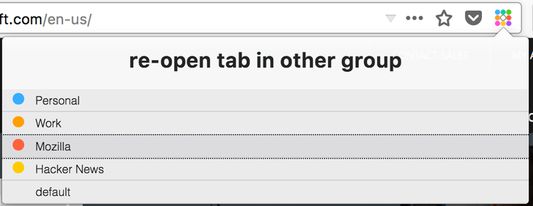
- activeTab (optional) : necessary in order to show a dialog, where the user can select the container to open external links
- bookmarks (optional) : for searching in bookmarks
- contextMenus : for context menu for moving tab to a different container
- contextualIdentities : for working with tab containers
- cookies : for working with tab containers
- history (optional) : for showing history results in quick search
- menus : for creating context menus when moving tabs
- notifications (optional) : to show a warning if the tabhiding is not activated
- storage : for storing thumbnails
- tabs : for tab handling
- tabHide : for hiding and showing tabs
- webNavigation : for intercepting and reacting on new tabs
- webRequest : necessary in order to show a dialog, where the user can select the container to open external links
- webRequestBlocking : necessary in order to show a dialog, where the user can select the container to open external links
Noté 4,4 par 82 personnes
Autorisations et données
Autorisations nécessaires :
- Accéder aux onglets du navigateur
- Accéder à l’activité du navigateur pendant la navigation
- Accéder à vos données pour tous les sites web
Autorisations facultatives :
- Consulter et modifier les marque-pages
- Accéder à votre historique de navigation
- Vous afficher des notifications
- Afficher ou masquer les onglets du navigateur
Plus d’informations
- Version
- 0.9.8resigned1
- Taille
- 112,16 Ko
- Dernière mise à jour
- il y a 2 ans (25 avr. 2024)
- Licence
- Mozilla Public License 2.0
- Historique des versions
- Ajouter à la collection