Modules pour le navigateur Firefox
  • Extensions
  • Thèmes
    • pour Firefox
    • Dictionnaires et paquetages linguistiques
    • Sites pour les autres navigateurs
    • Modules pour Android
Connexion
Aperçu de Create Test Tabs

Create Test Tabs par Rodrigo Diniz da Silva

Creates tabs with filled forms, making testing easier. Register URLs from web projects (localhost). For each registered page, add form input combinations. "Create Test Tabs" button creates tabs with forms filled in based on the combinations.

0 (0 critiques)0 (0 critiques)
1 utilisateur·trice1 utilisateur·trice
Télécharger Firefox et obtenir l’extension
Télécharger le fichier

Métadonnées de l’extension

Captures d’écran
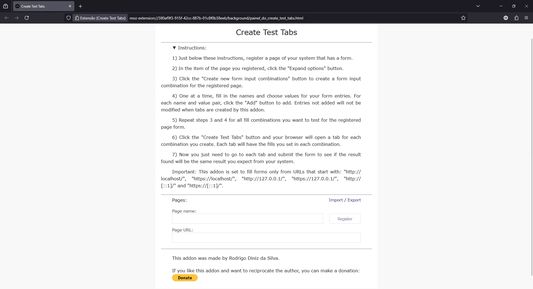
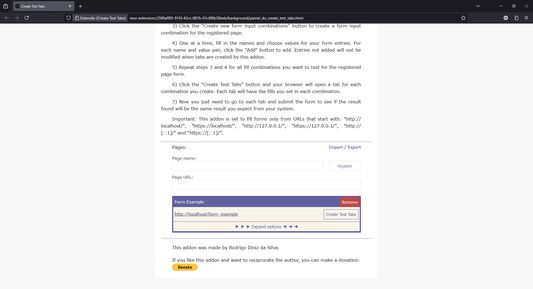
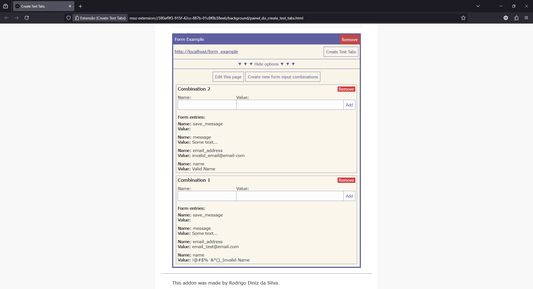
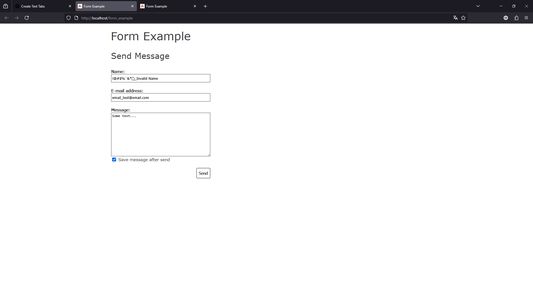
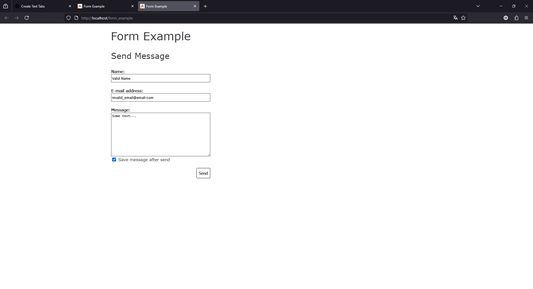
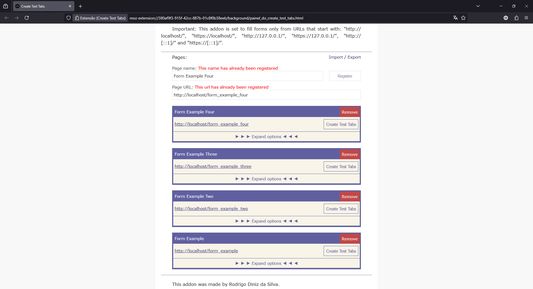
Add a page of your project that has a form.Expand options to create new form input combinations.The more combinations you add the less you need to retype when testing again.After clicking Create Test Tabs, First combination resulted in a new tab with filled form.Second combination is another tab to test with the form already filled in and so on.You can add other pages too, everything is saved locally even after closing the browser.
À propos de cette extension
This addon allows you to register pages with forms from your project, form input combinations for each page and name and value pairs for each combination. After registering a page with one or more combinations of form inputs, you can click the Create Test Tabs button and your browser will create a tab for each combination. Each tab opened in your browser in this way will appear with the form filled in with the respective name and value pairs of the combination. So, just submit each form and check if the result found is the expected result. This addon is recommended for developers who need to run the same tests several times on each form page of the web project they are developing.

Step by step:
Install this addon;
Click on the toolbar icon;
This addon's page will open. Read the instructions;
Register a page from a web project (localhost) that contains a form (just choose the name of the page, enter the URL and click register);
Expand the options for the page you registered;
Create one or more combinations of form inputs, add name and value pair for each desired input;
Click on "Create Test Tabs" button, for each combination the browser will create a tab with the form filled out.
Noté 0 par 1 personne
Connectez-vous pour noter cette extension
Il n’y a aucune note pour l’instant

Le nombre d’étoiles est enregistré

5
0
4
0
3
0
2
0
1
0
Aucune critique pour l’instant
Autorisations et données

Autorisations nécessaires :

  • Accéder aux onglets du navigateur
  • Accéder à vos données pour localhost
  • Accéder à vos données pour 127.0.0.1
  • Accéder à vos données pour [::1]
En savoir plus
Plus d’informations
Liens du module
  • Page d’accueil
  • E-mail d’assistance
  • Copier l’identifiant du module
Version
2025.1
Taille
24,54 Ko
Dernière mise à jour
il y a un an (9 févr. 2025)
Catégories associées
  • Développement web
  • Onglets
Licence
Licence MIT
Historique des versions
  • Voir toutes les versions
Ajouter à la collection
Signaler ce module
Aller à la page d’accueil de Mozilla

Modules complémentaires

  • À propos
  • Blog des modules complémentaires Firefox
  • Atelier sur les extensions
  • Pôle développeur
  • Politiques à destination des développeurs
  • Blog de la communauté
  • Forum
  • Signaler un problème
  • Guide de revue

Navigateurs

  • Desktop
  • Mobile
  • Enterprise

Produits

  • Browsers
  • VPN
  • Relay
  • Monitor
  • Pocket
  • Bluesky (@firefox.com)
  • Instagram (Firefox)
  • YouTube (firefoxchannel)
  • Confidentialité
  • Cookies
  • Mentions légales

Sauf mention contraire, le contenu de ce site est disponible sous licence Creative Commons Attribution Share-Alike v3.0 ou toute version supérieure.