
Enregistrer la voix de ChatGpt par extsdev
Enregistrer l'audio de la voix de ChatGpt sur votre ordinateur
135 utilisateurs·trices135 utilisateurs·trices
Métadonnées de l’extension
Captures d’écran
À propos de cette extension
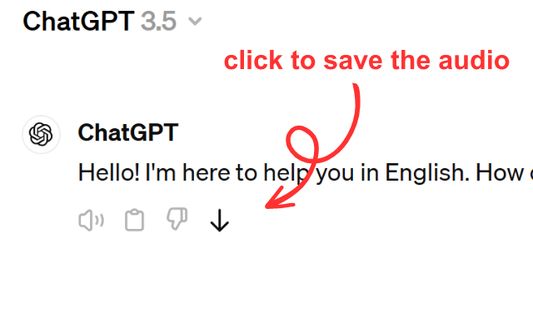
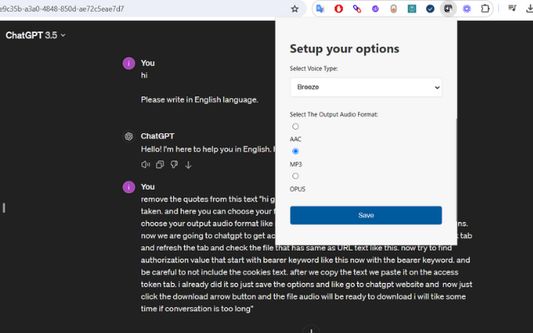
Save ChatGPT voice responses directly to your computer with a single click. This add-on adds a convenient download button next to ChatGPT's voice messages, allowing you to save the audio in your preferred format (AAC, MP3, or OPUS) and voice type. Perfect for language learners, content creators, or anyone who wants to revisit ChatGPT's spoken responses offline.
The extension is lightweight and integrates seamlessly with ChatGPT's interface. Simply click the download icon that appears next to voice messages to save them to your computer. You can customize your preferred voice type and audio format through the extension's options. Supports multiple languages and works on any ChatGPT conversation that includes voice responses.
The extension is lightweight and integrates seamlessly with ChatGPT's interface. Simply click the download icon that appears next to voice messages to save them to your computer. You can customize your preferred voice type and audio format through the extension's options. Supports multiple languages and works on any ChatGPT conversation that includes voice responses.
Noté 5 par 1 personne
Autorisations et données
Autorisations nécessaires :
- Télécharger des fichiers, et consulter et modifier l’historique des téléchargements du navigateur
- Accéder à vos données pour les sites du domaine chatgpt.com
Autorisations facultatives :
- Accéder à vos données pour chatgpt.com
Plus d’informations
- Liens du module
- Version
- 1.0.0
- Taille
- 62,64 Ko
- Dernière mise à jour
- il y a un an (9 avr. 2025)
- Catégories associées
- Licence
- Licence MIT
- Historique des versions
- Ajouter à la collection