Modules pour le navigateur Firefox
Extensions
Thèmes
Plus…
pour Firefox
Dictionnaires et paquetages linguistiques
Sites pour les autres navigateurs
Modules pour Android
Connexion
Rechercher
Rechercher
Dynalist Companion Clipper
par
Dynalist Inc.
Clip and capture to your Dynalist.
4.3 (12 critiques)
4.3 (12 critiques)
177 utilisateurs·trices
177 utilisateurs·trices
Télécharger Firefox et obtenir l’extension
Télécharger le fichier
Métadonnées de l’extension
Captures d’écran
À propos de cette extension
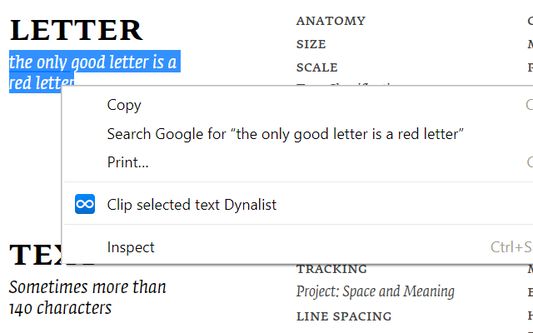
Dynalist Companion Clipper clips the current page URL and selected text to your Dynalist inbox location.
Instructions:
(1) To use this extension, you need to have a Dynalist account. If you don't have one, sign up for one here:
https://dynalist.io/signup
(2) Set an inbox location in Dynalist. Here's how:
https://help.dynalist.io/article/119-set-an-inbox-location
(3) Log into Dynalist on the browser.
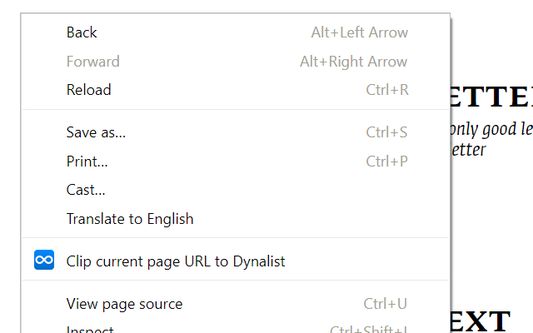
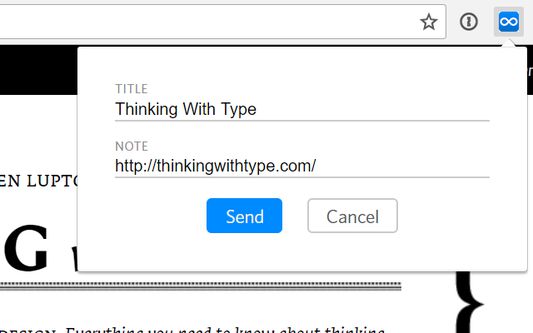
(4) Use the extension icon to capture the current page, or use the right click menu to clip current page or selected text.
Advanced usage:
(1) When the capture popup is open, you can hit Ctrl+Enter to capture;
(2) Customize the format of your captured text in options.
Website
Report Abuse
Noté 4,3 par 12 personnes
Connectez-vous pour noter cette extension
Il n’y a aucune note pour l’instant
Le nombre d’étoiles est enregistré
5
10
4
0
3
0
2
0
1
2
Autorisations et données
Autorisations nécessaires :
Accéder à vos données pour les sites du domaine dynalist.io
Plus d’informations
Liens du module
Page d’accueil
Site d’assistance
E-mail d’assistance
Copy add-on ID
Version
0.4
Taille
194,51 Ko
Dernière mise à jour
il y a 7 ans (6 nov. 2019)
Catégories associées
Autre
Licence
Tous droits réservés
Historique des versions
Voir toutes les versions
Ajouter à la collection
Sélectionner une collection…
Créer une nouvelle collection
Signaler ce module