
FontFinder par Software Best Decisions
Installez FontFinder pour reconnaître les styles de police sur n'importe quelle page web en utilisant cet identifiant et détecteur de polices.
170 utilisateurs·trices170 utilisateurs·trices
Métadonnées de l’extension
Captures d’écran


À propos de cette extension
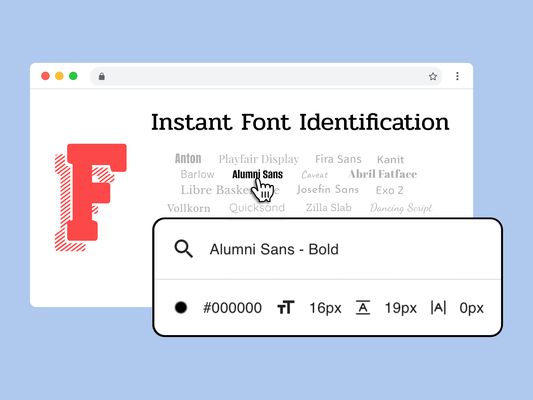
FontFinder is a smart browser tool that helps you identify and inspect fonts on any website. Whether you're a designer, developer, or typography enthusiast, it shows exactly which font your browser actually renders — so you're never left guessing.
Key Features:
Why Use FontFinder?
How to Use:
Whether you're trying to find a font you love or explore how text appears across the web, this powerful font recogniser helps make sense of web typography—faster and more clearly.
Key Features:
- Instant Detection: Click on any text to view detailed properties like family, size, weight, color, and style.
- Popup Panel: Select elements on the page to instantly see rendered styles information.
- Live Editing: Change fonts directly in the browser to test different looks and improve visual decisions.
- Easy Copying: Export CSS rules or font-family data to use in your projects.
- AI Assistant: Get quick guidance, help with troubleshooting, or feature walkthroughs.
- Right-Click Shortcut: Use the context menu for fast access to font recognition tools.
Why Use FontFinder?
- Reliably recognise fonts used across websites.
- Explore and experiment with type without leaving the page.
- Great for designers, developers, marketing teams, and accessibility experts.
- Works offline, doesn’t collect data, and runs smoothly on all platforms.
How to Use:
- Add the extension and pin it to your toolbar.
- Visit any site and activate FontFinder.
- Hover or click on text to inspect the styles in use.
- Use the "Change Font" input to preview a new typeface live.
- Click any detail to copy information directly to your clipboard.
- Ask the built-in AI assistant for support anytime.
Whether you're trying to find a font you love or explore how text appears across the web, this powerful font recogniser helps make sense of web typography—faster and more clearly.
Noté 5 par 1 personne
Autorisations et données
Autorisations nécessaires :
- Accéder aux onglets du navigateur
- Accéder à vos données pour tous les sites web
Autorisations facultatives :
- Accéder à vos données pour tous les sites web
Collecte de données :
- Le développeur indique que cette extension n’a pas besoin de collecter de données.
Collecte de données facultative, selon le développeur :
- Données techniques et d’interaction
Plus d’informations
- Version
- 2.2.0
- Taille
- 233,74 Ko
- Dernière mise à jour
- il y a 3 mois (18 avr. 2026)
- Catégories associées
- Licence
- All Rights Reserved
- Politique de confidentialité
- Lire la politique de confidentialité de ce module
- Historique des versions
- Ajouter à la collection