Modules pour le navigateur Firefox
  • Extensions
  • Thèmes
    • pour Firefox
    • Dictionnaires et paquetages linguistiques
    • Sites pour les autres navigateurs
    • Modules pour Android
Connexion
Aperçu de QR Issue Card Printer PRO for Jira Cloud

QR Issue Card Printer PRO for Jira Cloud par MrAddon

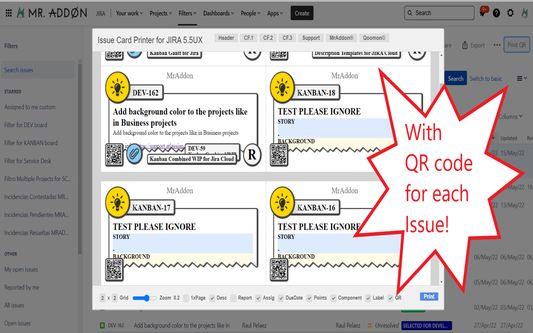
Print your filters and issues with a single click, with a configurable and beautiful layout.Show a large QR code in each card to quickly locate your tickets.Now you can also print from your Kanban or Scrum board and from your backlog view!New feature

ExpérimentalExpérimental
0 (0 critiques)0 (0 critiques)
3 utilisateurs·trices3 utilisateurs·trices
Télécharger Firefox et obtenir l’extension
Télécharger le fichier

Métadonnées de l’extension

Captures d’écran
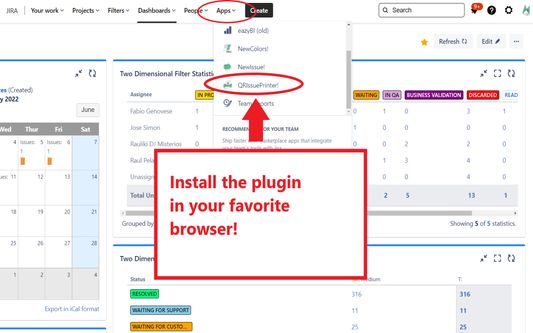
Install the add-on in your favorite browser!
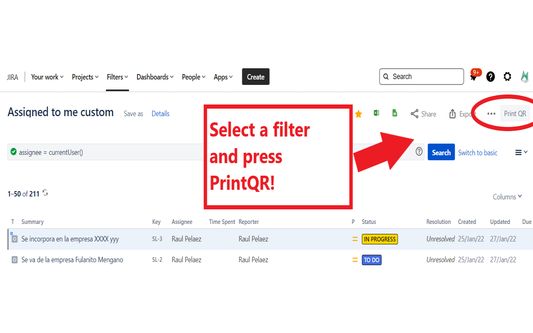
Go to Apps → QRIssuePrinter! and install the add-on in your favorite browserPush PrintQR! button in issues, filters or boards
That’s all! Now take a look in your Issues, Filters and Kanban/SCRUM boards and backlogs and you will see a new button “Print QR”Ready to print in one click!!
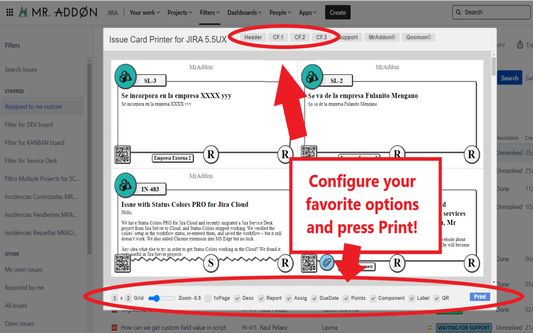
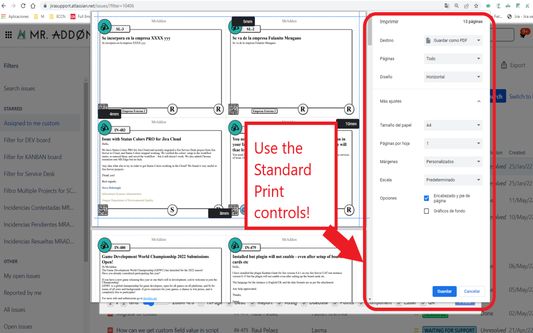
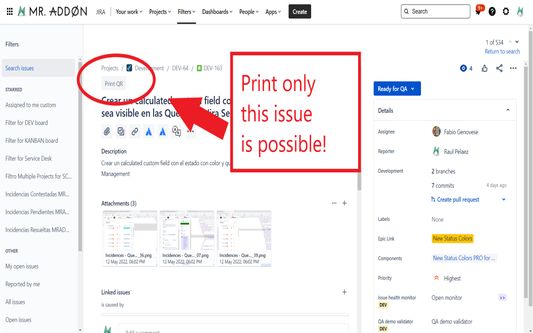
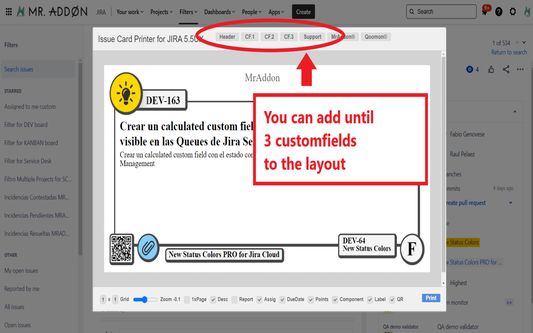
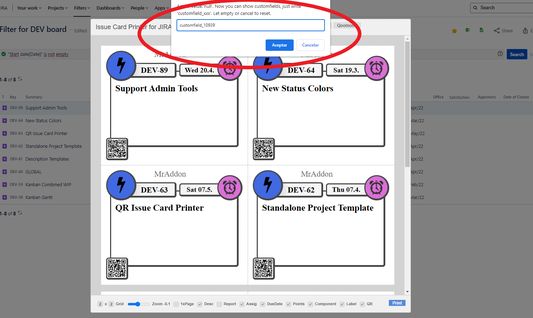
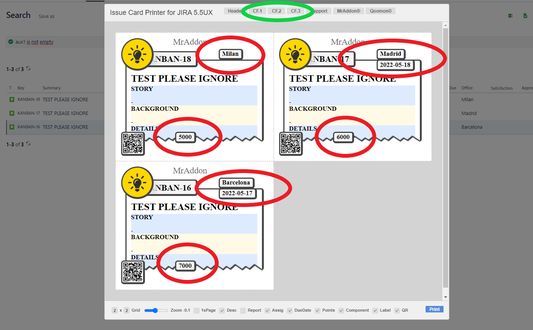
After press the “Print QR” button you will see a beatiful cards ready to print in one click!!Just configure the final part, page margins and Save it as PDF or just print in your usual printer!Now we can configure show/hide the system fields of Jira, we have a Zoom control and grid control, also of course, the QR code.If you need to print only one issue, it’s possible of course! Search the “Print QR” button and that’s all!Click in CF1 or CF2 or CF3 buttons and add the “customfield_xxxx” value where “xxxx” is the ID of the customfieldClick in CF1 or CF2 or CF3 buttons and add the “customfield_xxxx” value where “xxxx” is the ID of the customfieldClick in CF1 or CF2 or CF3 buttons and add the “customfield_xxxx” value where “xxxx” is the ID of the customfield
À propos de cette extension
Print your filters and issues with a single click, with a configurable and beautiful layout.Show a large QR code in each card to quickly locate your tickets.Now you can also print from your Kanban or Scrum board and from your backlog view!New features coming soon!

Install the add-on in your favorite browser!
Go to Apps → QRIssuePrinter! and install the add-on in your favorite browser

Push PrintQR! button in issues, filters or boards
That’s all! Now take a look in your Issues, Filters and Kanban/SCRUM boards and backlogs and you will see a new button “Print QR”

Ready to print in one click!!
After press the “Print QR” button you will see a beatiful cards ready to print in one click!!

Vide summary: https://www.youtube.com/watch?v=AVp7n4f4qUk
Noté 0 par 1 personne
Connectez-vous pour noter cette extension
Il n’y a aucune note pour l’instant

Le nombre d’étoiles est enregistré

5
0
4
0
3
0
2
0
1
0
Aucune critique pour l’instant
Autorisations et données

Autorisations nécessaires :

  • Accéder à vos données pour les sites du domaine atlassian.net
  • Accéder à vos données pour les sites du domaine jira.com

Autorisations facultatives :

  • Accéder à vos données pour les sites du domaine atlassian.net
  • Accéder à vos données pour les sites du domaine jira.com
En savoir plus
Plus d’informations
Liens du module
  • Page d’accueil
  • Site d’assistance
  • E-mail d’assistance
  • Copy add-on ID
Version
7.3.0
Taille
170,84 Ko
Dernière mise à jour
il y a 6 mois (18 déc. 2025)
Catégories associées
  • Développement web
Licence
Mozilla Public License 2.0
Historique des versions
  • Voir toutes les versions
Ajouter à la collection
Signaler ce module
Aller à la page d’accueil de Mozilla

Modules complémentaires

  • À propos
  • Blog des modules complémentaires Firefox
  • Atelier sur les extensions
  • Pôle développeur
  • Politiques à destination des développeurs
  • Blog de la communauté
  • Forum
  • Signaler un problème
  • Guide de revue

Navigateurs

  • Desktop
  • Mobile
  • Enterprise

Produits

  • Browsers
  • VPN
  • Relay
  • Monitor
  • Pocket
  • Bluesky (@firefox.com)
  • Instagram (Firefox)
  • YouTube (firefoxchannel)
  • Confidentialité
  • Cookies
  • Mentions légales

Sauf mention contraire, le contenu de ce site est disponible sous licence Creative Commons Attribution Share-Alike v3.0 ou toute version supérieure.