
Keyword Click Tracker par Venkat Siva
Exact‑text click counter with per‑site daily logs. Track exact keyword clicks on any webpage. No login, no data collection — just pure click awareness.
1 utilisateur·trice1 utilisateur·trice
Métadonnées de l’extension
Captures d’écran
À propos de cette extension
Keyword Click Tracker is a privacy-respecting browser extension that lets you track how many times you click on elements matching a specific keyword.
🟢 Features:
Ideal for habit tracking, behavioral insights, or usage monitoring — with zero bloat and full control.
Use the Enable Tracking button in the extension popup to start keyword click tracking.
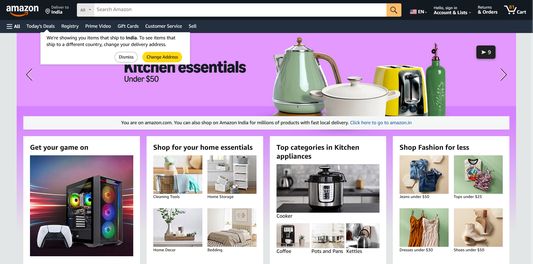
Once enabled, a floating box appears at the bottom-right.
Click the ✏️ pencil icon on the box to set the keyword you want to track.
Use the 📥 download icon to export today’s logs (clicks, URL, timestamp).
Use the Disable Tracking button in the popup to stop tracking.
Use the Show/Hide Counter option to toggle the floating box visibility while tracking is enabled.
Use the Export Month button to export monthly keyword-wise click summary.
Enabling/Disabling will automatically refresh the webpage.
🟢 Features:
🔍 Set a custom keyword (e.g., “Buy”, “Submit”, "Resolve", "send", "add to cart")

🧠 Case-insensitive, clean matching

📦 Counts displayed in a floating draggable box

💾 Data stored locally (no servers, no sync, no spying)

♻️ Persists daily counts per site

🖱️ Works across buttons, links, and other clickable elements

✏️ pencil icon on the box to set the keyword
Ideal for habit tracking, behavioral insights, or usage monitoring — with zero bloat and full control.
Use the Enable Tracking button in the extension popup to start keyword click tracking.
Once enabled, a floating box appears at the bottom-right.
Click the ✏️ pencil icon on the box to set the keyword you want to track.
Use the 📥 download icon to export today’s logs (clicks, URL, timestamp).
Use the Disable Tracking button in the popup to stop tracking.
Use the Show/Hide Counter option to toggle the floating box visibility while tracking is enabled.
Use the Export Month button to export monthly keyword-wise click summary.
Enabling/Disabling will automatically refresh the webpage.
Noté 0 par 1 personne
Autorisations et données
Autorisations nécessaires :
- Accéder à vos données pour tous les sites web
Autorisations facultatives :
- Accéder à vos données pour tous les sites web
Plus d’informations
- Liens du module
- Version
- 3.7
- Taille
- 20,71 Ko
- Dernière mise à jour
- il y a un an (29 juil. 2025)
- Catégories associées
- Licence
- Tous droits réservés
- Politique de confidentialité
- Lire la politique de confidentialité de ce module
- Historique des versions
- Ajouter à la collection