
Album par Francesc Busquets
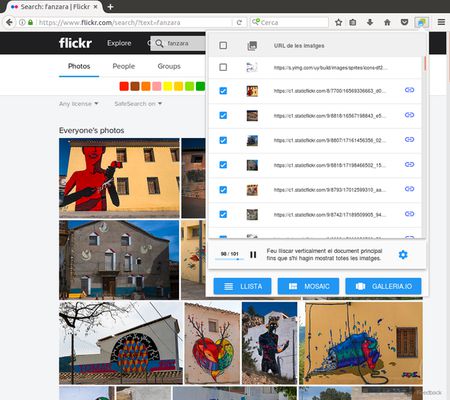
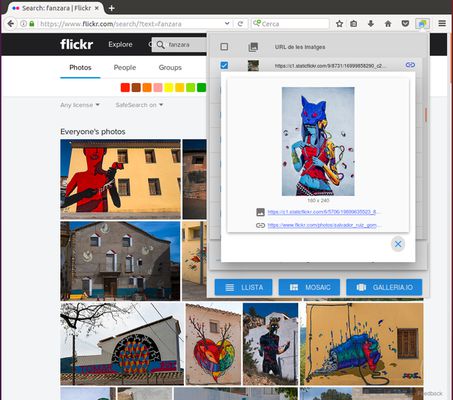
Builds the list of all images displayed on the current page and generates the HTML code needed to embed a photo gallery or mosaic in your blog or website. Works with Google Photos, Flickr, Instagram...
119 utilisateurs·trices119 utilisateurs·trices
Métadonnées de l’extension
Captures d’écran
À propos de cette extension
This extension detects the images on the current page and shows them in a list that can be exported in three different formats:
- A simple list of absolute URLs pointing at the images.
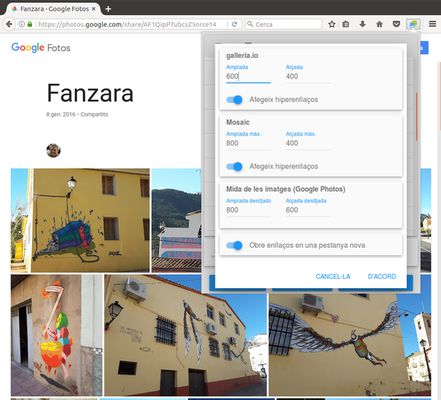
- An HTML snippet with "img" tags forming a mosaic. Images can also export their original links.
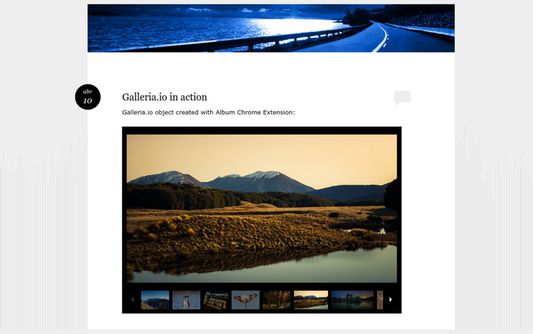
- An HTML snippet that creates a carousel of images powered by Galleria.io (http://galleria.io)
In all cases, the data is copied into the clipboard and can be inserted into any text editor by pressing [Ctrl+V]. Mosaic and carousel snippets can be inserted into documents, blog posts, virtual learning environments and any other application based on HTML content. Before pasting the code into a rich-text editor, be sure to set it in "plain text" mode (usually represented by a button with the symbols "<>" or "html").
This is a free software project. You can contribute to improving this browser extension by reporting issues, translating it to a different language or sending pull requests to https://github.com/projectestac/album. Thanks in advance!
Special thanks to the excellent work done by galleria.io (http://galleria.io), the open source engine beneath the image carousel. In addition to the basic free theme used by Album, they provide also with other nice and featured themes at cheap prices.
Note that Album does not copy images nor any type of files: it just deals with URLs pointing at remote resources. Issues with the images (slow loading, file not found, bad permissions...) are often related to problems with the origin of the images.
- A simple list of absolute URLs pointing at the images.
- An HTML snippet with "img" tags forming a mosaic. Images can also export their original links.
- An HTML snippet that creates a carousel of images powered by Galleria.io (http://galleria.io)
In all cases, the data is copied into the clipboard and can be inserted into any text editor by pressing [Ctrl+V]. Mosaic and carousel snippets can be inserted into documents, blog posts, virtual learning environments and any other application based on HTML content. Before pasting the code into a rich-text editor, be sure to set it in "plain text" mode (usually represented by a button with the symbols "<>" or "html").
This is a free software project. You can contribute to improving this browser extension by reporting issues, translating it to a different language or sending pull requests to https://github.com/projectestac/album. Thanks in advance!
Special thanks to the excellent work done by galleria.io (http://galleria.io), the open source engine beneath the image carousel. In addition to the basic free theme used by Album, they provide also with other nice and featured themes at cheap prices.
Note that Album does not copy images nor any type of files: it just deals with URLs pointing at remote resources. Issues with the images (slow loading, file not found, bad permissions...) are often related to problems with the origin of the images.
Noté 3 par 2 personnes
Autorisations et données
Plus d’informations
- Liens du module
- Version
- 1.0.12resigned1
- Taille
- 114,46 Ko
- Dernière mise à jour
- il y a 2 ans (25 avr. 2024)
- Catégories associées
- Politique de confidentialité
- Lire la politique de confidentialité de ce module
- Contrat de licence d’utilisateur final
- Lire le contrat de licence de ce module
- Historique des versions
- Ajouter à la collection