
Service Worker Cleanup par Private Citizen
Automatically remove website background service workers as you go.
22 utilisateurs·trices22 utilisateurs·trices
Métadonnées de l’extension
Captures d’écran
À propos de cette extension
This extension runs in the background and removes background service workers installed by websites once you leave that website. Not waiting for the browser to restart and clear all history, but as soon as you navigate away from a website all of it's service workers will be removed. By default Firefox keeps service workers installed forever unless you clear your browser history. (cache, cookies, storage, settings, etc.)
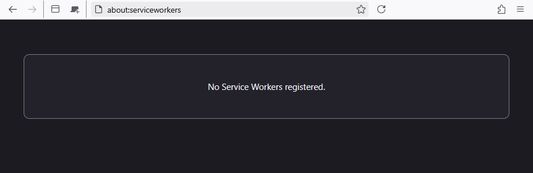
If you are not aware, open
There are other extensions that clear all of your history including service workers on browser restart. This extension is different in that it targets only service workers and removes them when you leave the website instead of waiting for the browser to restart. And it does not log you out of those websites unlike the other extensions.
When you install this extension it will start monitoring websites currently loaded and remove their service workers when leaving those websites. However preexisting service workers installed before this extension won't be removed until the next browser restart. On all browser restarts, all existing service workers are removed for a clean slate each time.
PERMISSIONS
This extension only has permission to:
This extension works without needing permission to run in private windows.
PRIVACY NOTICE
This extension does NOT collect, store, or transmit any data. There is no tracking, finger printing, or analytics.
If you are not aware, open
[about:serviceworkers] in your browser and see all of the service workers installed by sites you have visited. Unless you clear your browser history (which would log you out of all of your accounts) service workers stay installed forever and run in the background. In addition to service workers running in the background, anyone snooping in your browser can see sites you have visited. Even sites you don't have accounts at or have logged into.There are other extensions that clear all of your history including service workers on browser restart. This extension is different in that it targets only service workers and removes them when you leave the website instead of waiting for the browser to restart. And it does not log you out of those websites unlike the other extensions.
When you install this extension it will start monitoring websites currently loaded and remove their service workers when leaving those websites. However preexisting service workers installed before this extension won't be removed until the next browser restart. On all browser restarts, all existing service workers are removed for a clean slate each time.
PERMISSIONS
This extension only has permission to:
- Access Navigation Activity: To know which service workers are installed.
- Access Tabs: To know which websites are still loaded and when you leave them.
- Clear History: To remove service workers.
This extension works without needing permission to run in private windows.
PRIVACY NOTICE
This extension does NOT collect, store, or transmit any data. There is no tracking, finger printing, or analytics.
Noté 5 par 1 personne
Autorisations et données
Autorisations nécessaires :
- Effacer l’historique de navigation récent, les cookies et les données liées
- Accéder aux onglets du navigateur
- Accéder à l’activité du navigateur pendant la navigation
Plus d’informations
- Liens du module
- Version
- 138.0.3.2
- Taille
- 9,7 Ko
- Dernière mise à jour
- il y a un an (17 mai 2025)
- Catégories associées
- Licence
- Tous droits réservés
- Historique des versions
- Étiquettes
- Ajouter à la collection