
Tab Monitor par pansonben
Monitor your tabs for changes!
Métadonnées de l’extension
Captures d’écran
À propos de cette extension
Features:
Private and secure
- Be in control and use your own browser to keep track of website updates
- No logs are kept, and everything remains in your browser
- Works with websites that are only viewable after login
Customizable
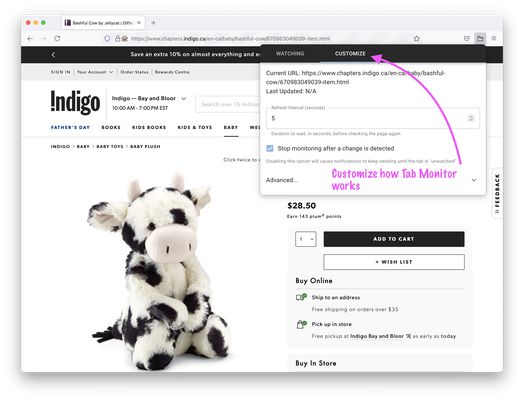
- Check a website for updates as often as you want, as fast as every second!
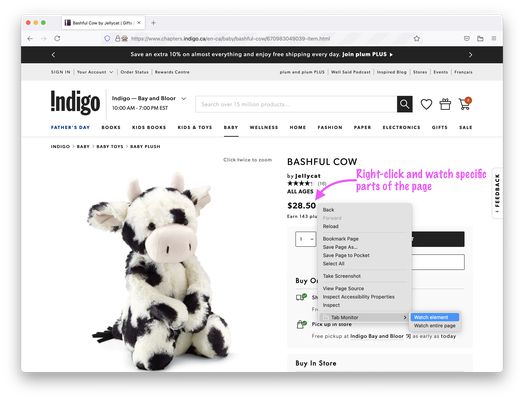
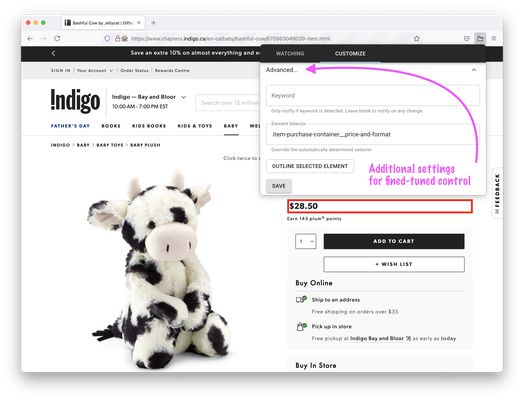
- Check for changes on the entire page, or a specific part of a page
- [Optional]: Only get notifications on specific word changes
- [Optional]: keep getting notified until you acknowledge the change
Getting Started:
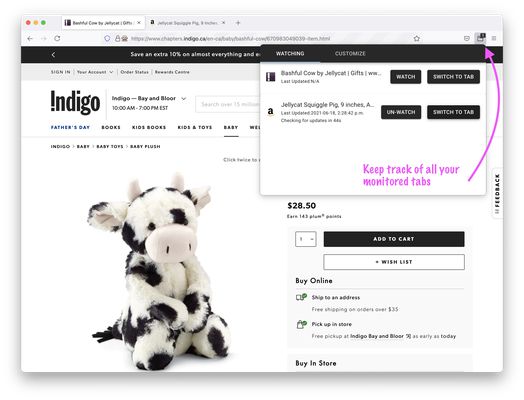
1. Click the Tab Monitor icon and click the “Watch” button
OR
Right-click the area of interest and select “Watch element” or “Watch entire page” from the Tab Monitor menu item
2. That’s it! You may navigate away, and the tab will refresh in the background
Permissions
In order to function, Tab Monitor requests for the following permissions:
- “<all_urls>” and “tabs” – for Tab Monitor to work on any website and any tab
- “storage” and “unlimitedStorage” – to determine if a page has changed or not
- “notifications” – Tab Monitor will use browser notifications to let you know when a tab has changed
- “contextMenus” – to let you select certain elements on a website
More features coming soon!
Your feedback is always welcome, please send an email to bpan.feedback (at) gmail.com
Private and secure
- Be in control and use your own browser to keep track of website updates
- No logs are kept, and everything remains in your browser
- Works with websites that are only viewable after login
Customizable
- Check a website for updates as often as you want, as fast as every second!
- Check for changes on the entire page, or a specific part of a page
- [Optional]: Only get notifications on specific word changes
- [Optional]: keep getting notified until you acknowledge the change
Getting Started:
1. Click the Tab Monitor icon and click the “Watch” button
OR
Right-click the area of interest and select “Watch element” or “Watch entire page” from the Tab Monitor menu item
2. That’s it! You may navigate away, and the tab will refresh in the background
Permissions
In order to function, Tab Monitor requests for the following permissions:
- “<all_urls>” and “tabs” – for Tab Monitor to work on any website and any tab
- “storage” and “unlimitedStorage” – to determine if a page has changed or not
- “notifications” – Tab Monitor will use browser notifications to let you know when a tab has changed
- “contextMenus” – to let you select certain elements on a website
More features coming soon!
Your feedback is always welcome, please send an email to bpan.feedback (at) gmail.com
Noté 3 par 1 personne
Autorisations et données
Autorisations nécessaires :
- Vous afficher des notifications
- Accéder aux onglets du navigateur
- Accéder à vos données pour tous les sites web
Plus d’informations
- Liens du module
- Version
- 1.0.1
- Taille
- 175,29 Ko
- Dernière mise à jour
- il y a 5 ans (22 juin 2021)
- Catégories associées
- Licence
- Mozilla Public License 2.0
- Historique des versions
- Ajouter à la collection