
Take-Screenshots par Nikhil S Kalburgi
Take Screen shots With Three different tools and download them into your download management.
6 utilisateurs·trices6 utilisateurs·trices
Métadonnées de l’extension
Captures d’écran
À propos de cette extension
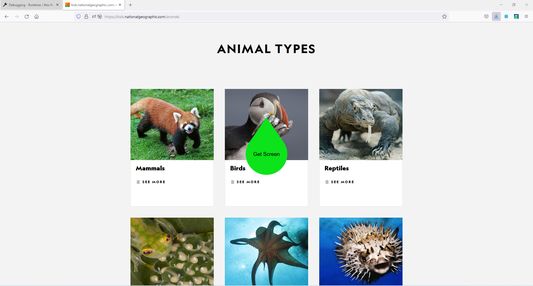
This add-on helps the users to take screen shots.
It has three tools of taking screen shots , which are :
1. Polygon Clipping : Using this one can take a screen image of irregular shape.
2.Rectangular Clipping : Using this one can take a rectangular shaped screen shot.
3.Circle Clipping : Using this one can take a Circular shaped screen shot.
These tools are depicted at the bottom of the screen
Note :
This add-on works only when it is in a full screen mode and when has access to the display screen.
so the user needs to provide access to the required resources through red color circular buttons which will be displayed at the center of the screen whenever you press the extension icon.
It has three tools of taking screen shots , which are :
1. Polygon Clipping : Using this one can take a screen image of irregular shape.
2.Rectangular Clipping : Using this one can take a rectangular shaped screen shot.
3.Circle Clipping : Using this one can take a Circular shaped screen shot.
These tools are depicted at the bottom of the screen
Note :
This add-on works only when it is in a full screen mode and when has access to the display screen.
so the user needs to provide access to the required resources through red color circular buttons which will be displayed at the center of the screen whenever you press the extension icon.
Noté 0 par 1 personne
Autorisations et données
Autorisations nécessaires :
- Ouvrir les outils de développement afin d’accéder à vos données dans les onglets ouverts
- Télécharger des fichiers, et consulter et modifier l’historique des téléchargements du navigateur
- Ouvrir les fichiers téléchargés sur votre ordinateur
- Accéder à l’activité du navigateur pendant la navigation
- Accéder à vos données pour tous les sites web
Plus d’informations
- Liens du module
- Version
- 1.0.6
- Taille
- 27,13 Ko
- Dernière mise à jour
- il y a 4 ans (27 sept. 2022)
- Catégories associées
- Licence
- Mozilla Public License 2.0
- Historique des versions
- Ajouter à la collection