YouTube Audio Sync Tool par Hirox
Fix YouTube audio sync problem by adjusting audio timing
195 utilisateurs·trices195 utilisateurs·trices
Métadonnées de l’extension
Captures d’écran
À propos de cette extension
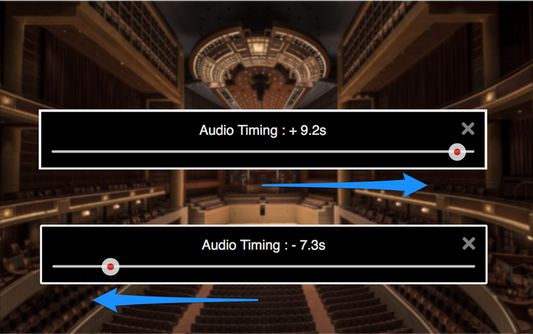
Fix YouTube audio sync problems by adjusting audio timing in intervals of 0.1 seconds. It helps when watching videos that have out-of-sync audio, or when using wireless audio systems that have audio delay.
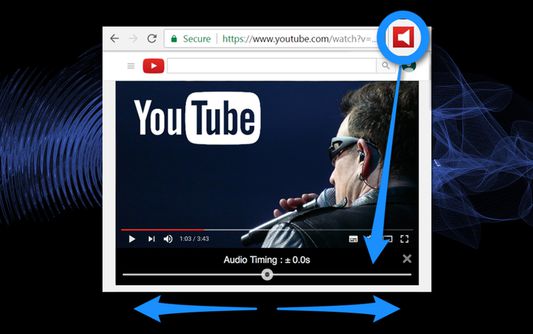
1. Audio timing adjustment slider appears under the video screen on your YouTube page with a click of the tool icon.
2. Adjust audio timing to sync audio and video by moving the slider.
- "YouTube" and the "YouTube logo" are registered trademarks of Google Inc.
- The images used in screenshots are provided under Creative Commons (CC0) license.
1. Audio timing adjustment slider appears under the video screen on your YouTube page with a click of the tool icon.
2. Adjust audio timing to sync audio and video by moving the slider.
- "YouTube" and the "YouTube logo" are registered trademarks of Google Inc.
- The images used in screenshots are provided under Creative Commons (CC0) license.
Noté 1,6 par 27 personnes
Autorisations et données
Autorisations nécessaires :
- Accéder aux onglets du navigateur
- Accéder à vos données pour www.youtube.com
Plus d’informations
- Version
- 0.0.6resigned1
- Taille
- 155,02 Ko
- Dernière mise à jour
- il y a 2 ans (25 avr. 2024)
- Catégories associées
- Licence
- Mozilla Public License 2.0
- Historique des versions
- Ajouter à la collection