Spotify Hotkeys troch Jerosa
Add configurable keyboard shortcuts and notifications to the Spotify Web Player
183 brûkers183 brûkers
Metadata útwreiding
Skermôfbyldingen
Oer dizze útwreiding
Add configurable keyboard shortcuts and notifications to the Spotify Web Player
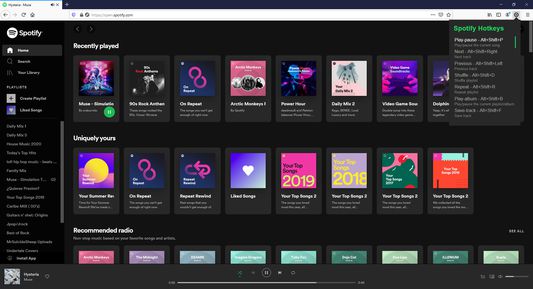
Default Keyboard Shortcuts
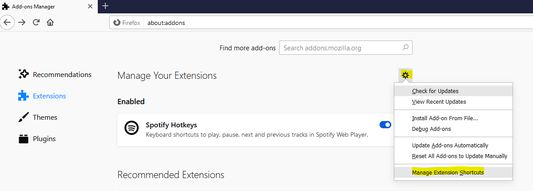
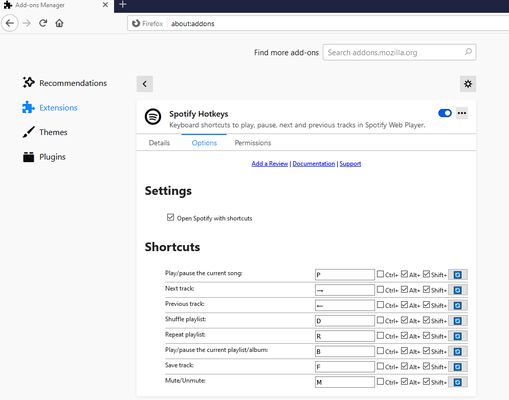
All shortcuts can be customized in Firefox extension settings. Skip duration is configurable (1-60 seconds) in the extension options page.
Default Keyboard Shortcuts
- Play/Pause: Alt+Shift+W
- Next: Alt+Shift+Right Arrow
- Previous: Alt+Shift+Left Arrow
- Shuffle: Alt+Shift+D
- Repeat: Alt+Shift+R
- Play Album: Alt+Shift+G
- Save Track: Alt+Shift+L
- Mute/Unmute: Alt+Shift+M
- Volume Up: Alt+Shift+Up Arrow
- Volume Down: Alt+Shift+Down Arrow
- Skip Forward: Alt+Shift+Period
- Skip Back: Alt+Shift+Comma
All shortcuts can be customized in Firefox extension settings. Skip duration is configurable (1-60 seconds) in the extension options page.
Wurdearre: 4,9 troch 34 beoardielers
Tastimmingen en gegevens
Fereaske machtigingen:
- Notifikaasjes werjaan
- Browserljepblêden benaderje
- Jo gegevens foar open.spotify.com benaderje
- Jo gegevens foar play.spotify.com benaderje
Gegevenssamling:
- De ûntwikkeler seit dat dizze útwreiding gjin gegevenssamling fereasket.
Mear ynformaasje
- Add-on-keppelingen
- Ferzje
- 2.2.0
- Grutte
- 21,6 KB
- Lêst bywurke
- 14 dagen lyn (21 mrt. 2026)
- Sibbe kategoryen
- Lisinsje
- MIT-lisinsje
- Ferzjeskiednis
- Tafoegje oan kolleksje