
Jenkins Helper 作成者: LiYing
Monitor Jenkins build state and node state, and provide some convenient services.
14 人のユーザー14 人のユーザー
拡張機能メタデータ
スクリーンショット
この拡張機能について
A browser extension that greatly improves the productivity of using Jenkins.
The extension can:
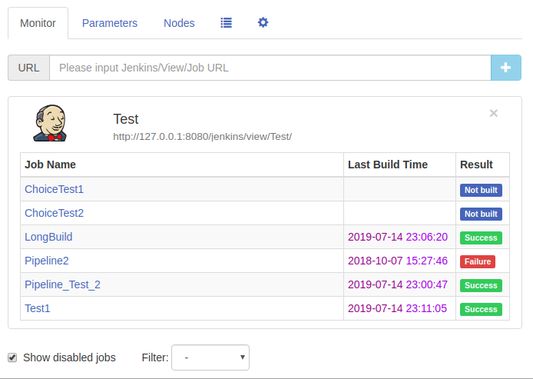
1. Job monitoring: Monitor the build state of Jenkins Job and display a notification when the build is complete. Provide a "monitor" interface to view the build status of the Job of interest at any time. Provides filtering capabilities to filter Jobs based on build results.
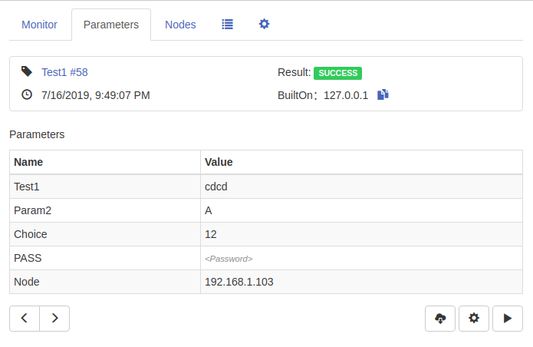
2. Build parameter view: It's easy to quickly view build information and build parameters under each Build page and its subpages. A button to view the last/next build parameters is available, and the complete build log can be downloaded directly to the local.
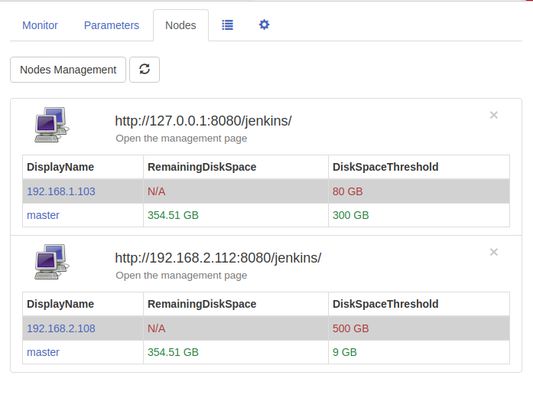
3. Node disk space monitoring: Monitor the amount of the Jenkins node's disk space. If the amount of the remaining space of the node is less than or equal to a given threshold, the notification will alert and provide a monitor page to check the amount of the remaining space of the node at any time.
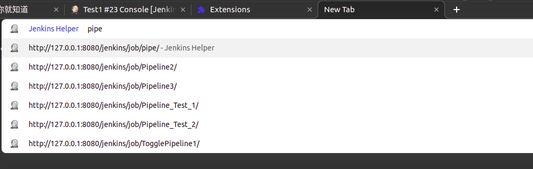
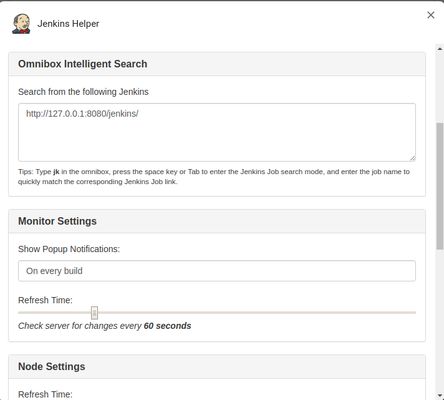
4. Intelligent search in the address bar: enter jk in the address bar, press the space key and enter intelligent search mode. Enter the job name to quickly match the corresponding Jenkins Job link.
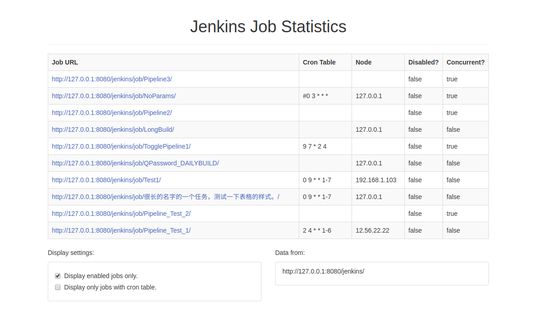
5. Job Statistics: Statistics Job's running node / timed build schedule / whether to disable / whether to allow concurrent information and so on.
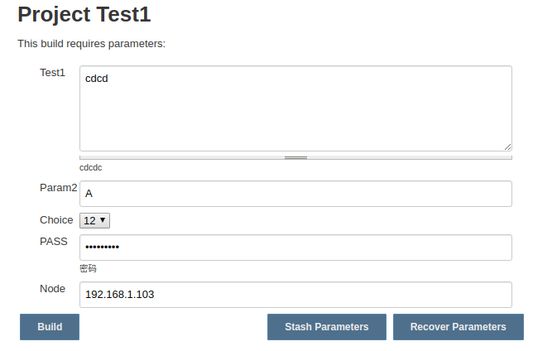
6. Parameter stashing and recovery: At the bottom of the Build/Rebuild page, two buttons are generated, Stash Parameters and Recover Parameters. Click Stash Parameters to save the parameter values filled in the current page. Click Recover Parameters to restore the last saved parameter values to the current page.
7. Custom settings: Some personal settings can be made for your unique needs.
Source code:
https://github.com/liying2008/jenkins-helper
The extension can:
1. Job monitoring: Monitor the build state of Jenkins Job and display a notification when the build is complete. Provide a "monitor" interface to view the build status of the Job of interest at any time. Provides filtering capabilities to filter Jobs based on build results.
2. Build parameter view: It's easy to quickly view build information and build parameters under each Build page and its subpages. A button to view the last/next build parameters is available, and the complete build log can be downloaded directly to the local.
3. Node disk space monitoring: Monitor the amount of the Jenkins node's disk space. If the amount of the remaining space of the node is less than or equal to a given threshold, the notification will alert and provide a monitor page to check the amount of the remaining space of the node at any time.
4. Intelligent search in the address bar: enter jk in the address bar, press the space key and enter intelligent search mode. Enter the job name to quickly match the corresponding Jenkins Job link.
5. Job Statistics: Statistics Job's running node / timed build schedule / whether to disable / whether to allow concurrent information and so on.
6. Parameter stashing and recovery: At the bottom of the Build/Rebuild page, two buttons are generated, Stash Parameters and Recover Parameters. Click Stash Parameters to save the parameter values filled in the current page. Click Recover Parameters to restore the last saved parameter values to the current page.
7. Custom settings: Some personal settings can be made for your unique needs.
Source code:
https://github.com/liying2008/jenkins-helper
3 人のレビュー担当者が 5 と評価しました
権限とデータ
詳しい情報
- バージョン
- 2.3.0
- サイズ
- 2.08 MB
- 最終更新日
- 5年前 (2021年8月4日)
- 関連カテゴリー
- ライセンス
- MIT License
- バージョン履歴
- コレクションへ追加