
Bionic Reader 제작자: Rain Jr.
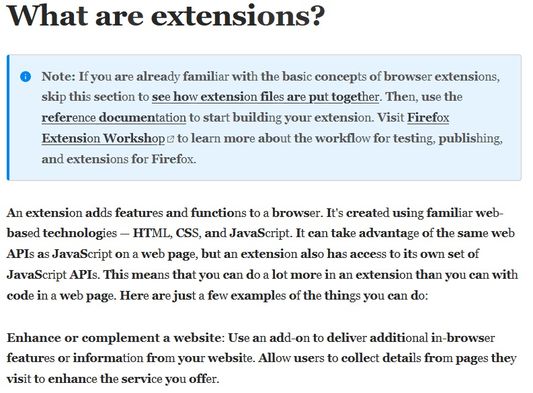
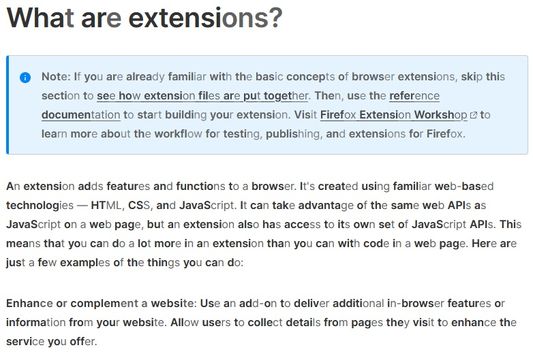
- Apply Bionic Reading style with adjustable strength to a webpage. - Adjustable vowels for different languages. - Adjustable font family, font size, font weight and font opacity. - Support Unicode characters. - Apply dark mode to a webpage.
사용자 3,510명사용자 3,510명
확장 메타 데이터
스크린샷



정보
***** IMPORTANT *****
- For anyone, who want to see the SOURCE CODE, just google something like "HOW TO VIEW FIREFOX EXTENSION SOURCE CODE". The extension webpage keeps all previous versions with changes log and you can extract the extension file (*.xpi) EASILY to get the source code. I see no reason to public this extension on websites like github,...
- Some websites may not work properly with this extension. They may use text node as a placeholder for other element and will break the page if we modified it.
- You can use shortcut keys to quickly turn on/off and control other options, in case you encounter any problem.
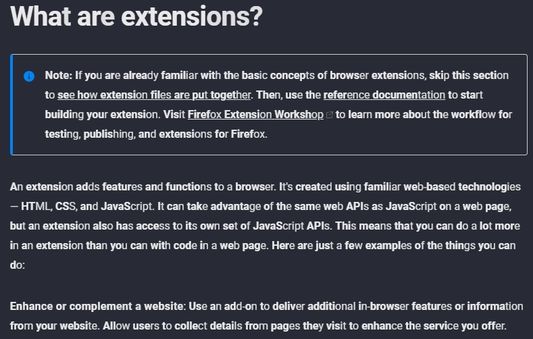
- Please adjust the text opacity in the options menu if you use dark mode, for better visibility.
1. Apply Bionic Reading style with adjustable strength to a webpage.
- You can skip short words and short text (do no apply Bionic Reading style).
- You can change the strength of bionic algorithm (more bold characters with higher value).
2. Adjustable vowels for different languages.
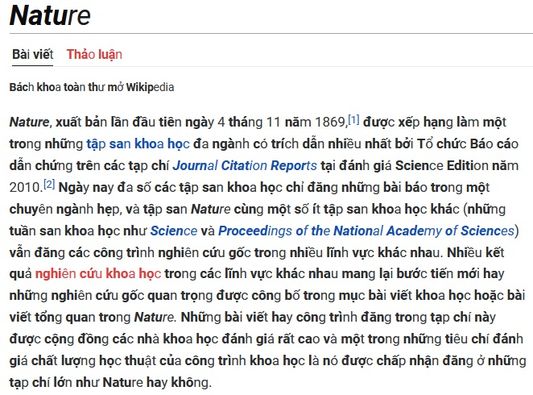
- You can input characters that will be treated as vowels for the algorithm. For example: a á à ả ã ạ.
3. Adjustable font family, font size, font weight and font opacity.
- You can adjust font's properties to read the text easier.
4. Support Unicode characters.
- The extension will work correctly with unicode text, instead of skipping or catching only English vowels.
- However, a combination like "a" and "`" is not the same as "à". I have no plan to support this for now, as it is rare to see on the web.
5. Apply dark mode to a webpage.
- You can click on the button on the Options GUI to apply dark mode to the whole webpage.
NOTICE:
- Some websites may block web-fonts to load. Thus, the extension may not display the selected font correctly. In that case, the similar font family in the same group will be used.
- Dark mode will not work with <iframe> elements inside the webpage. The source of <iframe> elements may be somewhere else, and not belong to the webpage that you are viewing.
- For anyone, who want to see the SOURCE CODE, just google something like "HOW TO VIEW FIREFOX EXTENSION SOURCE CODE". The extension webpage keeps all previous versions with changes log and you can extract the extension file (*.xpi) EASILY to get the source code. I see no reason to public this extension on websites like github,...
- Some websites may not work properly with this extension. They may use text node as a placeholder for other element and will break the page if we modified it.
- You can use shortcut keys to quickly turn on/off and control other options, in case you encounter any problem.
- Please adjust the text opacity in the options menu if you use dark mode, for better visibility.
1. Apply Bionic Reading style with adjustable strength to a webpage.
- You can skip short words and short text (do no apply Bionic Reading style).
- You can change the strength of bionic algorithm (more bold characters with higher value).
2. Adjustable vowels for different languages.
- You can input characters that will be treated as vowels for the algorithm. For example: a á à ả ã ạ.
3. Adjustable font family, font size, font weight and font opacity.
- You can adjust font's properties to read the text easier.
4. Support Unicode characters.
- The extension will work correctly with unicode text, instead of skipping or catching only English vowels.
- However, a combination like "a" and "`" is not the same as "à". I have no plan to support this for now, as it is rare to see on the web.
5. Apply dark mode to a webpage.
- You can click on the button on the Options GUI to apply dark mode to the whole webpage.
NOTICE:
- Some websites may block web-fonts to load. Thus, the extension may not display the selected font correctly. In that case, the similar font family in the same group will be used.
- Dark mode will not work with <iframe> elements inside the webpage. The source of <iframe> elements may be somewhere else, and not belong to the webpage that you are viewing.
리뷰어 59명이 3.8점으로 평가함
권한 및 데이터
추가 정보
- 부가 기능 링크
- 버전
- 1.6.25
- 크기
- 31.9 KB
- 최근 업데이트
- 3년 전 (2024년 1월 8일)
- 관련 카테고리
- 버전 목록
- 모음집에 추가