
Autofill Input data 제작자: Omer Rorberg
Autofill input cells and passwords.
확장 메타 데이터
스크린샷
정보
The extension learns to fill user’s personal data (eg name, mail, address, zipcode…), as well as login data for a matching website (username, email address, password…).
The interaction with the user is consisted of 2 main parts:
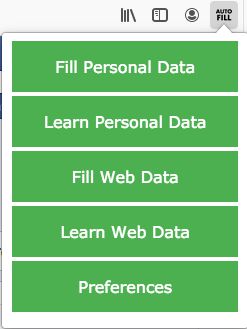
• Learning data – Once the user filled data that he wished to save, he opens the extension and tell it which kind of data he wishes it to learn – personal data or website data.
• Filling data – If the user wishes to fill specific data in the current website, he opens the app tell it which kind of data he wishes it to fill – personal data or website data, it is also possible for the extension to autofill data (see next part.)
The user can also customize the way the extension works via the preferences tab, here the options:
• Autofill – The user can choose the extension to autofill the data it had already learned (he can choose to autofill the personal data, the website data or both).
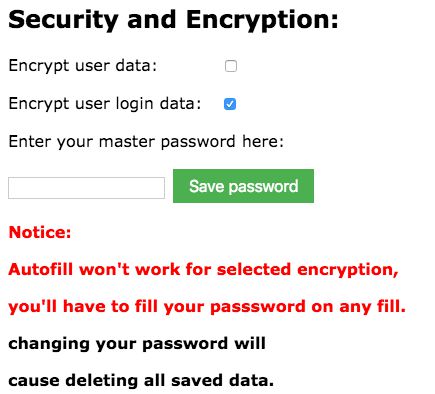
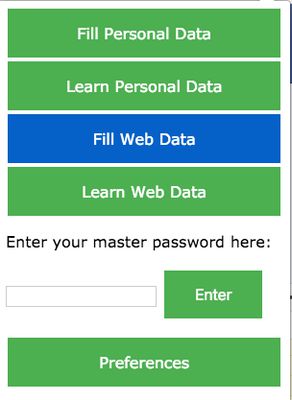
• Encryption – The user can choose whether to encrypt the stored data (the personal data, the website data or both), if he chooses to encrypt, he must choose a master password, and fill it every time he wishes to fill or learn data (hence autofill option won’t work for selected encryption), more on the encryption process later.
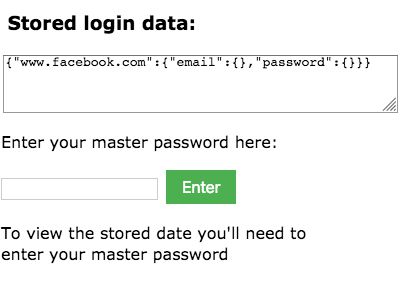
• Stored data – The user can view and edit all the stored data (even if it is encrypted).
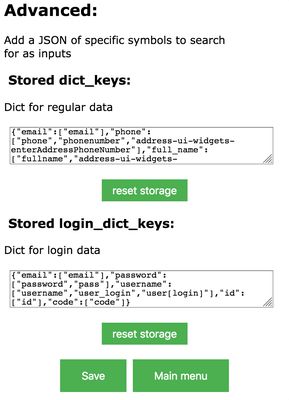
• Edit specific keywords - the user can let the app know which additional input types he wants it to learn (can also delete unwanted types), in addition he can tell it which element tags it should look for in any specific type.)
The interaction with the user is consisted of 2 main parts:
• Learning data – Once the user filled data that he wished to save, he opens the extension and tell it which kind of data he wishes it to learn – personal data or website data.
• Filling data – If the user wishes to fill specific data in the current website, he opens the app tell it which kind of data he wishes it to fill – personal data or website data, it is also possible for the extension to autofill data (see next part.)
The user can also customize the way the extension works via the preferences tab, here the options:
• Autofill – The user can choose the extension to autofill the data it had already learned (he can choose to autofill the personal data, the website data or both).
• Encryption – The user can choose whether to encrypt the stored data (the personal data, the website data or both), if he chooses to encrypt, he must choose a master password, and fill it every time he wishes to fill or learn data (hence autofill option won’t work for selected encryption), more on the encryption process later.
• Stored data – The user can view and edit all the stored data (even if it is encrypted).
• Edit specific keywords - the user can let the app know which additional input types he wants it to learn (can also delete unwanted types), in addition he can tell it which element tags it should look for in any specific type.)
리뷰어 0명이 0점으로 평가함
권한 및 데이터
추가 정보
- 부가 기능 링크
- 버전
- 2.1
- 크기
- 24.59 KB
- 최근 업데이트
- 7년 전 (2020년 3월 20일)
- 관련 카테고리
- 버전 목록
- 모음집에 추가