Firefox 브라우저 부가 기능
  • 확장 기능
  • 테마
    • Firefox용
    • 사전 및 언어 팩
    • 다른 브라우저 사이트
    • Android 부가 기능
로그인
Browsec VPN 미리보기

Browsec VPN 제작자: Browsec Inc

Unblock geographically restricted content and protect your IP with Browsec’s add-on. With this Firefox VPN extension, you can stay anonymous for an unlimited time! Use free remote servers to hide your location and access any content you want.

Android™용 Firefox에서 사용 가능Android™용 Firefox에서 사용 가능
3.9 (리뷰 4,038개)3.9 (리뷰 4,038개)
사용자 485,009명사용자 485,009명
Firefox를 다운로드하고 확장 기능을 받으세요
파일 다운로드

확장 메타 데이터

스크린샷
정보
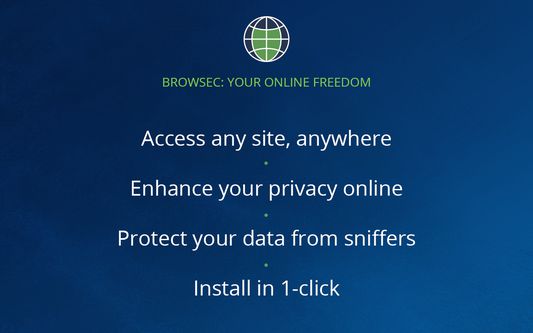
Get unlimited access to any site with Browsec free Firefox VPN extension.
With this VPN add-on, you can protect your browser from external threats, hide your IP, and unblock any website you need.

☆ Secure IP changer
You can change your IP anytime you want. Browsec shields your real IP address and location, so that you can unblock restricted online content in your area.
☆ Solid data protection
With this extension, your online data is safe, thanks to the top-notch protection protocols. You can forget about data leaks – your logins, passwords, and credit card details are safely guarded.
☆ Remote servers
Browsec’s free servers make it possible to connect to sites as if you were in the US, the UK, the Netherlands, Singapore, and more. Choose the one that fits your needs and browse away as long as you want.
☆ Safety guarantee
Browsec makes you forget about dishonest ISPs and unknown public Wi-Fi spots. It encrypts your internet traffic, protects your data, and keeps it from everyone trying to steal it.
☆ Premium features
We still have got more in store. Browsec’s dedicated lanes let you surf the internet at the speed of up to 100 Mbit so you can stream videos seamlessly. You can choose a server from the list of 40+ virtual locations and even adjust your browser timezone to the current IP. Plus, you can have different settings for each website or page – select different servers and save the preset.

HOW TO SET UP BROWSEC MOZILLA VPN:
1. Find Browsec in the Firefox Store and click ‘Add to Firefox.’
2. Download and enable the add-on.
3. Click the extension icon in the toolbar.
4. Click “Start VPN,” then select a remote server. Now, you’re safe!
Browsec Firefox VPN is one of the best options to protect your browser and access any website anytime, anywhere.
4,038명이 3.9점으로 평가함
로그인하여 이 확장 기능의 평점을 남겨주세요
아직 평점이 없습니다

별점 저장됨

5
2,586
4
342
3
145
2
99
1
866
리뷰 4,038개 모두 읽기
권한 및 데이터

필수 권한:

  • 개인 정보 설정 읽기 및 수정
  • 브라우저 프록시 설정 제어
  • 브라우저 탭에 접근
  • 모든 웹사이트에서 사용자의 데이터에 접근

선택적 권한:

  • 최근 브라우징 기록, 쿠키, 관련 데이터 삭제
  • 확장 기능 사용 확인과 테마 관리
더 알아보기
추가 정보
부가 기능 링크
  • 홈 페이지
  • 지원 사이트
  • 지원 이메일
  • Copy add-on ID
버전
3.92.17
크기
3.59 MB
마지막 업데이트
7일 전 (2026년 5월 7일)
관련 카테고리
  • 개인 정보 보호 및 보안
  • 소셜 서비스
라이선스
All Rights Reserved
개인정보처리방침
이 부가 기능에 대한 개인정보처리방침 읽기
버전 목록
  • 모든 버전 보기
모음집에 추가
이 부가 기능 신고
Mozilla 홈페이지로 이동

부가 기능

  • 소개
  • Firefox 부가 기능 블로그
  • 확장 기능 워크샵
  • 개발자 허브
  • 개발자 정책
  • 커뮤니티 블로그
  • 포럼
  • 버그 신고
  • 리뷰 지침

브라우저

  • Desktop
  • Mobile
  • Enterprise

제품

  • Browsers
  • VPN
  • Relay
  • Monitor
  • Pocket
  • Bluesky (@firefox.com)
  • Instagram (Firefox)
  • YouTube (firefoxchannel)
  • 개인 정보
  • 쿠키
  • 법률

특별한 고지가 없는 한, 본 사이트의 콘텐츠는 Commons Attribution Share-Alike License v3.0 또는 그 이후 버전에 따라 사용이 허가됩니다. Android는 Google LLC의 상표입니다.