
Card Style Tab Search with Advanced Filters 제작자: Shailendra
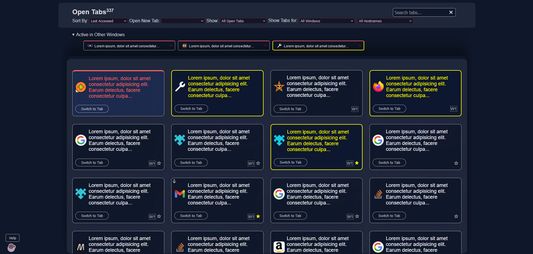
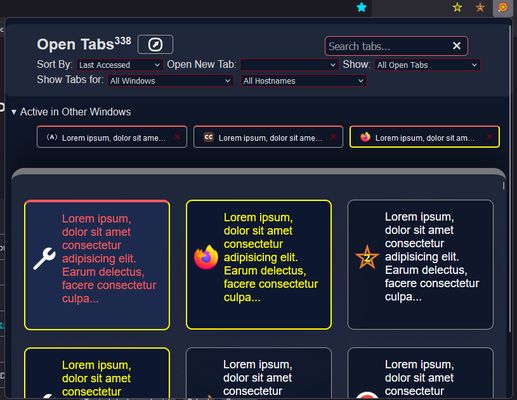
This extension allows you to view, search, switch to, and manage open tabs in a convenient card view directly from the extension popup. Also includes a feature to open list of tab in a new tab for a larger view. Tabs have color codes as well.
사용자 4명사용자 4명
확장 메타 데이터
스크린샷
정보
DISCONTINUED
The "Card Style Tab Search" extension provides a simple yet powerful way to manage all your open tabs in Firefox. With this extension, you can:
View All Tabs: See a comprehensive list of all currently open tabs, sorted in according to the index of tabs visible in Firefox's native tab bar.
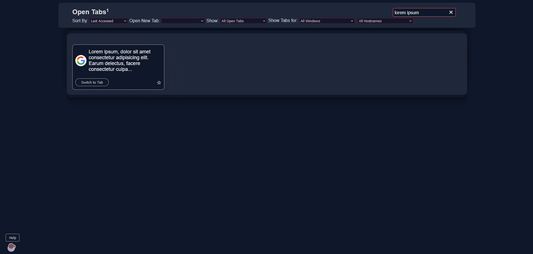
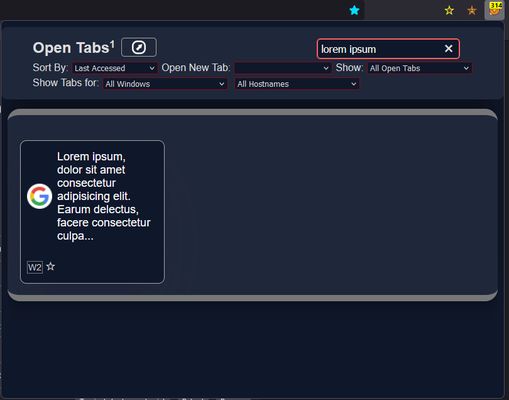
Search Tabs: Quickly find the tab you need by searching through tab titles and URLs.
Switch Tabs: Click on any tab in the list to immediately switch to it, bringing it into focus.
Close Tabs: Easily close tabs directly from the list to keep your browsing session organized.
Open in New Tab: Open the tab list in a new browser tab for a larger view, making it easier to manage a large number of open tabs.
Favicon Display: Each tab entry includes its favicon for easy identification.
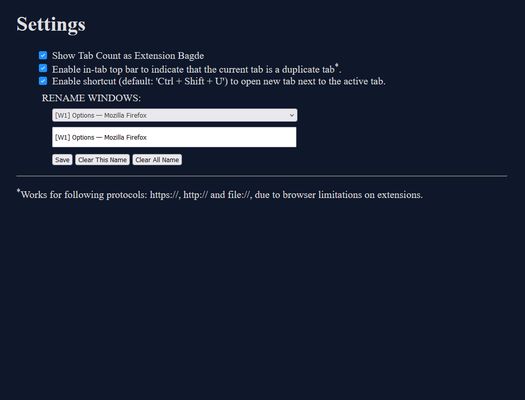
Duplicate Tab Indicator: Get informed if a tab is duplicate with the help of duplicate tab indicator with yellow top bar. Need to be enabled from settings/options page.
Enable Shortcut to open new tab next to active tab: Now, you can conveniently open new tab next to currently active tab without moving your fingers away from keyboard. Need to enable from extension settings page.
This extension is perfect for users who often have many tabs open and need a better way to navigate and manage them. Whether you're a power user, researcher, or just someone who likes to keep many tabs open, this extension will enhance your browsing experience.
Features:
- List all open tabs with their titles, URLs, and favicons.
- Search through open tabs by title or URL.
- Switch to any tab with a single click.
- Close tabs directly from the list.
- Open the tab list in a new tab for a larger view.
- Advanced Filter for tabs based on recently closed tabs, duplicate tabs, tabs for particular browser window and also filter tabs based on hostname.
- Get informed if a tab is duplicate with the help of duplicate tab indicator with yellow top bar. Need to be enabled from settings/options page.
How to Use:
Click the extension icon to open the tab list in a popup.
Use the search bar to filter tabs by title or URL.
Click on a tab's title to switch to it, or use the "Close Tab" button to close it.
Use the "Open in New Tab" button to view the tab list in a larger, dedicated tab.
Simplify your tab management and enhance your browsing experience with the "List All Tabs" extension!
Permissions:
This extension requires access to your browser tabs to list and manage them. No other data is collected or transmitted.
IMPORTANT: New permission is to allow extension to show containers for filtering the tabs based on the containers. This extension in no way is collecting any user data.
Update v2.1
Update v2.2.1
- Minor bug fixes.
- Optional duplicate in-tab indicator. Disabled by default. Enable from settings/options.
Update v2.5.0
- Enable shortcut for opening new tab next to currently active tab, (default: <b>Ctrl + Shift + U</b>), need to be enabled from extension settings/options page.
- Added more tab sorting options
- bug fixes and optimization
<b>Settings:</b> Right Click Extension Icon > Open Settings.
<b>Alternative:</b> Right Click Extension Icon > Manage Extension > Click (...) button > Options
Found Bugs? Report it here!
| DISCONTINUED
The "Card Style Tab Search" extension provides a simple yet powerful way to manage all your open tabs in Firefox. With this extension, you can:
View All Tabs: See a comprehensive list of all currently open tabs, sorted in according to the index of tabs visible in Firefox's native tab bar.
Search Tabs: Quickly find the tab you need by searching through tab titles and URLs.
Switch Tabs: Click on any tab in the list to immediately switch to it, bringing it into focus.
Close Tabs: Easily close tabs directly from the list to keep your browsing session organized.
Open in New Tab: Open the tab list in a new browser tab for a larger view, making it easier to manage a large number of open tabs.
Favicon Display: Each tab entry includes its favicon for easy identification.
Duplicate Tab Indicator: Get informed if a tab is duplicate with the help of duplicate tab indicator with yellow top bar. Need to be enabled from settings/options page.
Enable Shortcut to open new tab next to active tab: Now, you can conveniently open new tab next to currently active tab without moving your fingers away from keyboard. Need to enable from extension settings page.
This extension is perfect for users who often have many tabs open and need a better way to navigate and manage them. Whether you're a power user, researcher, or just someone who likes to keep many tabs open, this extension will enhance your browsing experience.
Features:
- List all open tabs with their titles, URLs, and favicons.
- Search through open tabs by title or URL.
- Switch to any tab with a single click.
- Close tabs directly from the list.
- Open the tab list in a new tab for a larger view.
- Advanced Filter for tabs based on recently closed tabs, duplicate tabs, tabs for particular browser window and also filter tabs based on hostname.
- Get informed if a tab is duplicate with the help of duplicate tab indicator with yellow top bar. Need to be enabled from settings/options page.
Added More sorting and multi-container filter in new version v2.5.0
Install to explore more!
How to Use:
Click the extension icon to open the tab list in a popup.
Use the search bar to filter tabs by title or URL.
Click on a tab's title to switch to it, or use the "Close Tab" button to close it.
Use the "Open in New Tab" button to view the tab list in a larger, dedicated tab.
Simplify your tab management and enhance your browsing experience with the "List All Tabs" extension!
Permissions:
This extension requires access to your browser tabs to list and manage them. No other data is collected or transmitted.
IMPORTANT: New permission is to allow extension to show containers for filtering the tabs based on the containers. This extension in no way is collecting any user data.
Update v2.1
Design Overhaul
Optimized Searching Tabs
Refer Help button to get general help tips.
Update v2.2.1
- Minor bug fixes.
- Optional duplicate in-tab indicator. Disabled by default. Enable from settings/options.
Update v2.5.0
- Enable shortcut for opening new tab next to currently active tab, (default: <b>Ctrl + Shift + U</b>), need to be enabled from extension settings/options page.
- Added more tab sorting options
- bug fixes and optimization
Don't forget to check options/settings page for additional features.
<b>Settings:</b> Right Click Extension Icon > Open Settings.
<b>Alternative:</b> Right Click Extension Icon > Manage Extension > Click (...) button > Options
Found Bugs? Report it here!
| DISCONTINUED
리뷰어 2명이 5점으로 평가함
권한 및 데이터
추가 정보
- 부가 기능 링크
- 버전
- 2.5.0
- 크기
- 92.64 KB
- 최근 업데이트
- 2년 전 (2024년 9월 13일)
- 라이선스
- All Rights Reserved
- 버전 목록
- 모음집에 추가