
ChatGPT Bottom Copy Code Button & Statistics 제작자: Krzysztof Gniewek
Adds an additional 'Copy Code' button and code statistics at the bottom of code snippets in ChatGPT.
사용자 8명사용자 8명
확장 메타 데이터
스크린샷
정보
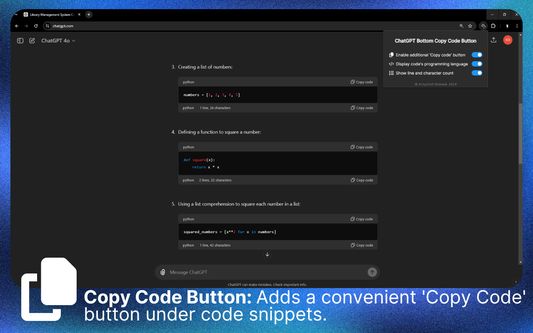
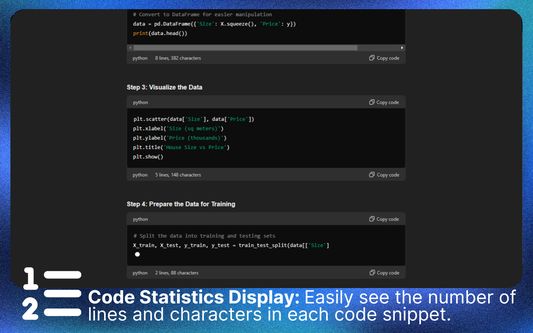
This tool adds a 'Copy Code' button below code snippets, making it easier to copy and use code examples without scrolling to the top. This feature saves time and helps avoid website performance issues that occur when generating long messages and trying to scroll to the top simultaneously. Additionally, it can display code statistics, showing the number of lines & characters in each snippet. Useful for recognizing changes in code length.
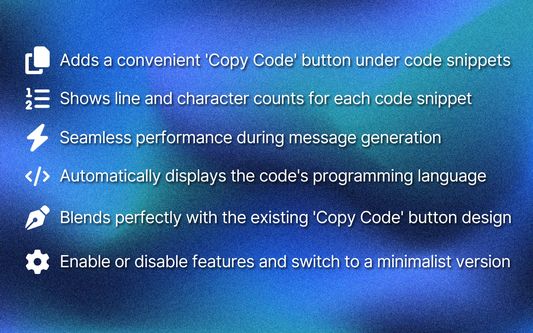
📋 Effortless Code Copying: Adds a 'Copy Code' button at the bottom of each code snippet, so you don't have to scroll to the top.
🔢 Live Code Statistics: Continuously displays the number of lines and characters in the code snippet as it’s being generated.
🎨 Seamless Integration: Blends perfectly with the website’s design, matching the original 'Copy Code' button style.
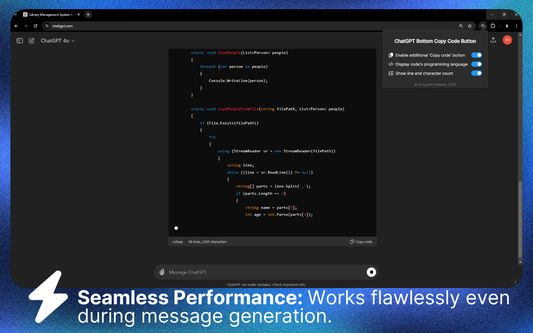
⚡ Smooth Performance: Works flawlessly even during message generation.
💻 Language Detection: Automatically identifies and displays the programming language of the code.
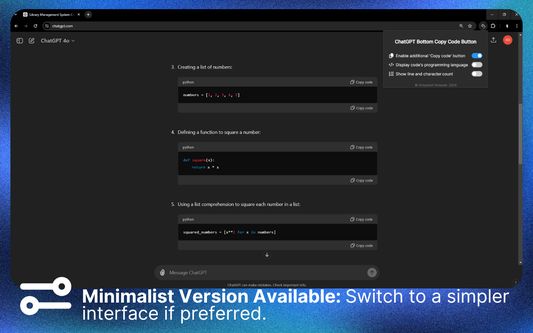
🔧 Customizable Options: Easily toggle the additional bar and code statistics through the extension popup.
📅 Up-to-Date: Fully compatible with the latest version of ChatGPT as of Q3 2024.
✅ Perfect for developers and programmers who need efficient code snippet copying and quick access to line and character counts.
🔴 Official extension website: https://strona.plus/project/3
⚙️ Popup Settings
➊ Enable additional 'Copy code' button
➋ Display code's programming language
➌ Show line and character count
⭐ If you find this extension helpful, please rate it. Consider buying me a coffee ☕ https://buymeacoffee.com/kgniewek
🛠️ For any questions or feedback, contact me at contact@kgniewek.com or visit kgniewek.com/project/3
🔒 This extension does not collect any data. Your settings are stored locally. Details: kgniewek.com/project/3
🔲 Image by Freepik
📋 Effortless Code Copying: Adds a 'Copy Code' button at the bottom of each code snippet, so you don't have to scroll to the top.
🔢 Live Code Statistics: Continuously displays the number of lines and characters in the code snippet as it’s being generated.
🎨 Seamless Integration: Blends perfectly with the website’s design, matching the original 'Copy Code' button style.
⚡ Smooth Performance: Works flawlessly even during message generation.
💻 Language Detection: Automatically identifies and displays the programming language of the code.
🔧 Customizable Options: Easily toggle the additional bar and code statistics through the extension popup.
📅 Up-to-Date: Fully compatible with the latest version of ChatGPT as of Q3 2024.
✅ Perfect for developers and programmers who need efficient code snippet copying and quick access to line and character counts.
🔴 Official extension website: https://strona.plus/project/3
⚙️ Popup Settings
➊ Enable additional 'Copy code' button
➋ Display code's programming language
➌ Show line and character count
⭐ If you find this extension helpful, please rate it. Consider buying me a coffee ☕ https://buymeacoffee.com/kgniewek
🛠️ For any questions or feedback, contact me at contact@kgniewek.com or visit kgniewek.com/project/3
🔒 This extension does not collect any data. Your settings are stored locally. Details: kgniewek.com/project/3
🔲 Image by Freepik
리뷰어 0명이 0점으로 평가함
권한 및 데이터
추가 정보
- 부가 기능 링크
- 버전
- 1.4.3
- 크기
- 264.46 KB
- 최근 업데이트
- 2년 전 (2024년 9월 14일)
- 버전 목록
- 모음집에 추가