
Circle Mouse Gestures (pie menu) 제작자: emvaized
Circle menu with actions on right mouse click
사용자 51명사용자 51명
확장 메타 데이터
스크린샷
정보
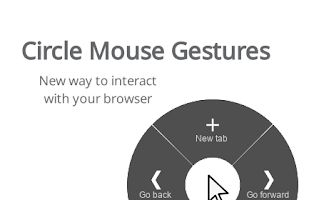
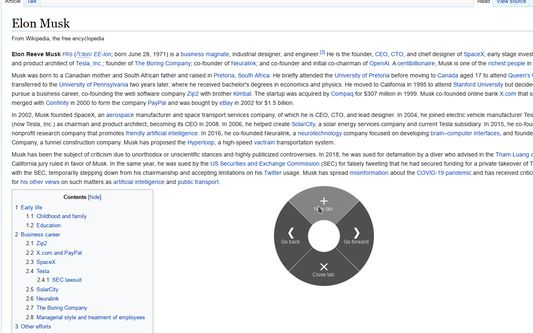
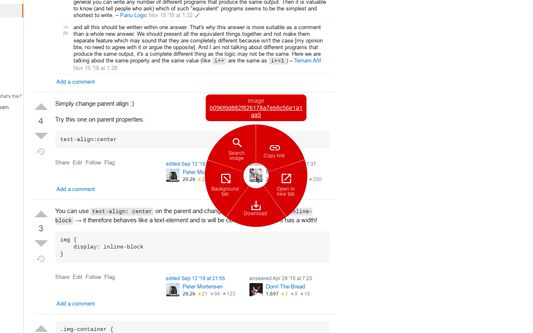
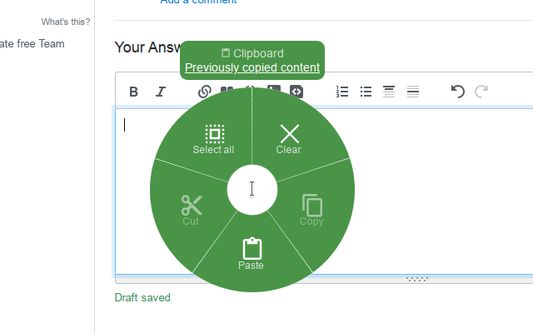
This extension introduces convenient circle menu (so-called pie menu) to improve interaction with your browser. Just hold down the right mouse button, highlight one of the preset actions and release the button.
Circle menu recreates the way mouse gestures were represented in good old Opera 12 browser, and allows to clearly see all available gestures, with no need to remember them all.
Circle Mouse Gestures is supposed to provide a better implementation of mouse gestures and drag gestures, while replacing the regular context menu at the same time — but regular context menu is always there whenever you need it. Perfect for fullscreen browsing!
Extension features:
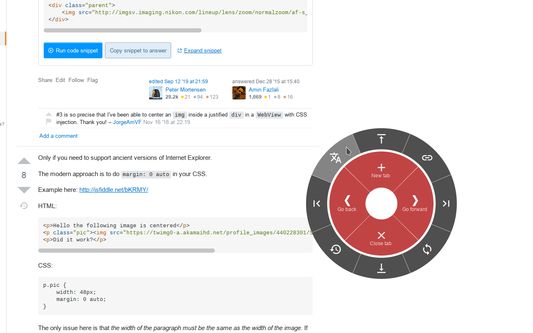
- Regular actions, such as 'Go back', 'New tab', 'Scroll to top' etc.
- Separate gestures for links, images, input fields etc.
- Support for rocker gestures and mouse wheel gestures
- Supports horizontal wheel gestures - great for mouses with horizontal wheel, such as MX Master 3
- Support for trigger on long left click
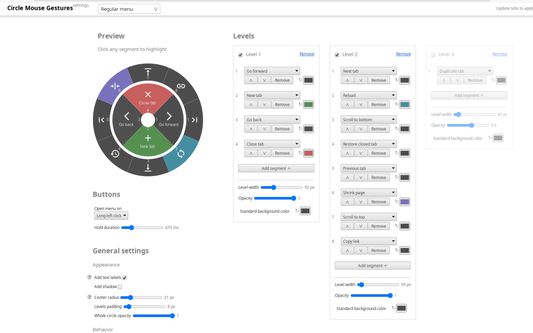
- Great customization options - add actions levels, set their width and color for each action
Additional tools:
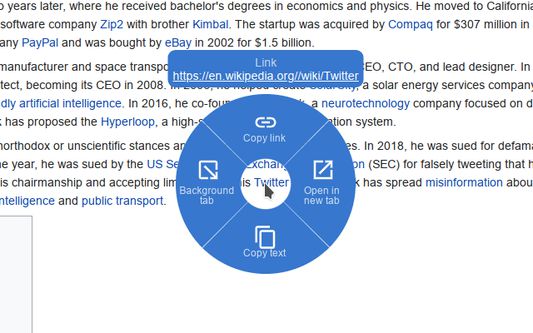
- Link preview (like in Safari on mac)
- Tab switcher (vertical/horizontal/grid), with ability to quickly switch, search or close tabs
- Bookmarks viewer (list/grid), with ability to search and open bookmarks
- Image viewer, with ability to zoom and rotate given image
- Page shrinker, which adds horizontal space to page for easier reading on some websites
Circle menu recreates the way mouse gestures were represented in good old Opera 12 browser, and allows to clearly see all available gestures, with no need to remember them all.
Circle Mouse Gestures is supposed to provide a better implementation of mouse gestures and drag gestures, while replacing the regular context menu at the same time — but regular context menu is always there whenever you need it. Perfect for fullscreen browsing!
Extension features:
- Regular actions, such as 'Go back', 'New tab', 'Scroll to top' etc.
- Separate gestures for links, images, input fields etc.
- Support for rocker gestures and mouse wheel gestures
- Supports horizontal wheel gestures - great for mouses with horizontal wheel, such as MX Master 3
- Support for trigger on long left click
- Great customization options - add actions levels, set their width and color for each action
Additional tools:
- Link preview (like in Safari on mac)
- Tab switcher (vertical/horizontal/grid), with ability to quickly switch, search or close tabs
- Bookmarks viewer (list/grid), with ability to search and open bookmarks
- Image viewer, with ability to zoom and rotate given image
- Page shrinker, which adds horizontal space to page for easier reading on some websites
리뷰어 20명이 4.6점으로 평가함
권한 및 데이터
필수 권한:
- 북마크 읽기 및 수정
- 클립보드에서 데이터 가져오기
- 클립보드에 데이터 넣기
- 파일을 다운로드하고 브라우저의 다운로드 기록을 읽고 수정
- 알림 표시
- 최근에 닫힌 탭에 접근
- 브라우저 탭에 접근
- 모든 웹사이트에서 사용자의 데이터에 접근
선택적 권한:
- 모든 웹사이트에서 사용자의 데이터에 접근
추가 정보
- 부가 기능 링크
- 버전
- 1.6.2
- 크기
- 108.08 KB
- 최근 업데이트
- 6달 전 (2026년 3월 27일)
- 라이선스
- MIT 라이선스
- 버전 목록
- 모음집에 추가