
Conex 제작자: kesselborn
TabGroups married with Tab Containers and bookmark & history search
사용자 593명사용자 593명
확장 메타 데이터
스크린샷
정보
conex
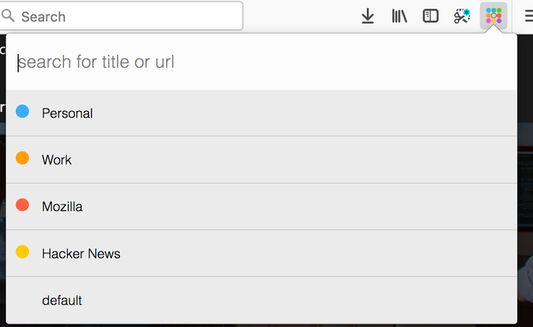
This addon tries to replace some functionality from the discontinued *TabGroups* with some differences:
Differences to tabgroups
Global keyboard shortcuts
Conex popup keyboard shortcuts
Enable tab hiding
Necessary addon permissions
This addon tries to replace some functionality from the discontinued *TabGroups* with some differences:
Differences to tabgroups
- it lacks the big "Manage my TabGroups" overview window
- tab groups are implemented via containers
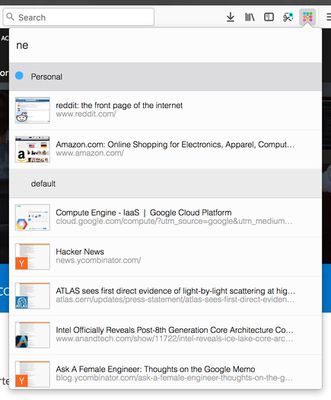
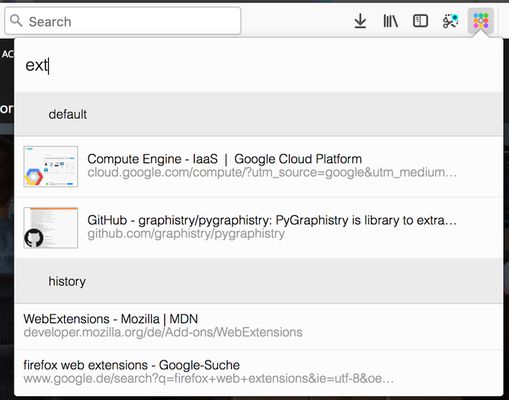
- the quick search contains thumbnail of the results
- the quick search includes bookmarks and history
Global keyboard shortcuts
Ctrl+Space (adjustable): open conex popupCtrl+Shift+E / Cmd+Shift+E (adjustable): move tab to another containerCtrl+T / Cmd+T: open tab in current container
Conex popup keyboard shortcuts
↓/Tabjump to next container or tab in the popup list↑/Shift+Tabjump to previous container or tab in the popup listEnteron a tab: switch to tab / on a container: activate the last accessed tab of the selected containerBackspaceon a tab: close the selected tab / on a container: delete selected container→/←/Ctrl+Enteron a container: expand / unexpand tab list of the selected containerCtrl+Shift+Enter/Ctrl+ +on a container: open a new tab in the selected container and activate this tab / in the search box: open new container dialog
Enable tab hiding
Necessary addon permissions
- <all_url> : for taking screenshots for the thumbnails during search
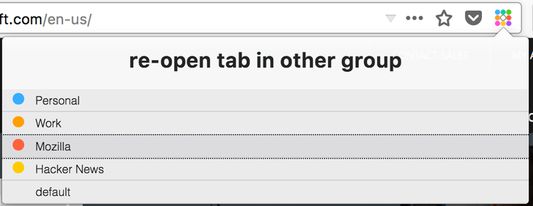
- activeTab (optional) : necessary in order to show a dialog, where the user can select the container to open external links
- bookmarks (optional) : for searching in bookmarks
- contextMenus : for context menu for moving tab to a different container
- contextualIdentities : for working with tab containers
- cookies : for working with tab containers
- history (optional) : for showing history results in quick search
- menus : for creating context menus when moving tabs
- notifications (optional) : to show a warning if the tabhiding is not activated
- storage : for storing thumbnails
- tabs : for tab handling
- tabHide : for hiding and showing tabs
- webNavigation : for intercepting and reacting on new tabs
- webRequest : necessary in order to show a dialog, where the user can select the container to open external links
- webRequestBlocking : necessary in order to show a dialog, where the user can select the container to open external links
리뷰어 82명이 4.4점으로 평가함
권한 및 데이터
필수 권한:
- 브라우저 탭에 접근
- 탐색 중 브라우저 활동에 접근
- 모든 웹사이트에서 사용자의 데이터에 접근
선택적 권한:
- 북마크 읽기 및 수정
- 방문 기록에 접근
- 알림 표시
- 브라우저 탭 보이고 숨기기
추가 정보
- 부가 기능 링크
- 버전
- 0.9.8resigned1
- 크기
- 112.16 KB
- 최근 업데이트
- 2년 전 (2024년 4월 25일)
- 버전 목록
- 모음집에 추가