Delete G Docs Type @ To Insert 제작자: MuCatboys
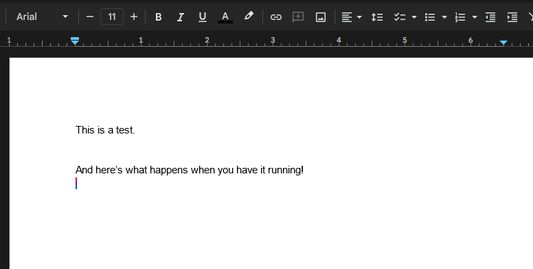
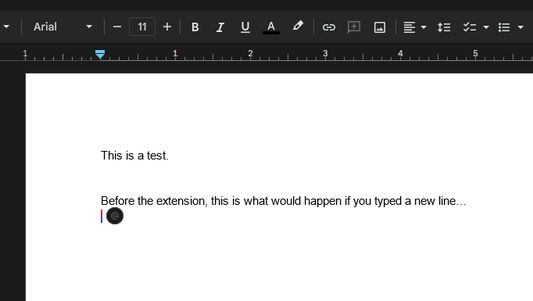
Deletes the 'Type @ to Insert' bubble that appears whenever you type a new line in Google Docs.
사용자 434명사용자 434명
확장 메타 데이터
스크린샷
정보
Are you sick of the annoying and distracting "Type @ to insert" bubble that appears every single time you type a new line in Google Docs? This extension will set that bubble's visibility property to "hidden", hiding it from existence without causing any issues to the functionality of Google Docs.
BEFORE YOU DOWNLOAD: Please try to add the following filters to uBlock Origin if you have it installed. If these filters work, you may not need to download this extension!
###docs-instant-bubble
docs.google.com###docs-instant-bubble
BEFORE YOU DOWNLOAD: Please try to add the following filters to uBlock Origin if you have it installed. If these filters work, you may not need to download this extension!
###docs-instant-bubble
docs.google.com###docs-instant-bubble
3명이 4.3점으로 평가함
권한 및 데이터
추가 정보
- 부가 기능 링크
- 버전
- 1.0
- 크기
- 24.37 KB
- 마지막 업데이트
- 2년 전 (2023년 12월 23일)
- 관련 카테고리
- 버전 목록
- 모음집에 추가