DNS Report by DNS Rate 제작자: DNS Rate
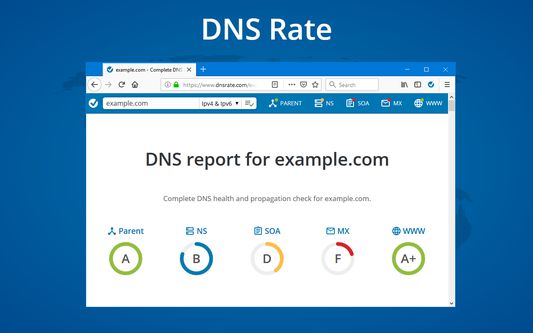
Run DNS report for a domain from a current URL by clicking on extension's icon. Shortcuts to run DNS Report in page, selection and link contexts menus.
사용자 14명사용자 14명
확장 메타 데이터
스크린샷
정보
Check domain in the current URL:
- Click on DNS Rate icon on the right side of the address bar will run IPv4 and IPv6 DNS Report.
- Right-click anywhere on a page and click on DNS Rate
- If you want to run IPv4 or IPv6 only test, right click on extension's icon and click on the desired test
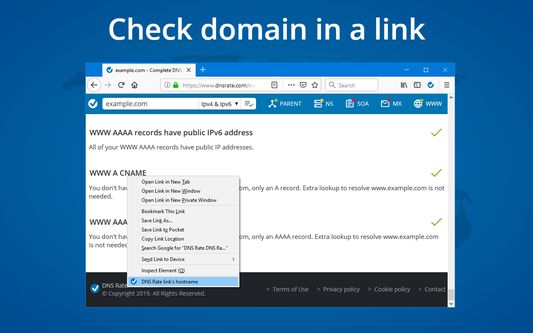
Check domain in a link:
- Right-click on a link and click on DNS Rate link's hostname
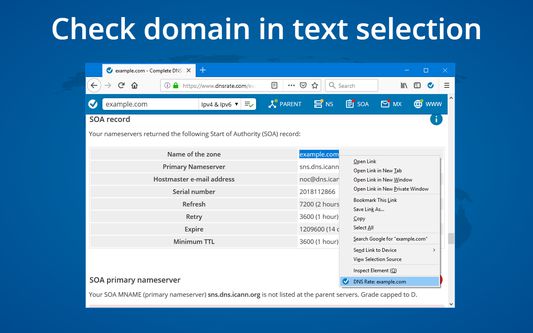
Check domain in text selection:
- Right-click on text selection with a domain name and click on DNS Rate menu item
Required permissions:
activeTab, tabs - check current domain
contextMenus - create context menus
storage - save user preferences
content scripts - search domains in text selection
DNS Rate does not and will never track your browsing history
- Click on DNS Rate icon on the right side of the address bar will run IPv4 and IPv6 DNS Report.
- Right-click anywhere on a page and click on DNS Rate
- If you want to run IPv4 or IPv6 only test, right click on extension's icon and click on the desired test
Check domain in a link:
- Right-click on a link and click on DNS Rate link's hostname
Check domain in text selection:
- Right-click on text selection with a domain name and click on DNS Rate menu item
Required permissions:
activeTab, tabs - check current domain
contextMenus - create context menus
storage - save user preferences
content scripts - search domains in text selection
DNS Rate does not and will never track your browsing history
1명이 5점으로 평가함
권한 및 데이터
추가 정보
- 부가 기능 링크
- 버전
- 0.9.6.3resigned1
- 크기
- 38.12 KB
- 마지막 업데이트
- 2년 전 (2024년 4월 26일)
- 관련 카테고리
- 라이선스
- All Rights Reserved
- 버전 목록
- 모음집에 추가