
Download Master 제작자: WestByte Software
Intercept downloads for Download Master, download a file or a group of files from the context menu.
사용자 3,242명사용자 3,242명
확장 메타 데이터
스크린샷
정보
Download with Download Master* by clicking on the any file link. Enable or disable browser integration from the extension menu, set the minimum file size from the extension options.
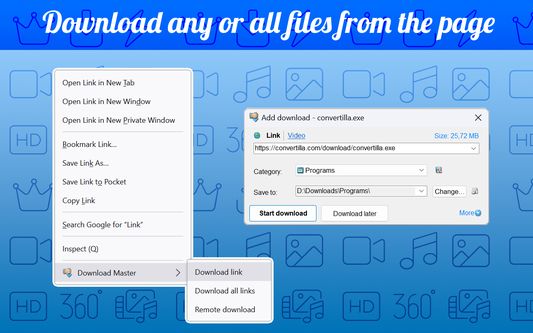
Extension adds the ability to download using Download Master* specified file or group of files from the browser's context menu. After installing the plug-in a new section with items "Download link", "Download all links" and "Remote download" is added the context menu of Firefox.
Right-clicking on the link (example link) you will see a menu with 3 new items added:
- Select "Download link" if you want to download the selected file.
- Select "Download all links" if you want to download multiple files located on this page;
- Select "Remote download" if you want to download a file using remote download service.
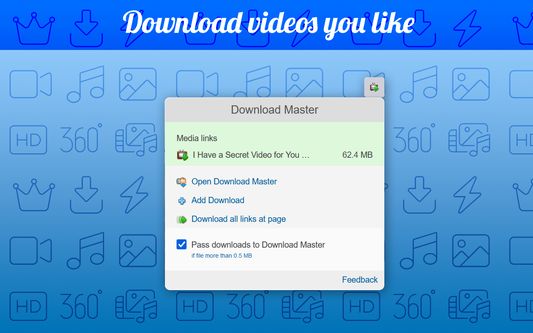
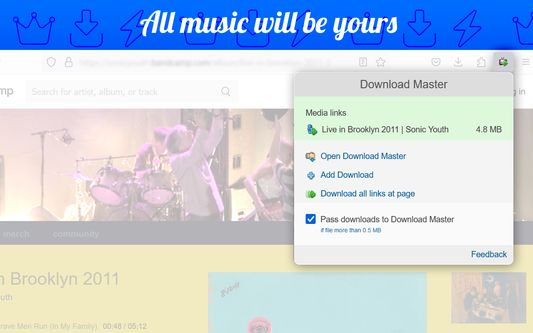
When entering the page with the video clip, if the video service is supported, extension button will be changed. Click on it and select “Download video”, you transfer the movie for download using Download Master*.
If you highlight text on a page, right-click and choose "Find selection on...". You will go directly to the page with the search results where you can download your files.
* The plug-in must be installed on the PC together with Download Master.
Extension adds the ability to download using Download Master* specified file or group of files from the browser's context menu. After installing the plug-in a new section with items "Download link", "Download all links" and "Remote download" is added the context menu of Firefox.
Right-clicking on the link (example link) you will see a menu with 3 new items added:
- Select "Download link" if you want to download the selected file.
- Select "Download all links" if you want to download multiple files located on this page;
- Select "Remote download" if you want to download a file using remote download service.
When entering the page with the video clip, if the video service is supported, extension button will be changed. Click on it and select “Download video”, you transfer the movie for download using Download Master*.
If you highlight text on a page, right-click and choose "Find selection on...". You will go directly to the page with the search results where you can download your files.
* The plug-in must be installed on the PC together with Download Master.
리뷰어 180명이 3.5점으로 평가함
권한 및 데이터
필수 권한:
- Firefox 이외의 프로그램과 메시지 교환
- 파일을 다운로드하고 브라우저의 다운로드 기록을 읽고 수정
- 컴퓨터에 다운로드된 파일 열기
- 알림 표시
- 브라우저 탭에 접근
- 모든 웹사이트에서 사용자의 데이터에 접근
추가 정보
- 부가 기능 링크
- 버전
- 3.1.10resigned1
- 크기
- 211.38 KB
- 마지막 업데이트
- 2년 전 (2024년 4월 25일)
- 관련 카테고리
- 버전 목록
- 모음집에 추가