Download table as CSV 제작자: arktiv
Download HTML tables in MS Excel style CSV format Known issues with tables contained within iframes
확장 메타 데이터
스크린샷
정보
Download HTML tables in MS Excel style CSV format.
Simple to use!
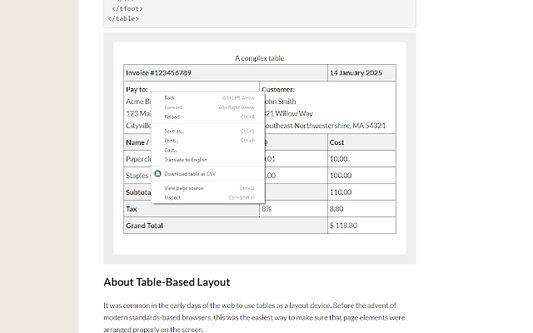
Right click on the table, then select 'Download table as CSV' from the context menu.
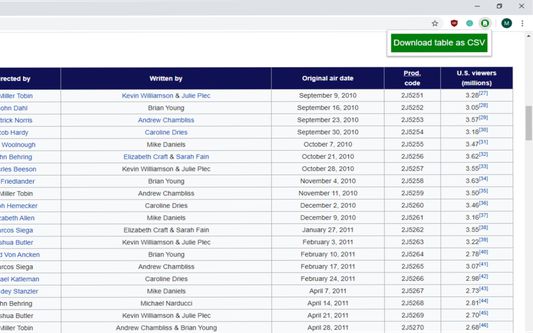
Alternatively you can click the icon and then click on the table to download
The extension downloads the HTML tables in MS Excel style CSV format.
Images will be show in the CSV file as the source URL.
Inputs and text-areas will be indicated in the CSV file with a '(i)'
Note: Sometimes special characters, symbols will not look as you might expect, this is not a bug, rather a limitation of the format.
Attempts to follow RFC4180
Source code: https://github.com/arktiv/table-csv-firefox/
Simple to use!
Right click on the table, then select 'Download table as CSV' from the context menu.
Alternatively you can click the icon and then click on the table to download
The extension downloads the HTML tables in MS Excel style CSV format.
Images will be show in the CSV file as the source URL.
Inputs and text-areas will be indicated in the CSV file with a '(i)'
Note: Sometimes special characters, symbols will not look as you might expect, this is not a bug, rather a limitation of the format.
Attempts to follow RFC4180
Source code: https://github.com/arktiv/table-csv-firefox/
6명이 4.7점으로 평가함
추가 정보
- 부가 기능 링크
- 버전
- 1.5
- 크기
- 13.11 KB
- 마지막 업데이트
- 6년 전 (2020년 5월 31일)
- 관련 카테고리
- 버전 목록
- 모음집에 추가