
Duckling 제작자: theonekeyg
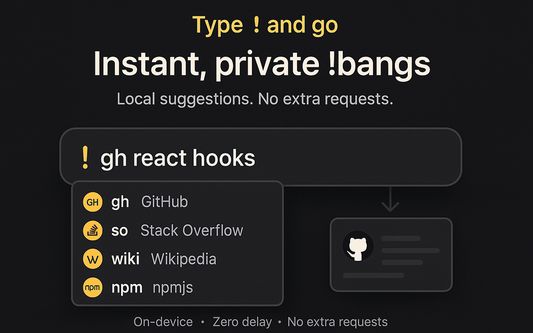
Instant DuckDuckGo bangs in your search bar. Local suggestions, no network requests - just type '! $bang $query'.
사용자 없음사용자 없음
확장 메타 데이터
스크린샷
정보
Duckling brings DuckDuckGo-style !bangs to your browser - faster, smarter, and more private. Jump straight to search engines, documentation, and tools with zero wait, right from the search bar.
✨ Key Benefits
1. ⚡ Instant: No network requests, DNS hops, or redirects. Suggestions and query resolution happen locally inside the extension. You'll notice the difference!
2. 🧠 Don't memorize bangs: Type-ahead suggestions surface the right bang as you type.
3. 🧩 Default search engine choice: Use whatever default search engine you like alongside Duckling. Use DuckDuckGo's best feature - no DuckDuckGo required.
4. 🔒 Privacy-first: No telemetry, no request tracking - your data stays on your device.
5. ❤️ Open source: Transparent, auditable and only does what it's supposed to. Review the code, open issues and contribute at https://github.com/theonekeyg/duckling.
🛠️ How it works
1. In the search bar, type "! " (exclamation mark, then space).
2. Start typing a bang (e.g. gh, so, npm, wiki) and pick from live suggestions.
3. Add your query and press Enter to jump directly to target site.
💡 Examples
1. Google search for "what is love" - "! g what is love".
2. Github search for "tensorflow" - "! gh tensorflow".
3. Stack Overflow search for "javascript map" - "! so javascript map".
4. Wiki search for "alan turing" - "! wiki alan turing".
🦆 Make your searching experience better with Duckling extension.
✨ Key Benefits
1. ⚡ Instant: No network requests, DNS hops, or redirects. Suggestions and query resolution happen locally inside the extension. You'll notice the difference!
2. 🧠 Don't memorize bangs: Type-ahead suggestions surface the right bang as you type.
3. 🧩 Default search engine choice: Use whatever default search engine you like alongside Duckling. Use DuckDuckGo's best feature - no DuckDuckGo required.
4. 🔒 Privacy-first: No telemetry, no request tracking - your data stays on your device.
5. ❤️ Open source: Transparent, auditable and only does what it's supposed to. Review the code, open issues and contribute at https://github.com/theonekeyg/duckling.
🛠️ How it works
1. In the search bar, type "! " (exclamation mark, then space).
2. Start typing a bang (e.g. gh, so, npm, wiki) and pick from live suggestions.
3. Add your query and press Enter to jump directly to target site.
💡 Examples
1. Google search for "what is love" - "! g what is love".
2. Github search for "tensorflow" - "! gh tensorflow".
3. Stack Overflow search for "javascript map" - "! so javascript map".
4. Wiki search for "alan turing" - "! wiki alan turing".
🦆 Make your searching experience better with Duckling extension.
리뷰어 0명이 0점으로 평가함
추가 정보
- 부가 기능 링크
- 버전
- 0.0.5
- 크기
- 523.5 KB
- 최근 업데이트
- 4달 전 (2026년 5월 22일)
- 관련 카테고리
- 라이선스
- MIT 라이선스
- 버전 목록
- 모음집에 추가