Efficiency Split Screen 제작자: auto-subtitle
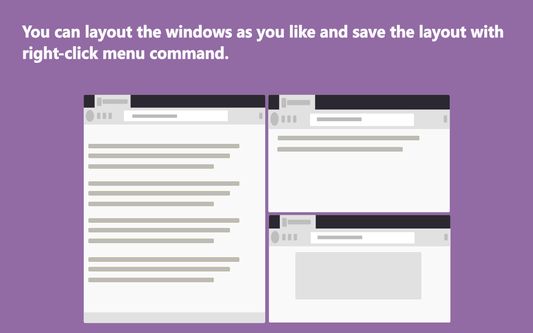
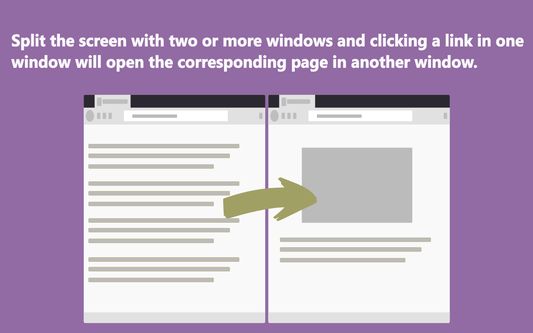
Split screen to improve search efficiency. Click search link in one window and open it in another.
사용자 355명사용자 355명
확장 메타 데이터
스크린샷
정보
Introductory video
https://www.youtube.com/watch?v=9jgo0V1YqbU
Increase search efficiency
Features:
1. Split screen, display multiple windows on the screen at the same time.
2. Click a link in one window, the link will open in another window.
Advantage:
1. You don't have to leave the search page and wait for a new page to load.
2. You don‘t have to switch tabs or click the go back button.
3. You will not forget the original search purpose in the maze of links.
Operation:
Click the action icon to enable or disable functions of the extension.
Shortcut Keys:
default: Ctrl+Shift+A
mac: Command+Shift+A
Ctrl+Mouse Click --> Open link in next window [new tab]
Shift+Mouse Click--> Open link in next window current tab
https://www.youtube.com/watch?v=9jgo0V1YqbU
Increase search efficiency
Features:
1. Split screen, display multiple windows on the screen at the same time.
2. Click a link in one window, the link will open in another window.
Advantage:
1. You don't have to leave the search page and wait for a new page to load.
2. You don‘t have to switch tabs or click the go back button.
3. You will not forget the original search purpose in the maze of links.
Operation:
Click the action icon to enable or disable functions of the extension.
Shortcut Keys:
default: Ctrl+Shift+A
mac: Command+Shift+A
Ctrl+Mouse Click --> Open link in next window [new tab]
Shift+Mouse Click--> Open link in next window current tab
13명이 2.8점으로 평가함
권한 및 데이터
추가 정보
- 부가 기능 링크
- 버전
- 2.0.10
- 크기
- 294.54 KB
- 마지막 업데이트
- 3년 전 (2023년 1월 11일)
- 라이선스
- All Rights Reserved
- 버전 목록
- 모음집에 추가