
Browser’s External Editor
Edit any text field in Firefox using your favorite external editor. Perfect for long-form writing, code editing, or using custom tools outside the browser.
사용자 31명
확장 메타 데이터
스크린샷

Edit any text field in Firefox using your favorite external editor. Perfect for long-form writing, code editing, or using custom tools outside the browser.
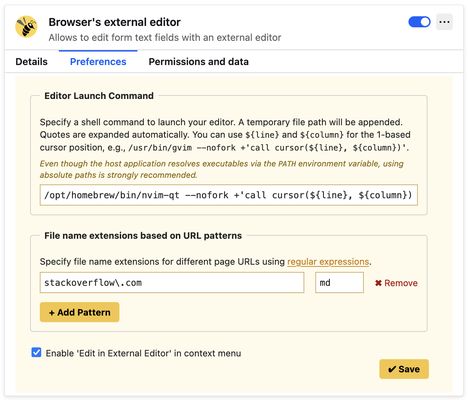
1. Open the add-on preferences and specify a shell command to launch your preferred text editor in foreground (no-fork) mode. Examples:
- For VS Code:
/usr/bin/code --wait- For GVim:
/usr/bin/gvim --nofork2. Set a keyboard shortcut via your browser’s extension shortcut settings. Use a unique combination such as:
- Cmd + Option + E (⌘⌥E) on macOS
- Ctrl + Alt + E on Linux or Windows
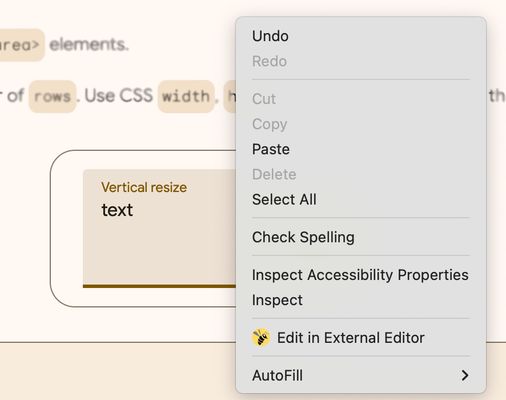
If the shortcut doesn’t work (due to browser limitations), you can use the context menu:
Right-click on a text field and select “Edit in External Editor”.
This option is available starting in version 3.4.0.
For help, feedback, or to report issues, please visit:
https://github.com/rosmanov/chrome-bee/issues