
Fast Copy Links 제작자: ColdSpirit
Copy links on Ctrl+C/Cmd+C.
사용자 482명사용자 482명
확장 메타 데이터
스크린샷



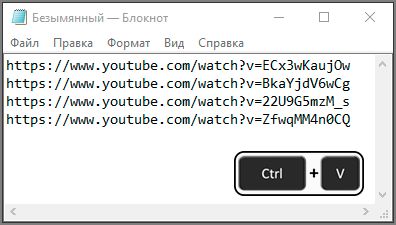
정보
For copy link - hover cursor on link and press Ctrl+C (MacOS: Cmd+C). You can to open menu and copy list of all copied links before!
The permission to "Access your data for all websites" is necessary for absolutely all extensions that run on the site pages. This extension performs the following actions on the pages of the site, so it also needs this permission.
1. Detects when a key is pressed (Ctrl+C/Cmd+C).
2. Gets a link under the cursor.
Addon does not work on https://addons.mozilla.org and some Mozilla sites.
The permission to "Access your data for all websites" is necessary for absolutely all extensions that run on the site pages. This extension performs the following actions on the pages of the site, so it also needs this permission.
1. Detects when a key is pressed (Ctrl+C/Cmd+C).
2. Gets a link under the cursor.
Addon does not work on https://addons.mozilla.org and some Mozilla sites.
리뷰어 31명이 4.7점으로 평가함
권한 및 데이터
추가 정보
- 부가 기능 링크
- 버전
- 1.7
- 크기
- 83.8 KB
- 마지막 업데이트
- 5년 전 (2022년 1월 21일)
- 관련 카테고리
- 버전 목록
- 모음집에 추가