Firefox 브라우저 부가 기능
  • 확장 기능
  • 테마
    • Firefox용
    • 사전 및 언어 팩
    • 다른 브라우저 사이트
    • Android 부가 기능
로그인
New Container Tab 미리보기

New Container Tab 제작자: Karim Rahal

Quickly open a new tab in any specified Firefox container. Shortcut: Ctrl+Shift+Comma.

5 (리뷰 6개)5 (리뷰 6개)
사용자 44명사용자 44명
Firefox를 다운로드하고 확장 기능을 받으세요
파일 다운로드

확장 메타 데이터

스크린샷
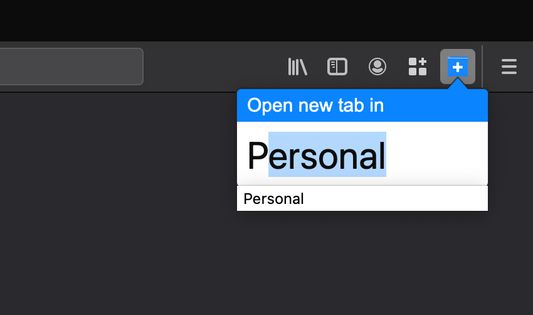
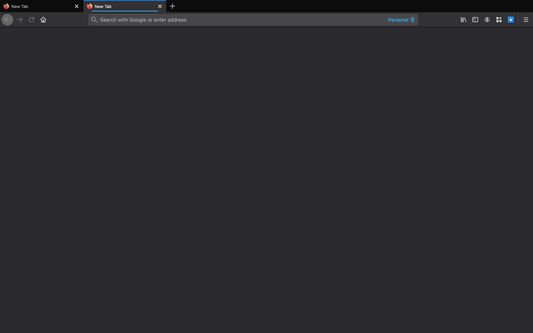
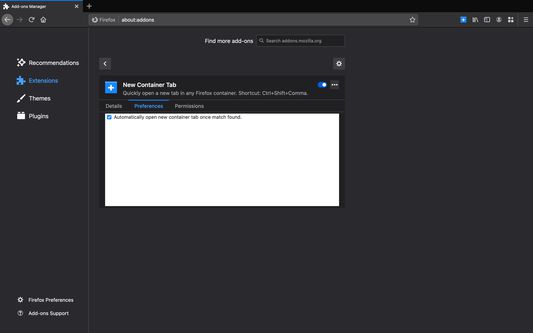
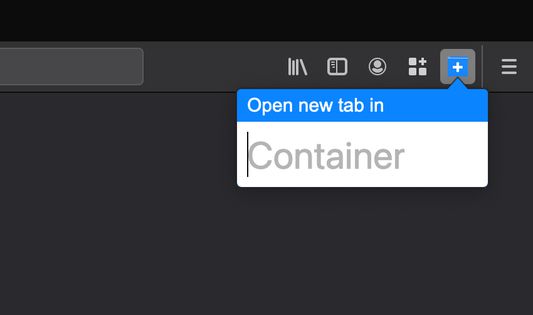
Ctrl+Shift+Comma to search for a new tab's container.Search for a container (auto-suggestion supported), and press enter.Voila! A new tab opens with the specified containerCan enable option to auto-open a container tab once a match is found.
정보
Opening a new tab in a Firefox container is hell—you have to either hard press the new tab button or remember obscure, limited shortcuts. New Container Tab changes that: you use the shortcut Ctrl+Shift+Comma, search for a container name, and press Enter. Furthermore, the container search box auto-suggests, so speed is guaranteed! You can also enable the option to 'auto-open' tabs once a match is found.

https://github.com/KarimPwnz/firefox-new-container-tab
6명이 5점으로 평가함
로그인하여 이 확장 기능의 평점을 남겨주세요
아직 평점이 없습니다

별점 저장됨

5
6
4
0
3
0
2
0
1
0
리뷰 6개 모두 읽기
추가 정보
부가 기능 링크
  • 지원 사이트
  • Copy add-on ID
버전
1.12
크기
15.81 KB
마지막 업데이트
5년 전 (2021년 4월 12일)
관련 카테고리
  • 개인 정보 보호 및 보안
  • 탭
라이선스
MIT 라이선스
버전 목록
  • 모든 버전 보기
모음집에 추가
이 부가 기능 신고
Mozilla 홈페이지로 이동

부가 기능

  • 소개
  • Firefox 부가 기능 블로그
  • 확장 기능 워크샵
  • 개발자 허브
  • 개발자 정책
  • 커뮤니티 블로그
  • 포럼
  • 버그 신고
  • 리뷰 지침

브라우저

  • Desktop
  • Mobile
  • Enterprise

제품

  • Browsers
  • VPN
  • Relay
  • Monitor
  • Pocket
  • Bluesky (@firefox.com)
  • Instagram (Firefox)
  • YouTube (firefoxchannel)
  • 개인 정보
  • 쿠키
  • 법률

특별한 고지가 없는 한, 본 사이트의 콘텐츠는 Commons Attribution Share-Alike License v3.0 또는 그 이후 버전에 따라 사용이 허가됩니다.