Focus input element 제작자: sa1hon
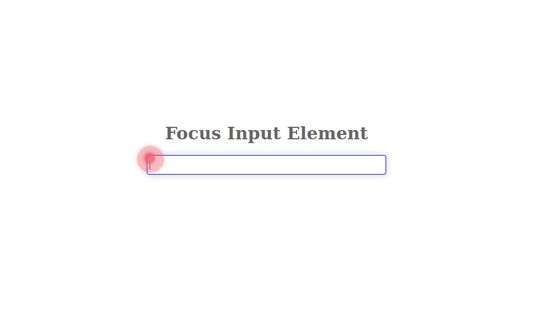
Pressing the shortcut key moves the cursor to the text box on the Web page.
사용자 39명사용자 39명
확장 메타 데이터
스크린샷
정보
Overview:
Pressing the shortcut key moves the cursor to the text box on the Web page.
The default shortcut keys:
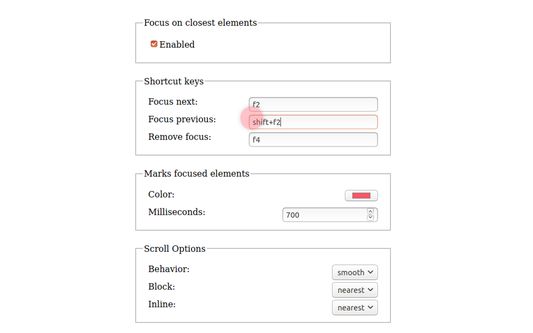
- Next input box: F2
- Previous input box: Shift+F2
- Unfocus: F4
- First input box: Default unspecified
- Last input box: Default unspecified
Features:
- Press the key repeatedly to move to the next or previous input box.
- Focus is available on the nearest input box in the active area of the scrolled page.
- Markers allow you to locate the input box.
- These settings can be changed on the Options page.
Source repository: https://github.com/saihon/focus-input-element
Pressing the shortcut key moves the cursor to the text box on the Web page.
The default shortcut keys:
- Next input box: F2
- Previous input box: Shift+F2
- Unfocus: F4
- First input box: Default unspecified
- Last input box: Default unspecified
Features:
- Press the key repeatedly to move to the next or previous input box.
- Focus is available on the nearest input box in the active area of the scrolled page.
- Markers allow you to locate the input box.
- These settings can be changed on the Options page.
Source repository: https://github.com/saihon/focus-input-element
4명이 5점으로 평가함
권한 및 데이터
추가 정보
- 부가 기능 링크
- 버전
- 1.5.6
- 크기
- 47.17 KB
- 마지막 업데이트
- 2년 전 (2024년 7월 16일)
- 관련 카테고리
- 버전 목록
- 모음집에 추가