
Free Screenshot Tool 제작자: Abro
Professional screenshot tool with full page, selection, and scrolling capture capabilities
사용자 17명사용자 17명
확장 메타 데이터
스크린샷

정보
Capture, Annotate & Share Screenshots Instantly
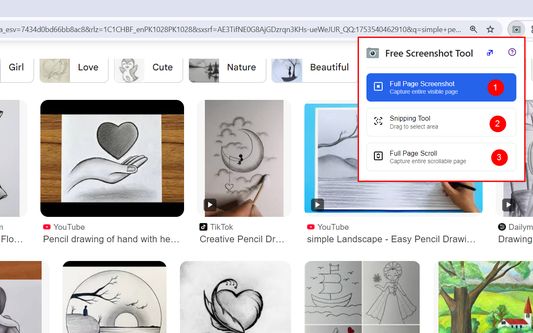
Take professional screenshots with powerful annotation tools. Select any area, draw shapes, add text, highlight content, and blur sensitive information. Features include:
Smart Selection - Click and drag to capture any screen area
Full Page Capture - Screenshot entire web pages automatically
Rich Annotations - Pen, highlighter, shapes, arrows, and text tools
Privacy Protection - Blur tool to hide sensitive content
Instant Sharing - Copy to clipboard or save directly
Clean Interface - No ads, completely free to use
Perfect for creating tutorials, bug reports, design feedback, and documentation. Works on any website with professional results every time.
No sign-up required. Start capturing better screenshots today!
Take professional screenshots with powerful annotation tools. Select any area, draw shapes, add text, highlight content, and blur sensitive information. Features include:
Smart Selection - Click and drag to capture any screen area
Full Page Capture - Screenshot entire web pages automatically
Rich Annotations - Pen, highlighter, shapes, arrows, and text tools
Privacy Protection - Blur tool to hide sensitive content
Instant Sharing - Copy to clipboard or save directly
Clean Interface - No ads, completely free to use
Perfect for creating tutorials, bug reports, design feedback, and documentation. Works on any website with professional results every time.
No sign-up required. Start capturing better screenshots today!
리뷰어 0명이 0점으로 평가함
권한 및 데이터
필수 권한:
- 파일을 다운로드하고 브라우저의 다운로드 기록을 읽고 수정
- 브라우저 탭에 접근
- 탐색 중 브라우저 활동에 접근
- 모든 웹사이트에서 사용자의 데이터에 접근
선택적 권한:
- 모든 웹사이트에서 사용자의 데이터에 접근
추가 정보
- 부가 기능 링크
- 버전
- 1.1
- 크기
- 658.67 KB
- 마지막 업데이트
- 일 년 전 (2025년 8월 20일)
- 버전 목록
- 모음집에 추가