Fullscreen Google Meet 제작자: Thomas Brillion
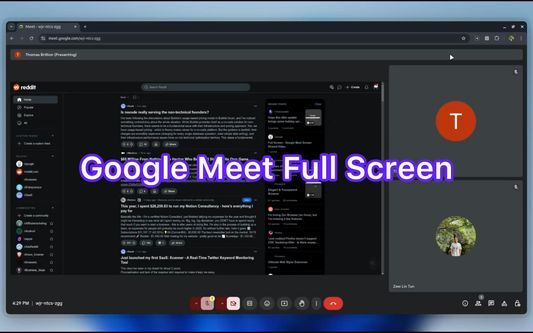
View Screenshare in full screen on Google Meet without losing built-in functionalities
사용자 10명사용자 10명
확장 메타 데이터
스크린샷
정보
This extension allows you to view ScreenShare in Full Screen on Google Meet.
Features:
- There are two modes: Default and Full.
In Default mode, you still have access to built-in Google Meet functionalities such as emoji, side bar actions. In Full mode, the screen is stretched in maximum size.
- It is responsive when you use built-in Google Meet functionalities.
- It is compatible with built-in Browser Full Screen.
- Use "Meta" key + "F" ( Windows key + F or Command key + F ) to toggle and Esc to reset the full-screen.
Features:
- There are two modes: Default and Full.
In Default mode, you still have access to built-in Google Meet functionalities such as emoji, side bar actions. In Full mode, the screen is stretched in maximum size.
- It is responsive when you use built-in Google Meet functionalities.
- It is compatible with built-in Browser Full Screen.
- Use "Meta" key + "F" ( Windows key + F or Command key + F ) to toggle and Esc to reset the full-screen.
0명이 0점으로 평가함
권한 및 데이터
추가 정보
- 부가 기능 링크
- 버전
- 0.0.1
- 크기
- 89.68 KB
- 마지막 업데이트
- 일 년 전 (2024년 12월 21일)
- 관련 카테고리
- 라이선스
- All Rights Reserved
- 버전 목록
- 모음집에 추가