
Gemini Bookmarks 제작자: nrednav
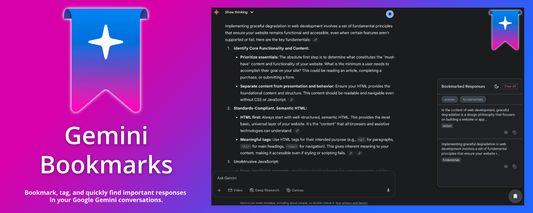
Bookmark, tag, and quickly find important responses in your Google Gemini conversations.
사용자 25명사용자 25명
확장 메타 데이터
스크린샷
정보
What?
This extension adds a simple bookmarking system to the Google Gemini web interface. It allows you to save specific responses from a conversation so you can easily refer back to them later.
Why?
Features:
Source code:
https://github.com/nrednav/gemini-bookmarks
This extension adds a simple bookmarking system to the Google Gemini web interface. It allows you to save specific responses from a conversation so you can easily refer back to them later.
Why?
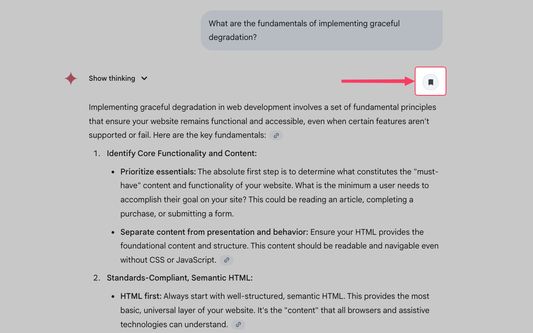
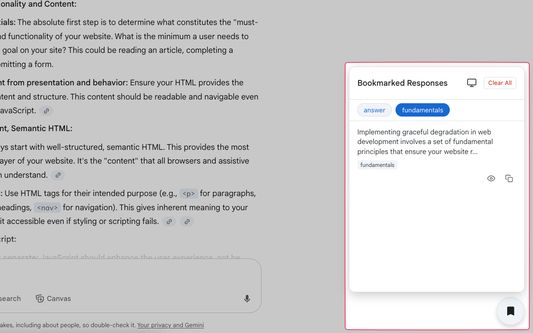
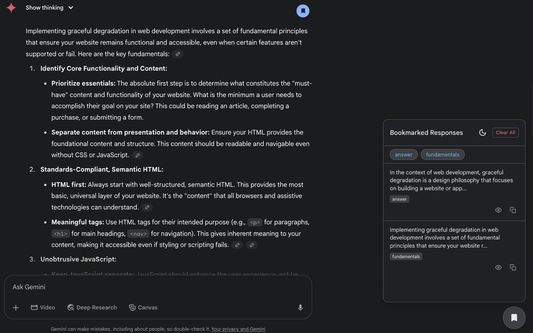
- Save Important Information: A bookmark button is added to each Gemini response. Click it to save anything you find useful, like ideas, information, or topics to study.
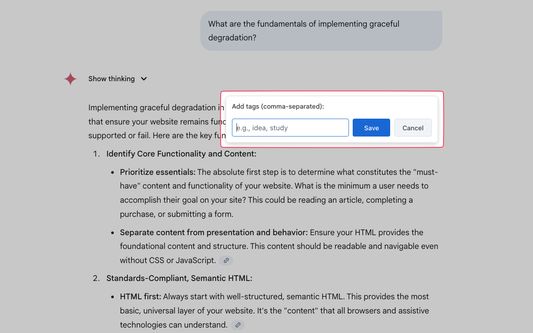
- Organize with Tags: When you save a bookmark, you can add comma-separated tags to categorize it. This helps you organize information by topic or project.
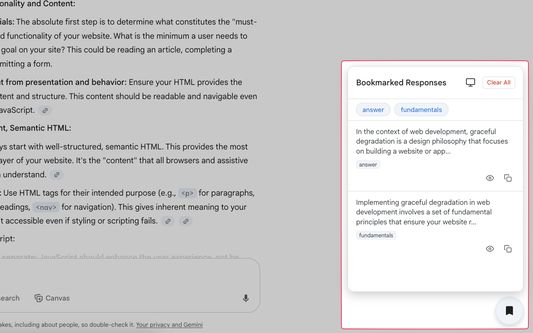
- Find What You Need: A side panel lists all your bookmarks for the current conversation. You can filter this list by clicking on tags, making it easy to find specific information without scrolling through the entire chat.
- See the Original Context: Clicking a bookmark in the panel scrolls the page directly to that response and highlights it, so you can see the surrounding conversation.
Features:
- One-click Bookmarking: A bookmark icon appears on every Gemini response in a conversation.
- Tagging System: Add custom, comma-separated tags to organize your bookmarks.
- Side Panel UI: A dedicated panel lists all your bookmarks, sorted by their position in the conversation.
- Tag-Based Filtering: Quickly filter your bookmarks by clicking on tags in the panel.
- Smart Scrolling: Clicking a bookmark smoothly scrolls the page to its original context in a long chat.
- Keyboard shortcuts: When using the tag editor or one of the modals, you can hit
Enterto save orEscto cancel/close. - Light & Dark Themes: The UI comes with a light and dark theme that can sync with your OS preference.
- Copy & View Actions: Quickly copy a bookmark's content to your clipboard or view the full text in a modal directly from the side panel.
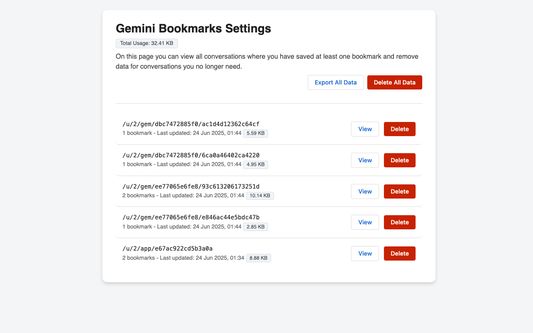
- Conversation Management: On the options page, view all conversations with bookmarks and delete data for specific conversations you no longer need.
Source code:
https://github.com/nrednav/gemini-bookmarks
리뷰어 2명이 5점으로 평가함
권한 및 데이터
추가 정보
- 부가 기능 링크
- 버전
- 1.2.0
- 크기
- 102.56 KB
- 최근 업데이트
- 8달 전 (2026년 1월 29일)
- 라이선스
- MIT 라이선스
- 개인정보처리방침
- 이 부가 기능에 대한 개인정보처리방침 읽기
- 버전 목록
- 모음집에 추가