Gmail (Pin Tab) 제작자: Senthil Ponnusamy
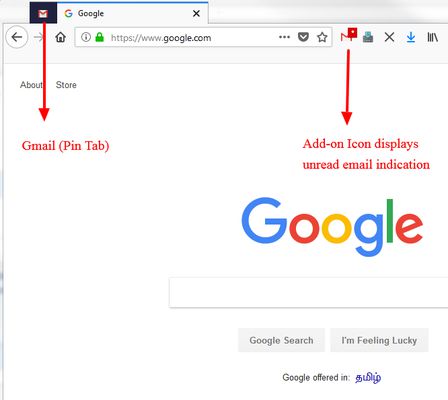
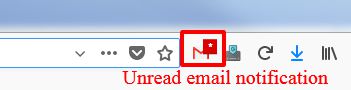
Switch to Gmail (Pin Tab) with a single click or a Hot Key (Alt+2)! Additionally, this add-on will also display indications about new emails.
사용자 60명사용자 60명
확장 메타 데이터
스크린샷
정보
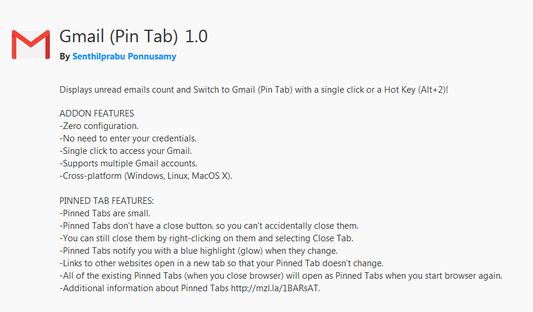
ADDON FEATURES
-Zero configuration.
-No need to enter your credentials.
-Single click to access your Gmail.
-Supports multiple Gmail accounts.
-Cross-platform (Windows, Linux, MacOS X).
PINNED TAB FEATURES:
-Pinned Tabs are small.
-Pinned Tabs don’t have a close button. so you can’t accidentally close them.
-You can still close them by right-clicking on them and selecting Close Tab.
-Pinned Tabs notify you with a blue highlight (glow) when they change.
-Links to other websites open in a new tab so that your Pinned Tab doesn’t change.
-All of the existing Pinned Tabs (when you close browser) will open as Pinned Tabs when you start browser again.
-Additional information about Pinned Tabs http://mzl.la/1BARsAT.
-Zero configuration.
-No need to enter your credentials.
-Single click to access your Gmail.
-Supports multiple Gmail accounts.
-Cross-platform (Windows, Linux, MacOS X).
PINNED TAB FEATURES:
-Pinned Tabs are small.
-Pinned Tabs don’t have a close button. so you can’t accidentally close them.
-You can still close them by right-clicking on them and selecting Close Tab.
-Pinned Tabs notify you with a blue highlight (glow) when they change.
-Links to other websites open in a new tab so that your Pinned Tab doesn’t change.
-All of the existing Pinned Tabs (when you close browser) will open as Pinned Tabs when you start browser again.
-Additional information about Pinned Tabs http://mzl.la/1BARsAT.
3명이 3.7점으로 평가함
권한 및 데이터
추가 정보
- 부가 기능 링크
- 버전
- 1.1resigned1
- 크기
- 72.49 KB
- 마지막 업데이트
- 2년 전 (2024년 4월 25일)
- 라이선스
- All Rights Reserved
- 버전 목록
- 모음집에 추가