Gmail Sidebar & Search 제작자: 🌱 𝙅𝙪𝙨𝙤𝙧𝙚『ジュソレ』✊
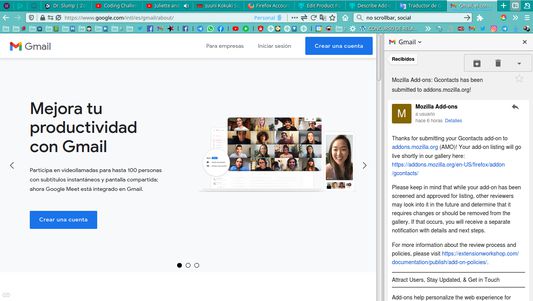
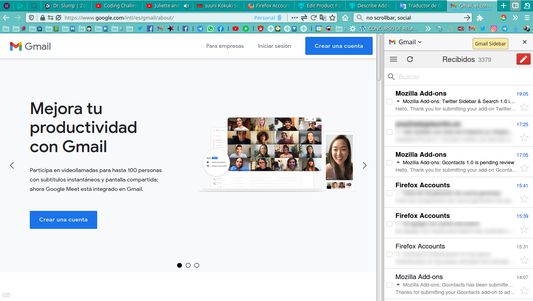
Get access to Gmail Mobile from Sidebar and get the Gmail Search Engine with a nice animated icon.
사용자 62명사용자 62명
확장 메타 데이터
스크린샷
정보
The Gmail mobile version shows you a light but dynamic frontend with a nice experience. For example, when you select an email, the option to delete it appears at the top, while in the html version (somewhat lighter) you must scroll to the bottom of the page to execute this action.
Install my other add-on too to write your emails faster: Gcontacts Sidebar.
Install ScrollAnywhere add-on to hold middle mouse button pressed and move it 🠐 🠒 🠑 🠓 to scroll.
-----------------
If you like sidebar WebExtensions, take a look at my profile.
If you ❤ Gmail Sidebar & Search, feed me at:
My Liberapay profle.
If you prefer, you can make me a social payment reading and sharing my story.
Have a nice day. 😊
Characteristics on version (1.0):
Gmail Sidebar & Search is a helper tool for Gmail™ users. Gmail Sidebar & Search is not officially affiliated with Gmail™ or any Gmail™ products. Gmail™ is a registered trademark Google Inc.
Install my other add-on too to write your emails faster: Gcontacts Sidebar.
Install ScrollAnywhere add-on to hold middle mouse button pressed and move it 🠐 🠒 🠑 🠓 to scroll.
-----------------
If you like sidebar WebExtensions, take a look at my profile.
If you ❤ Gmail Sidebar & Search, feed me at:
My Liberapay profle.
If you prefer, you can make me a social payment reading and sharing my story.
Have a nice day. 😊
Characteristics on version (1.0):
- Hotkey: Ctrl + Alt + Z
- Custom Hotkey at add-on configuration.
- Animated SVG logo.
- Scrollbar hided at https://mail.google.com/mail/mu/mp/561/
- Select and right click allowed.
Gmail Sidebar & Search is a helper tool for Gmail™ users. Gmail Sidebar & Search is not officially affiliated with Gmail™ or any Gmail™ products. Gmail™ is a registered trademark Google Inc.
2명이 5점으로 평가함
권한 및 데이터
추가 정보