Google Apps Account Switcher 제작자: Rence
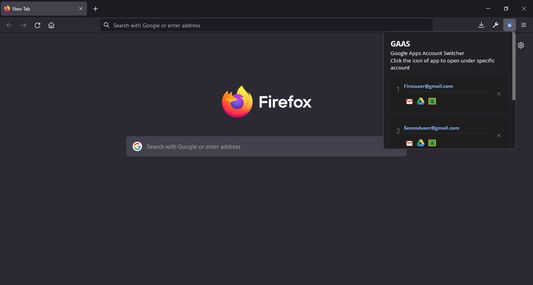
Save time and bandwidth by directly opening google applications under a specific google account.
사용자 4명사용자 4명
확장 메타 데이터
스크린샷
정보
The Google account switcher allows you to open Google apps directly under a specific account, saving you time from having to open and select the specific account.
1. Go to Gmail.com
2. Click your account avatar at the top right corner and your multiple logged-in accounts will be listed.
3. Click the "Add accounts" button and copy the emails in the order that you see in the list, and done
1. Go to Gmail.com
2. Click your account avatar at the top right corner and your multiple logged-in accounts will be listed.
3. Click the "Add accounts" button and copy the emails in the order that you see in the list, and done
1명이 2점으로 평가함
추가 정보
- 부가 기능 링크
- 버전
- 1.3
- 크기
- 56.79 KB
- 마지막 업데이트
- 4년 전 (2022년 4월 7일)
- 버전 목록
- 태그
- 모음집에 추가