
Histogram Viewer 제작자: David Fichtmueller
Generates the histogram of a selected image.
사용자 178명사용자 178명
확장 메타 데이터
스크린샷
정보
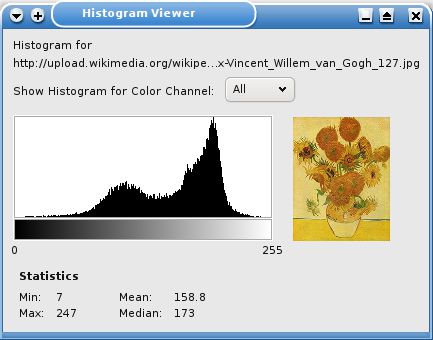
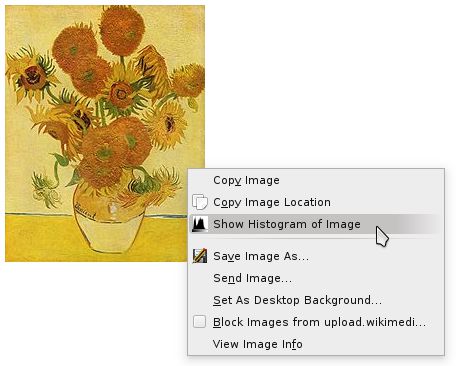
The Histogram Viewer generates the histogram of a selected image. When the user right clicks on an image, the option "Show Histogram of Image" is shown in the context menu. If the user selects this option a new window is opened which shows the histogram of the image.
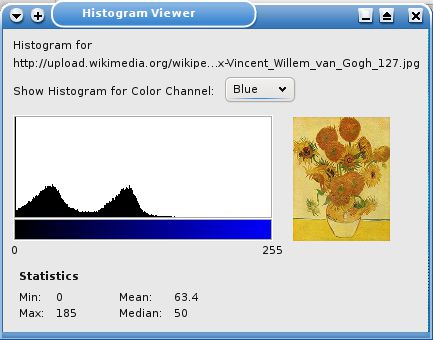
By default the histogram is generated based on the sum of all 3 RGB color channels. Additionally the histogram for each of the 3 color channels can be shown. Some statistics about the histogram are also shown.
Features
* Grayscale histogram
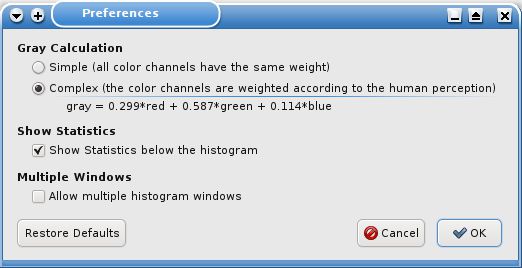
* Option to select the way the grayscale histogram is calculated
* all color channels have the same weight
* the color channels are weighted according to the human perception (gray = 0.299*red + 0.587*green + 0.114*blue)
* shows histograms for each color channel
* shows statistics about the histogram: min, max, mean, median
* optional hiding of the statistics
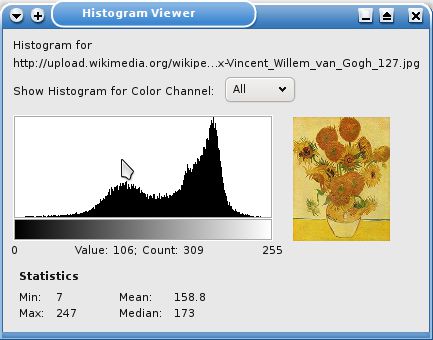
* shows the individual value and its number of occurrences, when the user moves the mouse over the histogram
By default the histogram is generated based on the sum of all 3 RGB color channels. Additionally the histogram for each of the 3 color channels can be shown. Some statistics about the histogram are also shown.
Features
* Grayscale histogram
* Option to select the way the grayscale histogram is calculated
* all color channels have the same weight
* the color channels are weighted according to the human perception (gray = 0.299*red + 0.587*green + 0.114*blue)
* shows histograms for each color channel
* shows statistics about the histogram: min, max, mean, median
* optional hiding of the statistics
* shows the individual value and its number of occurrences, when the user moves the mouse over the histogram
리뷰어 2명이 5점으로 평가함
권한 및 데이터
추가 정보
- 부가 기능 링크
- 버전
- 3.0.1resigned1
- 크기
- 17.16 KB
- 최근 업데이트
- 2년 전 (2024년 4월 25일)
- 버전 목록
- 모음집에 추가