
http tracker 제작자: Venu Madhav
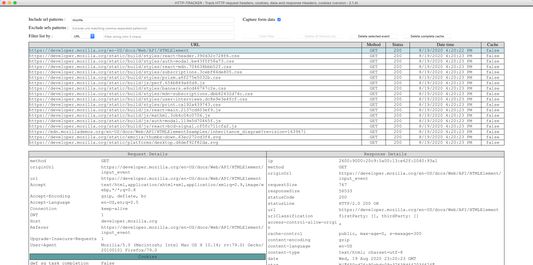
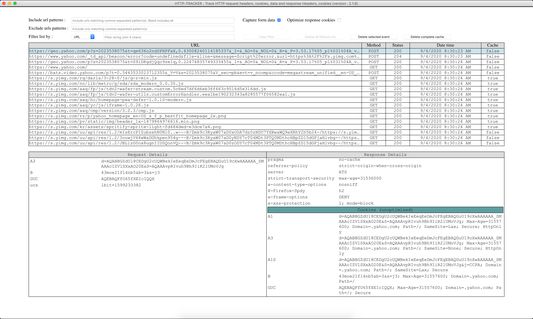
Monitoring the browser network for all tabs and pages in a single page. Track network traffic / http traffic sent from each tab, or page and the response headers for each request. Filter requests to capture, filter requests to view
사용자 944명사용자 944명
확장 메타 데이터
스크린샷

정보
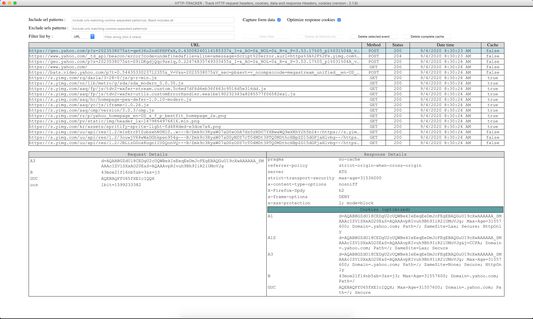
Monitoring the browser network for all tabs and pages in a single page. Track network traffic sent from each tab, or page and the response headers for each request. Filter requests to capture, filter requests to view, clear all captured data, compare with previous/different requests, single page to see all the traffic in a centralized place instead of each tab
Features:
Security
Performance
Accessibility
Other links
Reviews / Ratings
Features:
- Single instance add-on - Always loads a single instance popup window which gets activated on further clicks
- Non blocking (async) monitoring of the browser traffic, there by not introducing additional delay to the actual
- request-response pairing
- Capture only required url's containing particular pattern(s)
- Exclude all unwanted url's containing particular patterns(s)
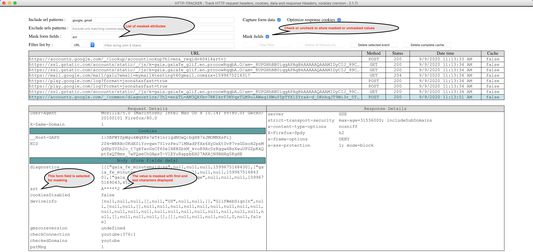
- Mask data in form fields containing particular patterns(s)
- Filter urls to display and analyze
- Find text in details with highlighting text
- Delete complete captured data
- Delete single url which was captured
- Delete all the filtered data
- Compare request and responses between sessions and incognito (need access to incognito)
- Capture form data only if needed
- Use preferences page to store settings in the browser storage to avoid repeated entry of patterns
- High security
- High performance
- Tool tips on the page to give an understanding of the page elements
- Pause and resume the tracker
Security
- Mask form fields data like usernames, passwords, etc providing high security
- Information about your browsing is never transmitted or disclosed to either the add-on developers or any other party
Performance
- Works async - Near to zero delay to the actual http request
- Filter results in < 100 ms when the captured results are more than 10K
Accessibility
- Easy access to the add-on : use command/Control + Shift + 1 any time to open the add-on window
- Single instance window
Other links
- Link to chrome add-on : https://chrome.google.com/webstore/detail/http-tracker/fklakbbaaknbgcedidhblbnhclijnhbi
Reviews / Ratings
- Please like and rate the add-on - A lot of effort has been put in developing this add-on
리뷰어 13명이 4.5점으로 평가함
권한 및 데이터
추가 정보
- 부가 기능 링크
- 버전
- 2.2.6
- 크기
- 90.32 KB
- 최근 업데이트
- 5년 전 (2022년 3월 11일)
- 버전 목록
- 모음집에 추가