
HTTPZ 제작자: claustromaniac
Fat-free hardenable opportunistic encryption
사용자 148명사용자 148명
확장 메타 데이터
스크린샷


정보
There are numerous similar extensions out there, but HTTPZ is different because it is not smart: it is Zmart. The following summarizes how it works with the default settings:
HTTPZ is meant to be unobtrusive and lightweight, it respects your privacy, and is free of trans fats. Additionally, it is very configurable, and should be slightly more secure than some of the alternatives out there, since it has a couple of built-in defenses against SSL-stripping attacks.
It also gets along well with extensions that I recommend for managing contextual identities (containers), such as Containerise and Temporary Containers
Limitations
Interested in more recommendations? Head over to the ghacks-user.js GitHub repository. It is an amazing project for hardening Firefox that I have contributed to, and a great source of information (including extension recommendations).
Acknowledgments
HTTPZ would not be what it is if not for its testers' feedback on GitHub.
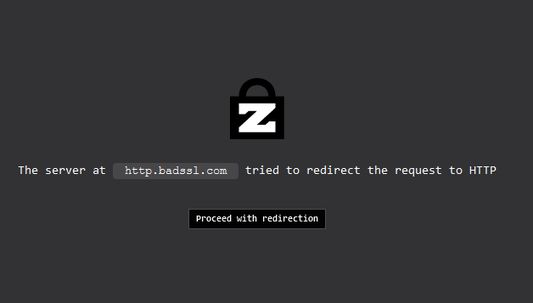
- When you are about to navigate to a site over HTTP, that request is aborted and a new one is started over HTTPS. If that new request results in an error, it is automatically redirected back to HTTP. If navigating to the site over HTTP throws an error too, HTTPZ does nothing more then. Otherwise, that host is added to the list of known insecure sites, and all subsequent requests to it are ignored by the extension for seven days
- When you navigate to a site over HTTPS by yourself, or because of some external factor (like HSTS preloading), HTTPZ does not do anything to that request, regardless of the outcome.
- When you navigate to a site over HTTPS and *the server* downgrades the request to HTTP, the extension notices this and allows it. It adds that site to the list of known insecure sites, and does not try to load it over HTTPS for the next seven days
HTTPZ is meant to be unobtrusive and lightweight, it respects your privacy, and is free of trans fats. Additionally, it is very configurable, and should be slightly more secure than some of the alternatives out there, since it has a couple of built-in defenses against SSL-stripping attacks.
It also gets along well with extensions that I recommend for managing contextual identities (containers), such as Containerise and Temporary Containers
Limitations
- When the initial request over HTTPS results in an error, Firefox starts loading an internal page that describes the error. HTTPZ does not wait for Firefox to finish loading those error pages, it immediately retries the request over HTTP, which causes them to load partially, and it does not look good. This is only a cosmetic issue, and a negligible one at that.
- Unlike HTTPS Everywhere, this extension does not take care of sub-requests triggered from HTTP-only sites. For now, it outright ignores those requests, because using the same approach with those (retrying on error) is very complicated and has significant drawbacks.
Interested in more recommendations? Head over to the ghacks-user.js GitHub repository. It is an amazing project for hardening Firefox that I have contributed to, and a great source of information (including extension recommendations).
Acknowledgments
HTTPZ would not be what it is if not for its testers' feedback on GitHub.
리뷰어 39명이 4.8점으로 평가함
권한 및 데이터
추가 정보
- 부가 기능 링크
- 버전
- 0.12.0
- 크기
- 25.46 KB
- 최근 업데이트
- 7년 전 (2019년 12월 11일)
- 관련 카테고리
- 버전 목록
- 모음집에 추가