In Page Lookup 제작자: The Other Ream
Highlight a word and press some keys and a Wiki article will present itself before your eyes for your reading pleasure. Press some other keys and gone will be the article so you can continue on your browsing journey knowing just a bit more on a topic
사용자 4명사용자 4명
확장 메타 데이터
스크린샷
정보
In Page Lookup is an extension that lets you look up a word on almost any page without needing to open a new tab.
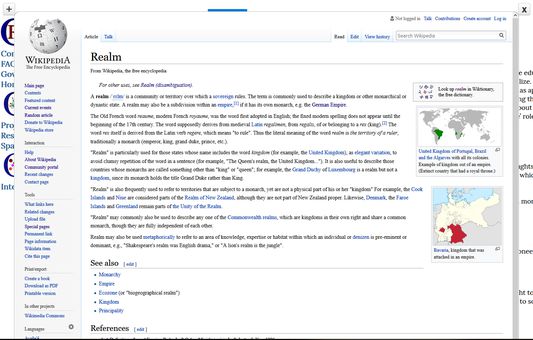
To look up a word on Wikipedia just highlight the word and right click and choose "InPageLookup" and a sub-option.
An easier way to do it though is to click a combination of keyboard characters (default:
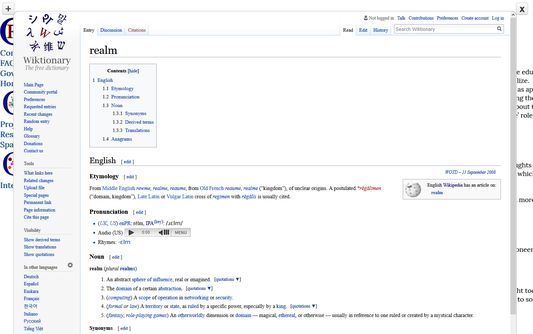
To look up a word on Wiktionary just highlight the word and click a combination of keyboard characters (default: <code>ControlLeft+AltLeft+2</code> ) and an overlay of the Wiktionary article will appear as an in-page overlay.
To close the overlay just highlight the word and click a combination of keyboard characters (default:
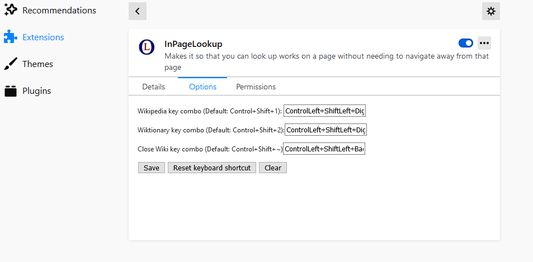
To change these keys, go to the tools/options dropdown and click "Extensions", find the "InPageLookup" one and click on it and then click "Options". Make sure you click save when you are done.
I do not, in anyway, track anything you do, the permissions that are necessary are necessary in order to show the Wiki information.
To look up a word on Wikipedia just highlight the word and right click and choose "InPageLookup" and a sub-option.
An easier way to do it though is to click a combination of keyboard characters (default:
ControlLeft+AltLeft+1) and an overlay of the Wikipedia article will appear as an in-page overlay.To look up a word on Wiktionary just highlight the word and click a combination of keyboard characters (default: <code>ControlLeft+AltLeft+2</code> ) and an overlay of the Wiktionary article will appear as an in-page overlay.
To close the overlay just highlight the word and click a combination of keyboard characters (default:
ControlLeft+AltLeft+, the key to the left of the '1' key if you have a different keyboard that doesn't have the ` key)To change these keys, go to the tools/options dropdown and click "Extensions", find the "InPageLookup" one and click on it and then click "Options". Make sure you click save when you are done.
I do not, in anyway, track anything you do, the permissions that are necessary are necessary in order to show the Wiki information.
Most of the add-on is old code from an old Firefox Add-On that doesn't work anymore and even that add-on was an attempt at reviving the functionally of an even older add-on that stopped working many years ago. I will try to add more functionality, such as allowing in page lookup from other search engines, and allowing you to view a history of the search terms you looked up. Just thought I would start with the bare minimum and grow from there. This code uses functionality from jQuery, and jQuery-UI.
1명이 5점으로 평가함
권한 및 데이터
추가 정보
- 부가 기능 링크
- 버전
- 2.1.3
- 크기
- 4.08 MB
- 마지막 업데이트
- 5년 전 (2021년 1월 4일)
- 관련 카테고리
- 개인정보처리방침
- 이 부가 기능에 대한 개인정보처리방침 읽기
- 버전 목록
- 태그
- 모음집에 추가