
FireEye iSIGHT Browser Extension 제작자: FireEye, Vikrant Tripathi
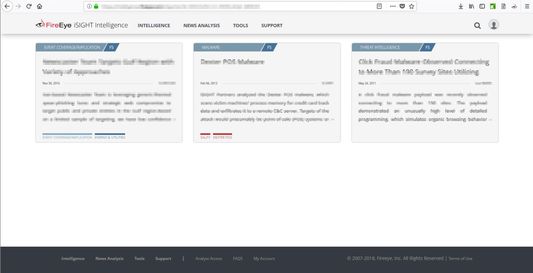
Find and validate cyber threat intelligence information in any web content with dynamic linking into FireEye iSIGHT.
사용자 10명사용자 10명
확장 메타 데이터
스크린샷
정보
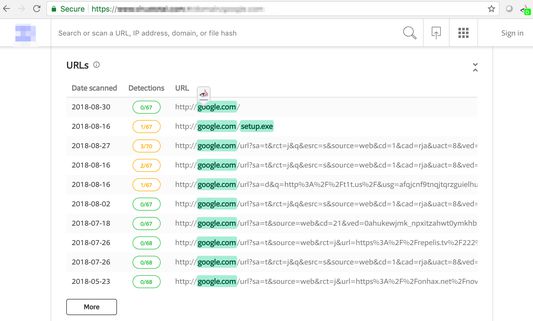
Finds IPs, Domains, MD5, SHA256, SHA1, fuzzy hashes and file names in web pages and matches to FireEye iSIGHT intelligence
The Browser Extension will enable all customers to connect the data that they’re viewing in their web browser, regardless of the tool or site, to the full intelligence context provided by FireEye. This will allow customers to connect to FireEye intelligence context from Internet databases, such as VirusTotal or WHOIS, which; otherwise, was not possible to integrate previously.
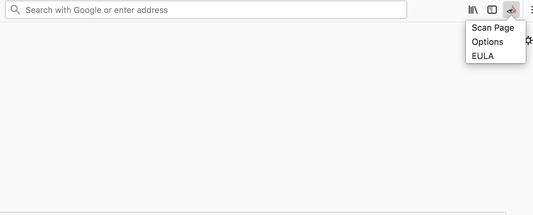
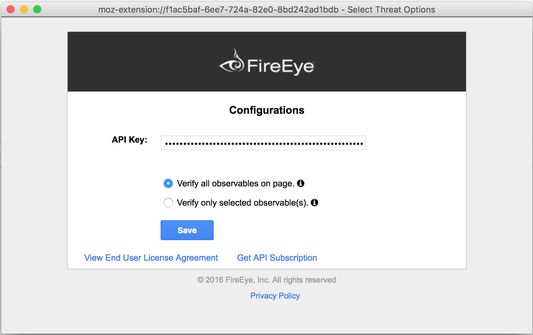
You'll need to enter your FireEye iSIGHT API 2.0 credentials/keys to make the plugin operational. For that you'll have to click on the icon & select "Options" which will then open a dialog where you'll have to enter your credentials/keys.
Clicking on the icon will detect IP addresses, domains & file hashes etc. on a displayed web page. It will parse the entire webpage or just the selection for the observables/indicators and will highlight them. Parsing of the entire webpage or just the selection is based on the configuration in the option dialog.
After that it will match the observables/indicators with FireEye iSIGHT API 2.0 interface and highlight the ones that are matched. On mouse over of these matched observables/indicators, FireEye icon will appear which when clicked will call to FIIP in order to allow customers quick access to our intelligence for context around whatever issue they are investigating.
Also you have the option to just directly select the observable/indicator and redirect it to FIIP.
If the indicator/observable is matched to any one report then the clicking on the FireEye icon will take you to that particular report directly. Or else if it is matched in more than one report then you'll get redirected to the FIIP search page.Requirement to “highlight” the area (select with the mouse) and then right click to enable the inspection on Windows
NOTE: This functionality differs between Windows and Mac platforms. The Mac platform doesn’t require any highlighting to enable the ‘right click’ “Search <URL string> at FIIP”.
3명이 2.7점으로 평가함
권한 및 데이터
추가 정보
- 부가 기능 링크
- 버전
- 2.1.2resigned1
- 크기
- 98.97 KB
- 마지막 업데이트
- 2년 전 (2024년 5월 2일)
- 관련 카테고리
- 라이선스
- Custom License
- 사용자 라이선스 동의서
- 이 부가 기능에 대한 사용권 계약 읽기
- 버전 목록
- 모음집에 추가