
Items.com 제작자: Developers
items.com Amazing Offers & Coupons. It's all about the discount & cashback!
사용자 1명사용자 1명
확장 메타 데이터
스크린샷
정보
items.com Amazing Offers & Coupons. It's all about the discount & cashback!
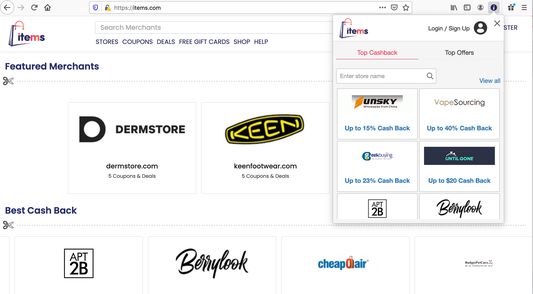
Items.com makes users online shopping experience much easier.It finds and applies the right coupon code automatically for every online users.
Users no need to look for coupon codes and sales. Items does it for you automatically!
Items.com let users to discover everything about their favorite products on online merchants websites .
By clicking the "Add To Firefox" button and activating the Items.com add-on, you are agreeing to Items.com's Terms of Agreement (found here: https://www.items.com/terms), its Privacy Policy (found here: https://www.items.com/privacy and License Agreement (https://items.com/license).
To remove the add-on from your firefox browser, please use the below directions.
For assistance, please contact this email address: developers@items.com
1) Find the Add-Ons Settings in the top right of your Firefox web browser.
2) Look for the three dots for items.com add-on and click to find Remove option.
3) You can restart your browser in order for the changes to take effect and the extension to be uninstalled.
Items.com makes users online shopping experience much easier.It finds and applies the right coupon code automatically for every online users.
Users no need to look for coupon codes and sales. Items does it for you automatically!
Items.com let users to discover everything about their favorite products on online merchants websites .
By clicking the "Add To Firefox" button and activating the Items.com add-on, you are agreeing to Items.com's Terms of Agreement (found here: https://www.items.com/terms), its Privacy Policy (found here: https://www.items.com/privacy and License Agreement (https://items.com/license).
To remove the add-on from your firefox browser, please use the below directions.
For assistance, please contact this email address: developers@items.com
1) Find the Add-Ons Settings in the top right of your Firefox web browser.
2) Look for the three dots for items.com add-on and click to find Remove option.
3) You can restart your browser in order for the changes to take effect and the extension to be uninstalled.
리뷰어 1명이 1점으로 평가함
권한 및 데이터
추가 정보
- 부가 기능 링크
- 버전
- 2.10
- 크기
- 475.01 KB
- 최근 업데이트
- 4년 전 (2023년 4월 6일)
- 관련 카테고리
- 개인정보처리방침
- 이 부가 기능에 대한 개인정보처리방침 읽기
- 버전 목록
- 모음집에 추가