
Jenkins Helper 제작자: LiYing
Monitor Jenkins build state and node state, and provide some convenient services.
사용자 14명사용자 14명
확장 메타 데이터
스크린샷
정보
A browser extension that greatly improves the productivity of using Jenkins.
The extension can:
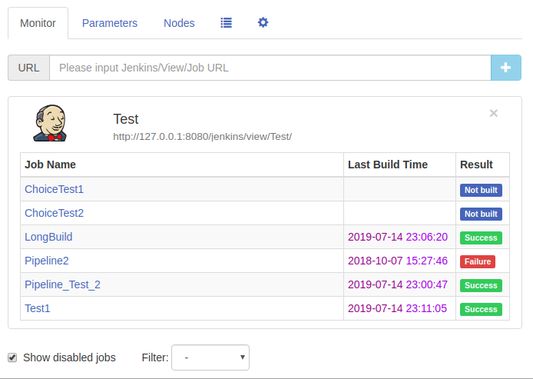
1. Job monitoring: Monitor the build state of Jenkins Job and display a notification when the build is complete. Provide a "monitor" interface to view the build status of the Job of interest at any time. Provides filtering capabilities to filter Jobs based on build results.
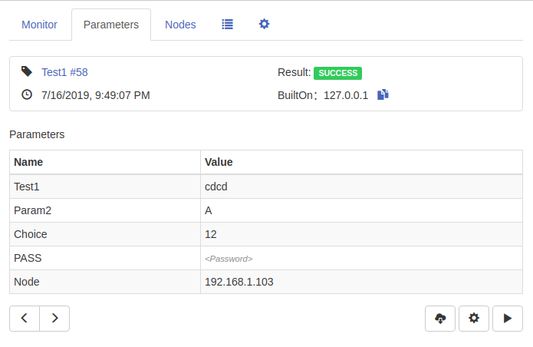
2. Build parameter view: It's easy to quickly view build information and build parameters under each Build page and its subpages. A button to view the last/next build parameters is available, and the complete build log can be downloaded directly to the local.
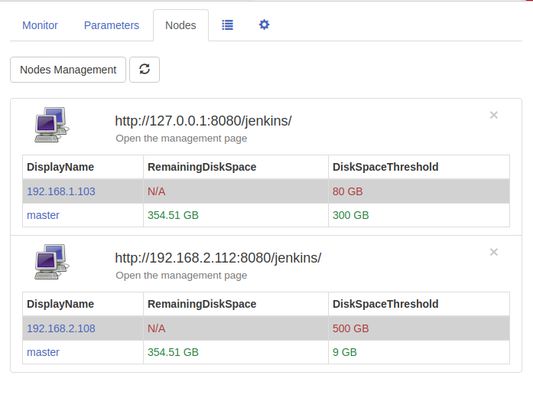
3. Node disk space monitoring: Monitor the amount of the Jenkins node's disk space. If the amount of the remaining space of the node is less than or equal to a given threshold, the notification will alert and provide a monitor page to check the amount of the remaining space of the node at any time.
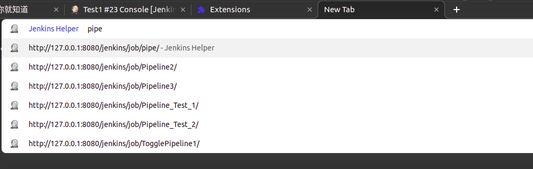
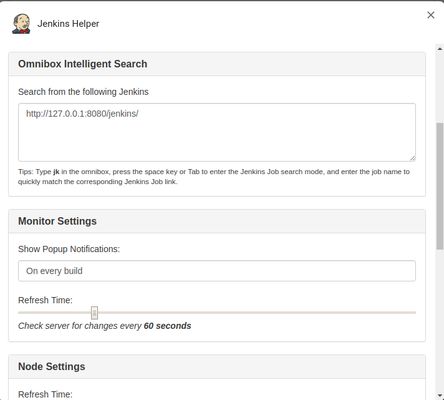
4. Intelligent search in the address bar: enter jk in the address bar, press the space key and enter intelligent search mode. Enter the job name to quickly match the corresponding Jenkins Job link.
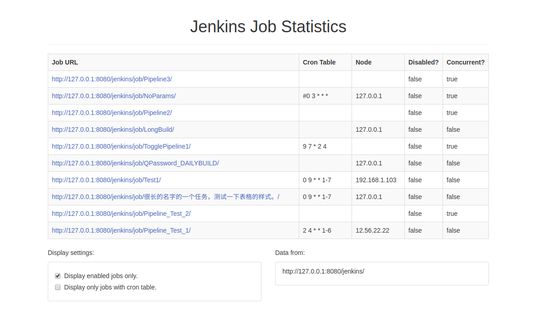
5. Job Statistics: Statistics Job's running node / timed build schedule / whether to disable / whether to allow concurrent information and so on.
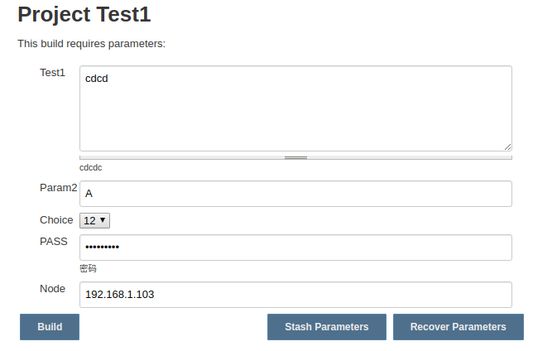
6. Parameter stashing and recovery: At the bottom of the Build/Rebuild page, two buttons are generated, Stash Parameters and Recover Parameters. Click Stash Parameters to save the parameter values filled in the current page. Click Recover Parameters to restore the last saved parameter values to the current page.
7. Custom settings: Some personal settings can be made for your unique needs.
Source code:
https://github.com/liying2008/jenkins-helper
The extension can:
1. Job monitoring: Monitor the build state of Jenkins Job and display a notification when the build is complete. Provide a "monitor" interface to view the build status of the Job of interest at any time. Provides filtering capabilities to filter Jobs based on build results.
2. Build parameter view: It's easy to quickly view build information and build parameters under each Build page and its subpages. A button to view the last/next build parameters is available, and the complete build log can be downloaded directly to the local.
3. Node disk space monitoring: Monitor the amount of the Jenkins node's disk space. If the amount of the remaining space of the node is less than or equal to a given threshold, the notification will alert and provide a monitor page to check the amount of the remaining space of the node at any time.
4. Intelligent search in the address bar: enter jk in the address bar, press the space key and enter intelligent search mode. Enter the job name to quickly match the corresponding Jenkins Job link.
5. Job Statistics: Statistics Job's running node / timed build schedule / whether to disable / whether to allow concurrent information and so on.
6. Parameter stashing and recovery: At the bottom of the Build/Rebuild page, two buttons are generated, Stash Parameters and Recover Parameters. Click Stash Parameters to save the parameter values filled in the current page. Click Recover Parameters to restore the last saved parameter values to the current page.
7. Custom settings: Some personal settings can be made for your unique needs.
Source code:
https://github.com/liying2008/jenkins-helper
3명이 5점으로 평가함
권한 및 데이터
추가 정보