
Kee - Password Manager 제작자: Luckyrat
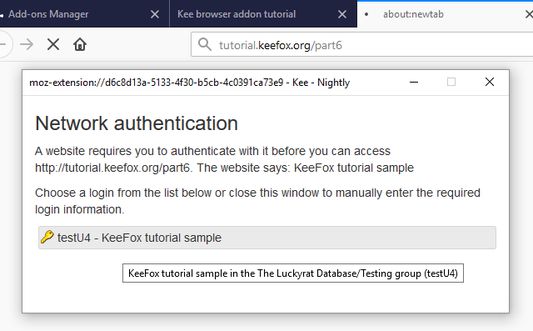
Save time, sign in easily to websites and avoid the hassle of forgotten password resets. Protect yourself and people you know from the nightmare of your accounts being hacked.
사용자 21,924명사용자 21,924명
확장 메타 데이터
스크린샷


정보
- Secure and automatic sign in to all your favourite websites
- Protect your personal and financial data by letting Kee create and remember high security passwords for you
- Your passwords stay under your control, protected by the most popular and thoroughly tested open source secure password storage system
- Open source with no adverts
No payment required
Kee offers an easy and cheap password management solution via the Kee Vault service. This is available for a free trial period with no credit card required. If you decide that's not for you, the add-on can instead work with the free KeePass Password Safe 2 software and we offer step by step instructions for how to install and configure that to work on your Windows machine (and it can also be made to work on Mac and Linux with a bit more effort, with multiple guides existing to help in that endeavour)
Who we are
Kee has been the most highly rated Mozilla Firefox password management extension for nearly 10 years! The extension used to be called KeeFox and we have recently changed our icon to coincide with the announcement of the Kee Vault password manager service.
You can look forward to even more improvements this year and join the discussion on the community forum to let us know what features you'd most like to see developed next.
Having trouble?
If you would like to try Kee and it is not working for you, please use the help resources at https://forum.kee.pm/t/help-and-support/24 since requests for support within review comments will remain un-noticed for a year or longer.
You should pay particular attention to the full detailed installation instructions, getting started tutorial and any advice at the top of that page.
Permissions
Kee needs a variety of permissions to deliver it's functionality to you. We maintain a page on our website that details these permissions and why we require them.
The built-in Firefox password manager will no longer prompt you to save passwords after you install this add-on. Any existing data will not be affected but you are strongly advised to delete any stored passwords from your Firefox password store in order to increase the security of your personal data and to avoid possible confusion in future.
리뷰어 356명이 4.2점으로 평가함
권한 및 데이터
필수 권한:
- 클립보드에 데이터 넣기
- 알림 표시
- 개인 정보 설정 읽기 및 수정
- 브라우저 탭에 접근
- 탐색 중 브라우저 활동에 접근
- 모든 웹사이트에서 사용자의 데이터에 접근
선택적 권한:
- 모든 웹사이트에서 사용자의 데이터에 접근
추가 정보
- 부가 기능 링크
- 버전
- 4.0.7
- 크기
- 2.54 MB
- 최근 업데이트
- 2년 전 (2024년 10월 10일)
- 관련 카테고리
- 라이선스
- GNU AGPL v3
- 개인정보처리방침
- 이 부가 기능에 대한 개인정보처리방침 읽기
- 버전 목록
- 모음집에 추가
For those that don't know the history of this extension, it's been around for over 10 years; it always has and always will be about helping as many people as possible to securely manage the many passwords that are required for so many websites nowadays.
The biggest challenge people faced using the add-on in recent years is the initial setup and configuration of the 3rd party KeePass password manager. I hope that the introduction of Kee Vault will enable a lot more people to secure their online life but of course existing or new users are still welcome to use the desktop KeePass program for the secure storage of their passwords.
If you're trying to set up the link to KeePass and are having trouble, you're not alone and there is a lot of advice on how to get it working on a variety of computers. If you're still stuck, I'll try my best to help via the support forum. I typically scan through ratings/reviews once a year so it's highly unlikely that you'll get timely help by leaving a review describing your problem here - but that's not what they're meant for anyway :-)