Keyboard.cool - emoji & symbol keyboard 제작자: blade.sk
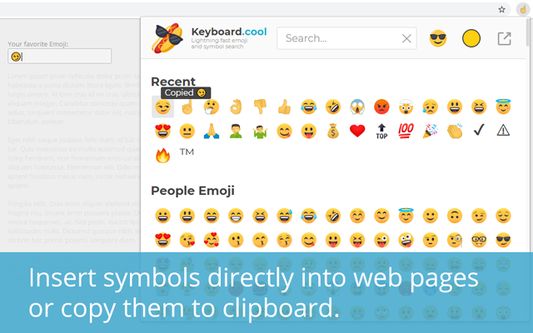
Insert emoji and symbols directly into text fields. Use super fast search to pick from over 7500 symbols.
사용자 113명사용자 113명
확장 메타 데이터
스크린샷
정보
Insert emoji and symbols directly into text fields. Use super fast search to pick from over 7500 symbols.
Take your texting to the next level.
🤯 use the most up-to-date emoji (version 15.1 - 2023).
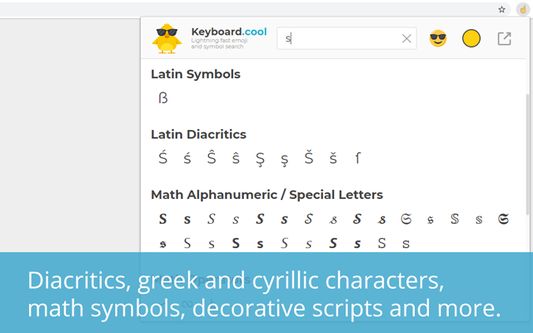
🔣 search in over 7500 symbols - pictograms, math operators, accented characters, 𝑺𝑷𝑬𝑪𝑰𝑨𝑳 scripts, ∫Ψ🅜⧖⌬⎱§... Go nuts.
⌨ insert symbols directly into the focused web page or copy them to clipboard.
💨 built for speed - loads fast, searches even faster, bring up the keyboard with customizable hotkey (defaults to 𝙲𝚃𝚁𝙻+𝙰𝙻𝚃+𝚉 / ⌘+⌥+𝚉) and navigate using arrows and enter.
☝🏿 selectable skin tones and emoji styles (NotoEmoji and native).
🥶 arguably has the coolest logos.
Word of advice: the emoji and symbols you copy may or may not display correctly to you or the recipient, depending on what device they're using. Most new(-ish) devices should be fine. Some websites using non-standard input methods may not accept the inserted characters, in which case you can use the clipboard (𝙲𝚃𝚁𝙻+𝚅 or ⌘+𝚅).
Take your texting to the next level.
🤯 use the most up-to-date emoji (version 15.1 - 2023).
🔣 search in over 7500 symbols - pictograms, math operators, accented characters, 𝑺𝑷𝑬𝑪𝑰𝑨𝑳 scripts, ∫Ψ🅜⧖⌬⎱§... Go nuts.
⌨ insert symbols directly into the focused web page or copy them to clipboard.
💨 built for speed - loads fast, searches even faster, bring up the keyboard with customizable hotkey (defaults to 𝙲𝚃𝚁𝙻+𝙰𝙻𝚃+𝚉 / ⌘+⌥+𝚉) and navigate using arrows and enter.
☝🏿 selectable skin tones and emoji styles (NotoEmoji and native).
🥶 arguably has the coolest logos.
Word of advice: the emoji and symbols you copy may or may not display correctly to you or the recipient, depending on what device they're using. Most new(-ish) devices should be fine. Some websites using non-standard input methods may not accept the inserted characters, in which case you can use the clipboard (𝙲𝚃𝚁𝙻+𝚅 or ⌘+𝚅).
1명이 5점으로 평가함
추가 정보
- 부가 기능 링크
- 버전
- 1.1.5
- 크기
- 3.1 MB
- 마지막 업데이트
- 9달 전 (2025년 8월 28일)
- 관련 카테고리
- 라이선스
- All Rights Reserved
- 버전 목록
- 모음집에 추가