Last.FM Unscrobbler 제작자: guytepper
Delete multiple scrobbles from your Last.FM profile.
사용자 1,243명사용자 1,243명
확장 메타 데이터
스크린샷
정보
Last.FM does not allow deleting multiple scrobbles - only one at a time. Last.FM Unscrobbler adds this missing feature.
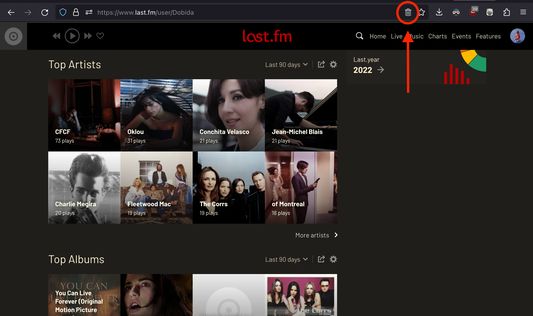
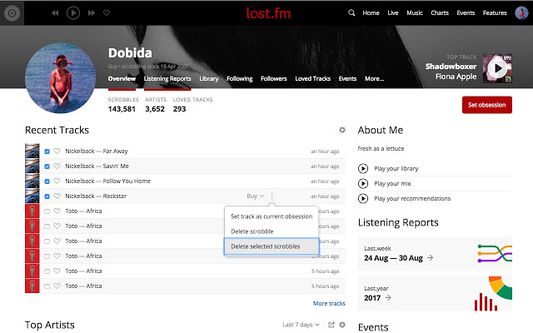
Simply click the extension icon from the address bar, tick the checkboxes near the scrobbles you want to delete, go to the track menu and press "Delete selected scrobbles".
NOTE: The extension trash bin icon will appear on the address bar (where the URL is) only when you visit Last.fm.
You have to click on this icon (and not on the toolbar extension icon) in order for the extension to run.
Simply click the extension icon from the address bar, tick the checkboxes near the scrobbles you want to delete, go to the track menu and press "Delete selected scrobbles".
NOTE: The extension trash bin icon will appear on the address bar (where the URL is) only when you visit Last.fm.
You have to click on this icon (and not on the toolbar extension icon) in order for the extension to run.
25명이 4.3점으로 평가함
추가 정보