
LastPass Password Manager 제작자: LastPass
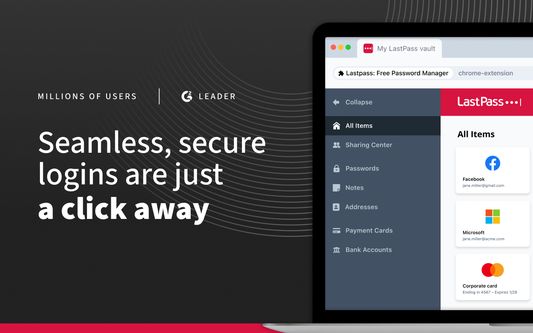
LastPass, an award-winning password manager, saves your passwords and gives you secure access from every computer and mobile device.
사용자 390,710명사용자 390,710명
확장 메타 데이터
스크린샷
정보
LastPass is the easiest way to manage passwords—wherever you browse.
Tired of forgetting passwords or resetting them constantly? Meet LastPass, the trusted password manager—used by millions of people and thousands of businesses—to keep passwords and other account info safe, secure, and always within reach.
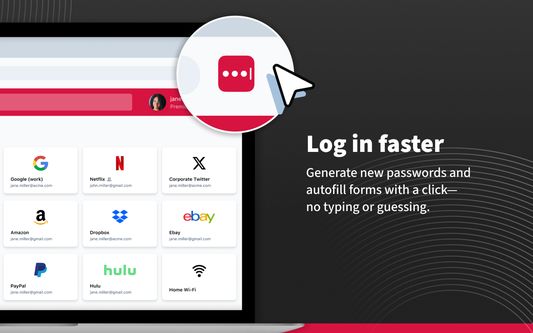
With LastPass, you only need to remember one master password. We’ll handle the rest—autofilling logins, generating secure passwords, and syncing across all your devices. Whether you're browsing on Firefox or logging into your favorite website, LastPass makes it effortless.
WHY MILLIONS TRUST LASTPASS
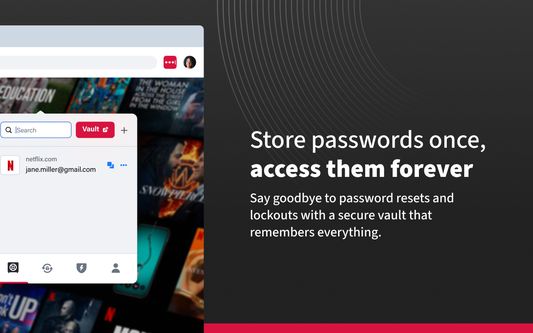
🔐 Secure Password Vault: Store all your passwords, passphrases, passkeys, usernames, and payment methods in one encrypted place.
⚡ Autofill Made Easy: Instantly fill in login credentials on websites and in apps—no typing required.
🧠 One Master Password: Just remember one password—LastPass remembers the rest.
📝 More Than Passwords: Securely store credit cards, insurance info, social security numbers, and private notes.
🤝 Share Securely: Share passwords safely with family, friends, or coworkers.
🔒 Built-In Password Generator: Create strong, unique passwords and passphrases in a single tap.
🛡️ Multi-Factor Authentication (MFA): Add an extra layer of protection to your password app.
GO PREMIUM FOR MORE POWER
Try LastPass Premium free for 30 days and unlock:
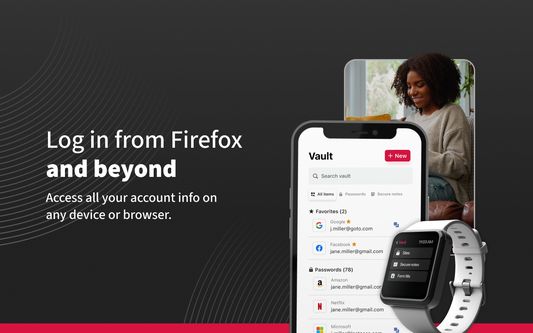
📱 Unlimited device access across all platforms
🌐 Access on Chrome, Edge, and other browser extensions
🔗 Unlimited sharing of passwords and notes
☁️ 1GB of encrypted file storage
🛡️ Advanced MFA options like YubiKey
🚨 Emergency access for trusted contacts
💬 Priority customer support
BUILT FOR SECURITY
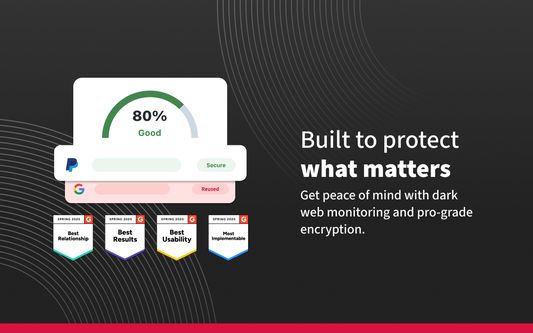
Your data is encrypted with bank-grade AES-256 encryption—only you can unlock your vault. Even we can’t access it.
RECOGNIZED. RESPECTED. RECOMMENDED.
There’s a reason LastPass is trusted by millions and featured in top publications like Forbes, PCMag, TechRadar, and ZDNet. We consistently lead the way in ease of use and customer support, earning top ratings on platforms like G2. When it comes to password managers, users and experts agree—LastPass delivers.
DOWNLOAD LASTPASS TODAY
Start using the smarter, safer way to manage your passwords and passkeys.
Terms of Service: https://www.lastpass.com/legal-center/terms-of-service/
Tired of forgetting passwords or resetting them constantly? Meet LastPass, the trusted password manager—used by millions of people and thousands of businesses—to keep passwords and other account info safe, secure, and always within reach.
With LastPass, you only need to remember one master password. We’ll handle the rest—autofilling logins, generating secure passwords, and syncing across all your devices. Whether you're browsing on Firefox or logging into your favorite website, LastPass makes it effortless.
WHY MILLIONS TRUST LASTPASS
🔐 Secure Password Vault: Store all your passwords, passphrases, passkeys, usernames, and payment methods in one encrypted place.
⚡ Autofill Made Easy: Instantly fill in login credentials on websites and in apps—no typing required.
🧠 One Master Password: Just remember one password—LastPass remembers the rest.
📝 More Than Passwords: Securely store credit cards, insurance info, social security numbers, and private notes.
🤝 Share Securely: Share passwords safely with family, friends, or coworkers.
🔒 Built-In Password Generator: Create strong, unique passwords and passphrases in a single tap.
🛡️ Multi-Factor Authentication (MFA): Add an extra layer of protection to your password app.
GO PREMIUM FOR MORE POWER
Try LastPass Premium free for 30 days and unlock:
📱 Unlimited device access across all platforms
🌐 Access on Chrome, Edge, and other browser extensions
🔗 Unlimited sharing of passwords and notes
☁️ 1GB of encrypted file storage
🛡️ Advanced MFA options like YubiKey
🚨 Emergency access for trusted contacts
💬 Priority customer support
BUILT FOR SECURITY
Your data is encrypted with bank-grade AES-256 encryption—only you can unlock your vault. Even we can’t access it.
RECOGNIZED. RESPECTED. RECOMMENDED.
There’s a reason LastPass is trusted by millions and featured in top publications like Forbes, PCMag, TechRadar, and ZDNet. We consistently lead the way in ease of use and customer support, earning top ratings on platforms like G2. When it comes to password managers, users and experts agree—LastPass delivers.
DOWNLOAD LASTPASS TODAY
Start using the smarter, safer way to manage your passwords and passkeys.
Terms of Service: https://www.lastpass.com/legal-center/terms-of-service/
리뷰어 8,931명이 3.7점으로 평가함
권한 및 데이터
필수 권한:
- 알림 표시
- 개인 정보 설정 읽기 및 수정
- 브라우저 탭에 접근
- 탐색 중 브라우저 활동에 접근
- 모든 웹사이트에서 사용자의 데이터에 접근
선택적 권한:
- 클립보드에 데이터 넣기
개발자가 밝힌 필수 수집 항목:
- 인증 정보
- 탐색 활동
- 지역
- 웹사이트 활동
개발자가 밝인 선택적 데이터 수집:
- 기술 및 상호 작용 데이터
추가 정보
- 부가 기능 링크
- 버전
- 4.154.2
- 크기
- 22.06 MB
- 최근 업데이트
- 3달 전 (2026년 6월 25일)
- 관련 카테고리
- 라이선스
- Custom License
- 개인정보처리방침
- 이 부가 기능에 대한 개인정보처리방침 읽기
- 버전 목록
- 모음집에 추가